(APPENDIX II) CONTROL UNIT SCREENS | PAGE 43
6. LANGUAGE SELECTION
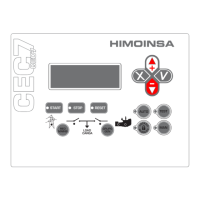
To enter each menu select it with the cursors ▲▼ and press ü.
* * * LANGUAGE * * *
à
0 . Español
1 . English
2 . Francais
* * * LANGUAGE * * *
à
3 . Italiano
4 . Portugues
5 . Polish
* * * LANGUAGE * * *
à
6 . German
7 .
Pycc!"#
8 .
₼㠖
* * * LANGUAGE * * *
à
9 . Finnish
1 0 . Norwegian
1 1 . Swedish
* * * LANGUAGE * * *
à
1 2 . D u t c h
1 3 . D a n s k
If you wish to program an action with an operating range that covers 2 consecutive
days of the week (e.g. Monday between 22:00 and 03:00 on Tuesday), program
the action to end at 23:59 on Monday and the same action to start at 00:00 on
Tuesday.
* * * * * Monday * * * * *
à
B L O Q [ 0 ] 2 2 : 0 0 . 2 3 : 5 9
- - - - 0 0 : 0 0 . 0 0 : 0 0
q
- - - - 0 0 : 0 0 . 0 0 : 0 0
* * * * * Tuesday * * * * *
à
B L O Q [ 0 ] 0 0 : 0 0 . 0 3 : 0 0
- - - - 0 0 : 0 0 . 0 0 : 0 0
q
- - - - 0 0 : 0 0 . 0 0 : 0 0
5. DATE AND TIME
Select the time eld and pressü. Adjust the hours, minutes and seconds with
the cursors $▼and press ü.
* * * DATE/TIME * * *
p à
Time: : 1 1 : 0 0 : 5 5
q
Date : 1 0 / 1 2 / 0 6 D


 To Next Page