10
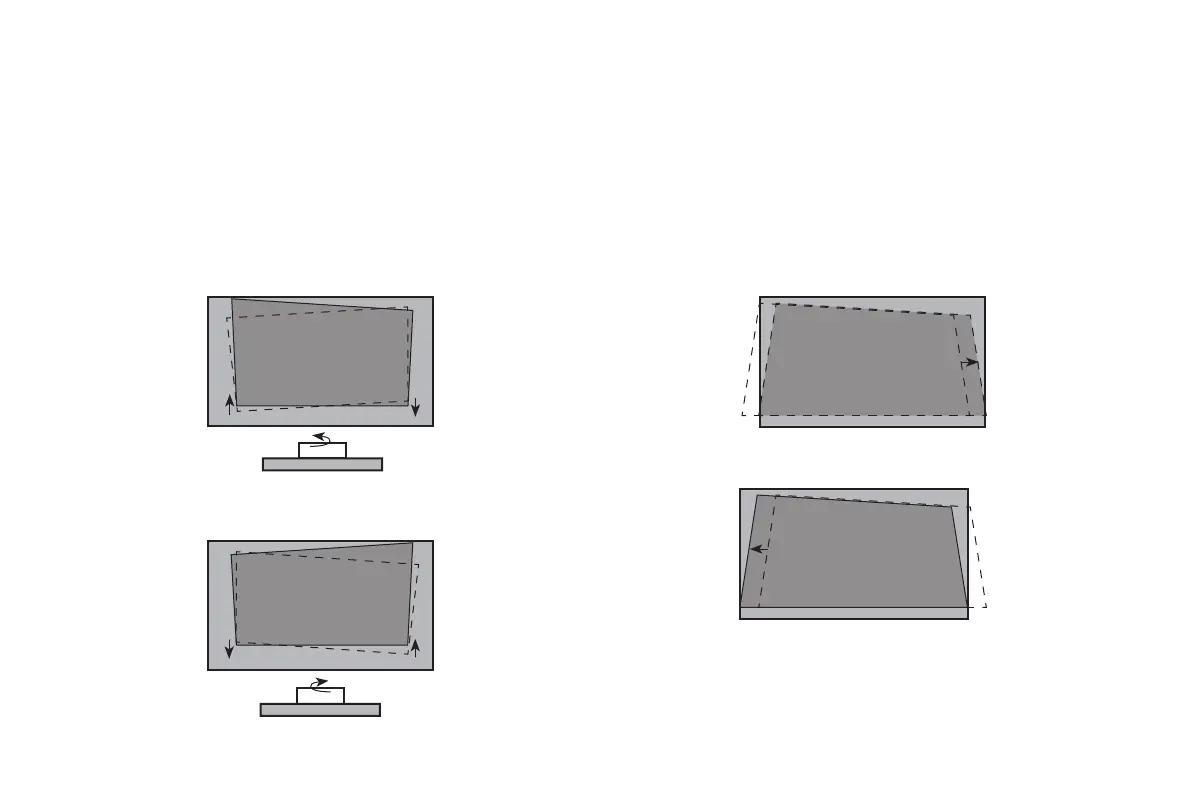
FIT THE BOTTOM OF THE IMAGE TO THE SCREEN
• If the image shifts to the left side, then move the Laser
Cinema to the right.
If the image shifts to the right side, then move the Laser
Cinema to the left.
STEP 3 Adjust the Display Image and the Screen
Follow the steps in the order shown below, only if they apply to your situation.
Note: Before adjusting, fold the wall-mount bracket wands so that screen is vertically level.
PARALLEL THE BOTTOM OF THE IMAGE WITH THE SCREEN
If the bottom of the image is lower on the left and higher on the
right, rotate the device counterclockwise.
If the bottom of the image is lower on the right and higher on
the left, rotate the device clockwise.










 To Next Page