5
Step 3. Get your remote ready
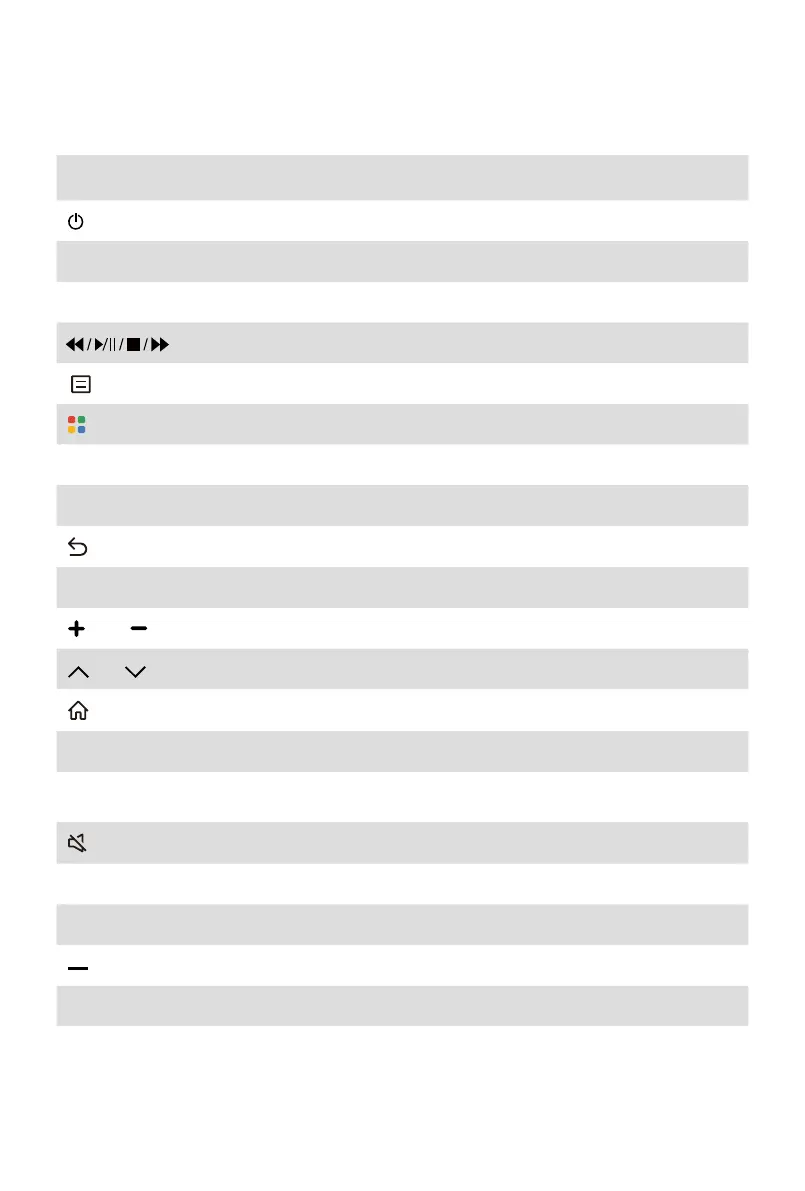
The following table shows the buttons on your remote control and describes what they
are for.
BUTTON DESCRIPTION
Poweron/o
INPUT Change TV input source
App Quickaccessbuttonstoapps
Media content control function buttons
The button for the Menu
Special function buttons
˄
/
˅
/
˂
/
˃ D-pad(up/down/left/rightnavigationbuttons)
OK Conrmationbutton
Return to the previous place in the menu or app
EXIT Exit the menu or app
VOL Volume(up/down)
CH Channel(up/down)
Display the Home screen
SLEEP Adjust sleep timer setting
LIVE TV Enter Live TV source
Mute and restore sound
MTS Settheaudiolanguage(MTS)
Number Enter Channels/input numbers
Select a digital sub-channel
CC TurnClosedCaptionOn/OandturnClosedCaptiononwhenmute
NOTE:
• Buttons listed here are for reference only. Actual remote control may vary depending
on model, country.



 To Next Page