7
Use the Hisense EzPlay Function
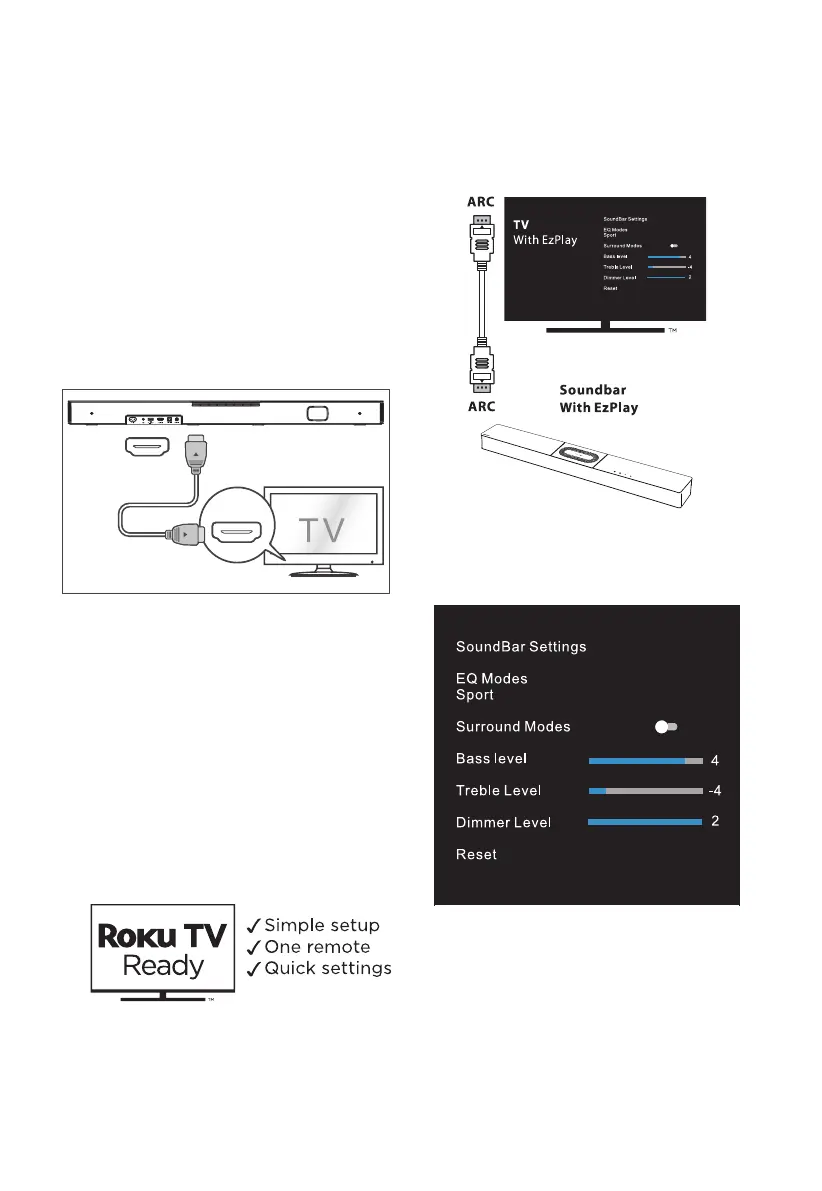
For Hisense EzPlay, when the Soundbar connects
with a Hisense TV via HDMI ARC, the will be a
Soundbar Setting menu on the TV, and you can
control this menu via you TV remote to control
most of the Soundbar features.
TV menu example (different models may have
dierent menus) :
Setting--sound--Soundbar Setting.
Note:
• This function is available only when both
Soundbar and TV support Hisense Ezplay.
• This function requires Soundbar and TV
connected via HDMI ARC, and the CEC of the
TV must be trned ON.
• If everytime setting right, for the first time
connect, there would be a tip on the TV
screen to guide you find the Soundbar
setting menu.
4. Connections
4.1 Use the HDMI ARC Socket
The ARC (Audio Return Channel) function allows
you to send audio from your ARC- compliant TV to
your soundbar through a single HDMI connection.
To enjoy the ARC function, please ensure your
TV is both HDMI-CEC and ARC compliant and set
up accordingly. When correctly set up, you can
use your TV remote control to adjust the volume
output ( VOL + /
–
and Mute ) of the soundbar.
- Connect the HDMI cable from unit's HDMI
ARC socket to the HDMI (ARC) socket on your
ARC compliant TV. Then press the remote
control to select HDMI ARC.
HDMI ARC
HDMI ARC
OPTICAL
USB
.KGJVNUTK
B
A
OPTICAL
COAXIAL
COAXIAL
Tips:
• Your TV must support the HDMI-CEC and
ARC function. HDMI-CEC and ARC must be
set to On.
• The setting method of HDMI-CEC and ARC
may differ depending on the TV. For details
about ARC function, please refer to the
owner’s manual.
• Only HDMI 1.4 or higher version cable can
support the ARC function.
Use the Roku TV
• If you have a Roku TV™, simply plug in the
HDMI cable to the ARC ports and follow the
Roku TV Ready™ on-screen instructions.



 To Next Page