REAR PANEL
OF THE SUBWOOFER
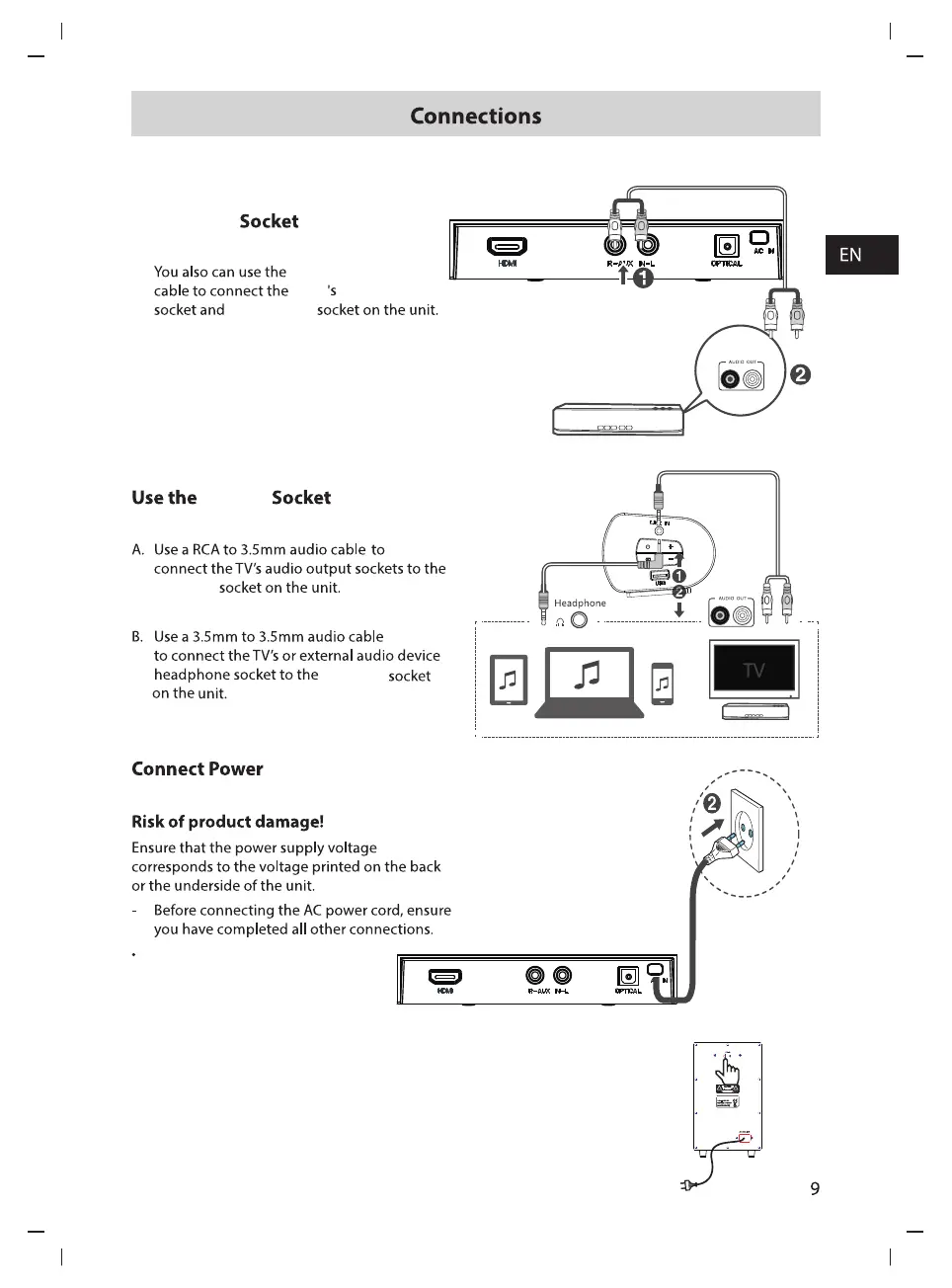
Audio out(L,R)
RCA(L,R)
DVD
RCA(AUX)
LINE IN
LINE IN
Insert the AC power cord into
a mains socket.
RCA(AUX)
LINE IN
Make sure the AC power cord is connected to a power supply
securely. subwoofer have the wireless bluetooth to receive the
audio signal from the sound bar.when the blue indicator flashing ,
the subwoofer is in searching bluetooth signal status, the blue
indicator keeps lighting means bluetooth was connected,if the
subwoofer can not connect with the soundbase
automatically,please press pair button on the rear panel of
subwoofer to reconnect .
The subwoofer will memories the sound bar and repaired
automatically when you power off the subwoofer then power on.
Subwoofer Connection



 To Next Page