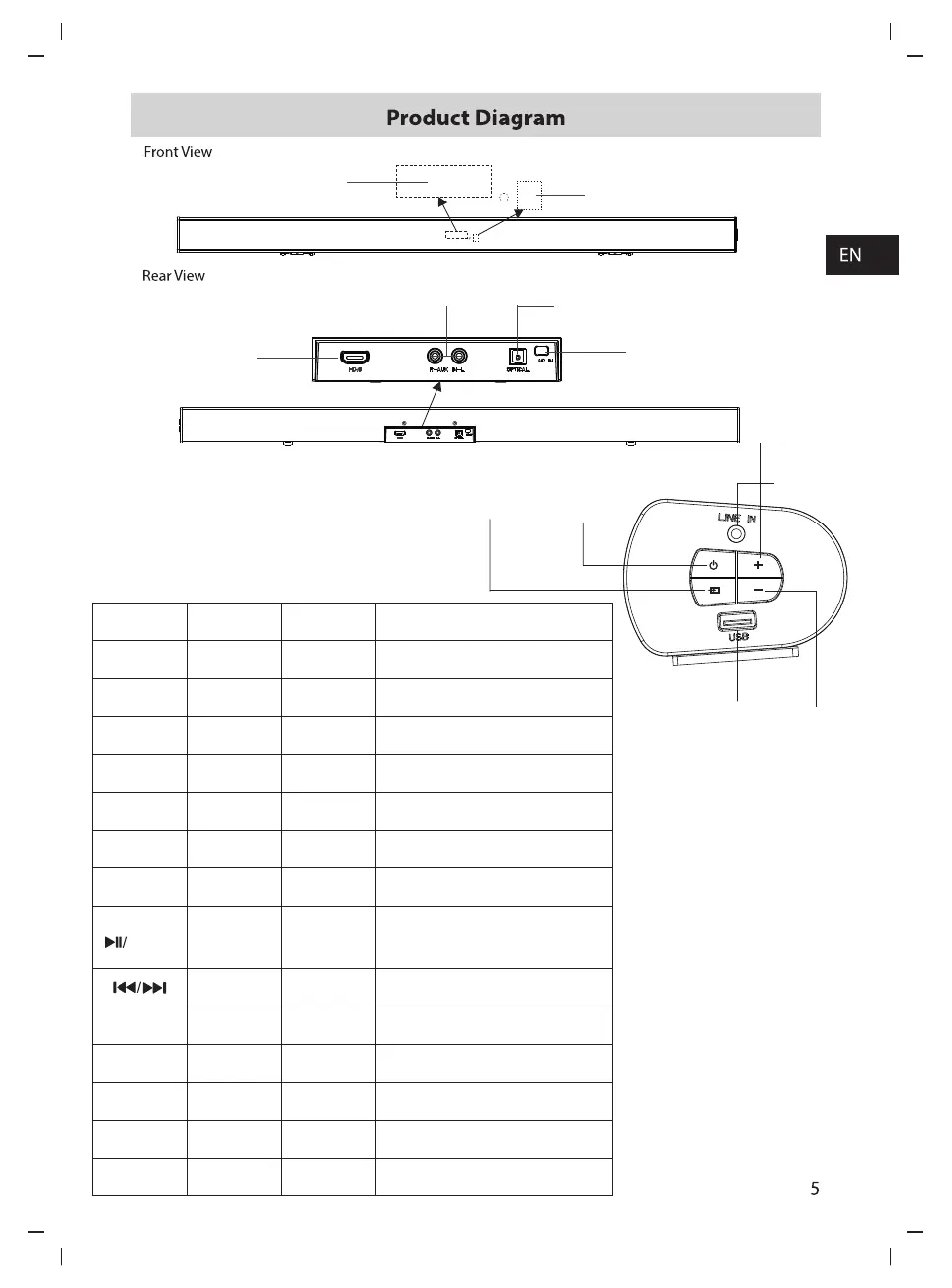
REMOTE SENSOR
Side View:
DISPLAY SCREEN
OPTICAL DIGITAL AUDIO INPUT
HDMI ARC
AUX INPUT
AC INPUT
VOLUME+
STANDBYSOURCE
LINE IN
VOLUME-
USB SLOT
HS 212 Remote Control and LED Display and Port
Remote Control
Port
LED Display
OPT
OPt
OPTICAL
BT
bt
/
LINE IN
LInE
USb
LINE IN
RCA
R-AUX,IN-L
USB
USB
HDMI ARC
ArC
HDMI
VOL+/VOL-
U 0~45
PAIR
PLAy/PAUS
001
MOVIE
eq2
NEWS
eq3
eq1
MUSIC
MUTE
U 0 0
STANDBY
on/byE
rCA
Functional Mode
Switch to OPTICAL mode
Switch to Bluetooth mode
Switch to LINE IN mode
Switch to RCA(AUX) mode
Switch to USB mode
Audio Return Channel from TV/AV to
Sound bar
Inside
Inside
Inside
Inside
Inside
Inside
Inside
Inside
In Bluetooth mode/USB mode:Skip to
previous/next track
Play/pause/resume playback in Bluetooth mode
Press and Hold to active the pairing function in
Bluetooth mode or disconnect the existing paired
Bluetooth device
Increase/Decrease the volume level
Viewing in MOVIE mode
listening in NEWS mode
listening in MUSIC mode
Mute or resume volume
Switch the unit between ON and
STANDBY mode



 To Next Page