12
Adjust the Volume
Press the + / - buttons on the unit or VOL+ / VOL-
on the remote control to adjust the volume.
If you wish to turn the sound o, press the
button on the remote control. Press the
button
again or press the
+ / -
buttons on the unit or
VOL+ / VOL- on the remote control to unmute.
While playing, press the NEWS / MOVIE / MUSIC
buttons on the remote control to select the preset
equalizers:
MOVIE (recommended for watching movie)
MUSIC (recommended for listening to music)
NEWS (recommended for listening to news)
OPTICAL/ COAXIAL/HDMI ARC /AUX Operation
1 Ensure that the unit is connected to the TV or
audio device.
2 Press the button repeatedly on the unit or the
SOURCE button on the remote control to select
the OPTICAL, COAXIAL, HDMI ARC, AUX mode.
3 Operate your audio device directly for playback
features.
4 Press the +/–
button on the unit or VOL+ / VOL-
Tip:
• While in OPTICAL , HDMI ARC or COAXIAL
mode, if there’s no sound output from the unit,
you may need to activate PCM signal output
on your source device (eg. TV, DVD or Blu-ray
player).
• For the digital audio out that the unit do not
support, the LED light would be purple and
blink three times.
Bluetooth Operation
Pair Bluetooth-enabled Devices
The rst time you connect your bluetooth device to
this unit, you need to pair your device to this unit.
Note:
- The operational range between this unit
and a Bluetooth device is approximately 26
feet (8m) (without any object between the
Bluetooth device and the unit).
- Before you connect a Bluetooth device to this
unit, ensure you know the device’s capabilities.
- Compatibility with all Bluetooth devices is not
guaranteed.
- Any obstacle between this unit and a Bluetooth
device can reduce the operational range.
- If the signal strength is weak, your Bluetooth
receiver may disconnect, but it will re-enter
pairing mode automatically
.
1 During ON mode, press the
button
repeatedly on the unit or the
SOURCE button
on the remote control to select
Bluetooth mode. The Blue indicator light
will ash.
2 Activate your Bluetooth device and select the
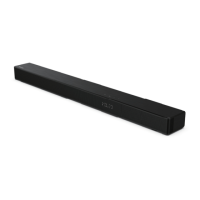
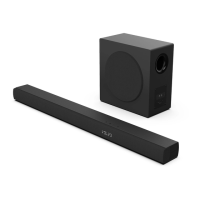
search mode. “Hisense HS214 ” will appear
on your Bluetooth device list.
•
button on the remote control to enter
into pairing mode again .
You will hear audio prompt from the unit and
3 Select “Hisense HS214 ” in the pairing list.
After audio prompt, the system is successfully
connected and the Bluetooth indicator will
light up solidly.
4 Play music from the connected Bluetooth device.
Note: While adjusting the volume, the status LED
indicator will ash once. When the volume has
hit maximum/minimum value level, the status LED
indicator will ash quickly.
EN
on the remote control to adjust the volume to
your desired level.



 To Next Page