14
Listen to music from Bluetooth Device
- If the connected Bluetooth device supports
Advanced Audio Distribution Profile (A2DP),
you can listen to the music stored on the
device through the player.
- If the device also supports Audio Video
Remote Control Profile (AVRCP), you can use
the player's remote control to play music
stored on the device.
1. Pair your device with the player.
2. Play music via your device (if it supports A2DP).
3. Use supplied remote control to control play
(if it supports AVRCP).
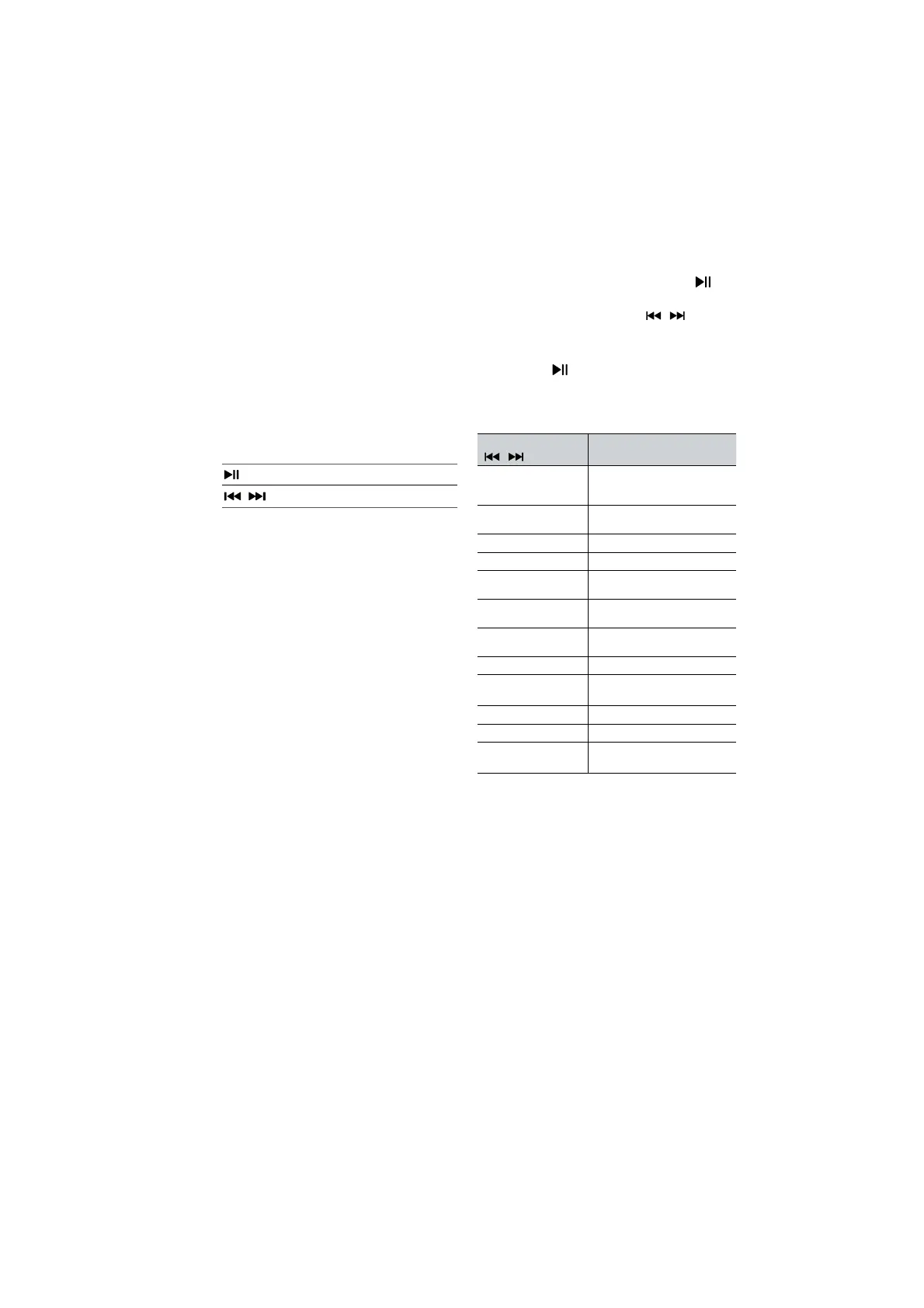
Start, pause or resume play
,
Skip to the previous or next track
Tips:
• The operational range between the Sound
Bar and the device is approximately 8 metres.
• Before connecting a Bluetooth® device to
the Sound Bar, ensure you know the device’s
capabilities.
• Compatibility with all Bluetooth® devices is
not guaranteed.
• Any obstacle between the device and the
Sound Bar can reduce operational range.
• Keep this player away from other electronic
devices that may cause interference.
• The player will also be disconnected when your
device is moved beyond the operational range.
12. Setup Menu
1. During ON mode, press and hold the
button for 3 seconds to open the menu.
2. Select the content with the
/ buttons.
3. Change the initial values for each of the
settings with VOL
+
/
−
buttons.
4. Press the
button to confirm your selection
and exit the settings.
• If no button is pressed within 10 seconds, the
system will automatically exit the menu.
Display
/
Description
VOL
+
/
−
MOVIE
Select Equalizer (EQ) effect
(MOVIE, MUSIC, GAME, NEWS,
SPORT, NIGHT,
AI)
5UR OFF
Switch Surround Sound
SUR PURE / PRO / OFF
BA5 O
Adjust the Bass Level
TRE O
Adjust the Treble Level
DIM 3
Adjust the Brightness
DIM 0 / DIM 1 / DIM 2 / DIM 3
AUTO WAKE OFF
Switch Auto Wake
ON / OFF
AUTO 5TANDBY ON
Switch Auto Standby
ON / OFF
DRC O
Switch DRC Level 0/1/2
DCL O
Switch Dialog Control Level
0/1/2/3/4/5/6
NeuralX OFF
Switch Neural : X ON/OFF
VirtualX OFF
SwitchVirtual : X ON/OFF
5UB LEVEL
Switch Subwoofer Level
-2/-1/0/1/2


 To Next Page