6
3 4 5
!"#
TOP
BACK
$ "% ""&'
3. Identifying the Parts
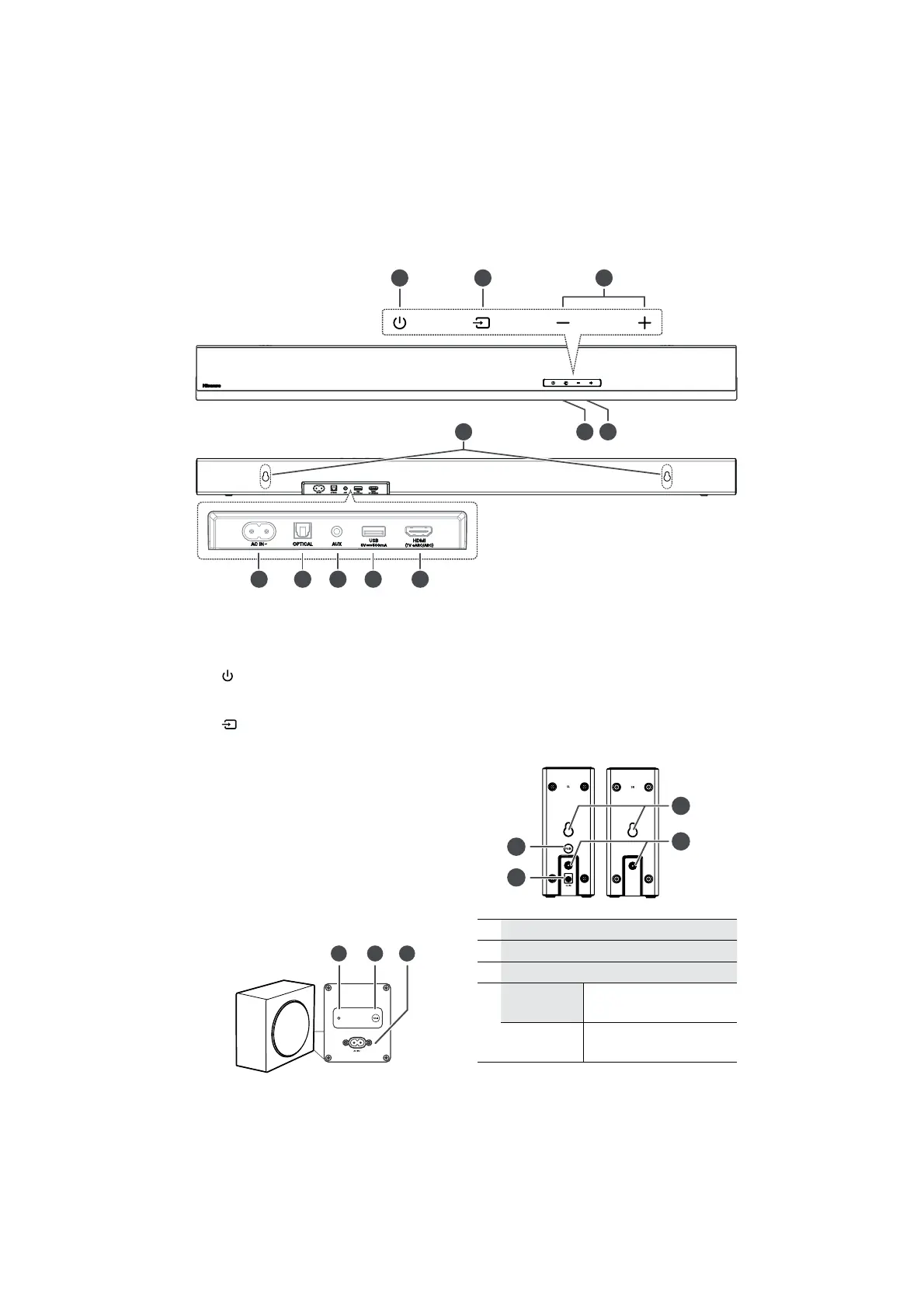
3.1 Soundbar
1 Remote Control Sensor
Receive signal from the remote control.
2 Display Window
Show the current status.
3
(ON/OFF) button
Switch the soundbar between ON and
Standby mode.
4
(SOURCE) button
Select the play function.
5
+/−(
VOL) buttons
Increase/decrease the volume level.
6 Wall bracket screws
7 AC IN ~ Socket
Connect an AC power cord.
8 OPTICAL Socket
9 AUX Socket
10 USB Socket
Insert the USB device to play music.
11 HDMI (TV eARC/ARC) Socket
Connect to a TV via HDMI cable.
3.2 Wireless Subwoofer
1 Pairing Indicator
Light stops blinking once the subwoofer is
paired with the soundbar.
2 PAIR button
Activate the pairing function between
the soundbar and subwoofer.
3 AC IN~ Socket
Connect an AC power cord.
3.3 Surround Speakers
!
"
#
$
1 Wall bracket slot
2 Surround (left / right) Socket
3 DC IN Socket
4
PAIR
button/Indicator
Activate the pairing function
between the main unit and the
surround.
• Fast blink
Surround in pairing mode
• Constant on
Connected / Paired successful
• Slow blink
Connection / Pairing Failed


 To Next Page