• Enabling this function may result in higher energy consumption.
Related Topic
• Network Issues
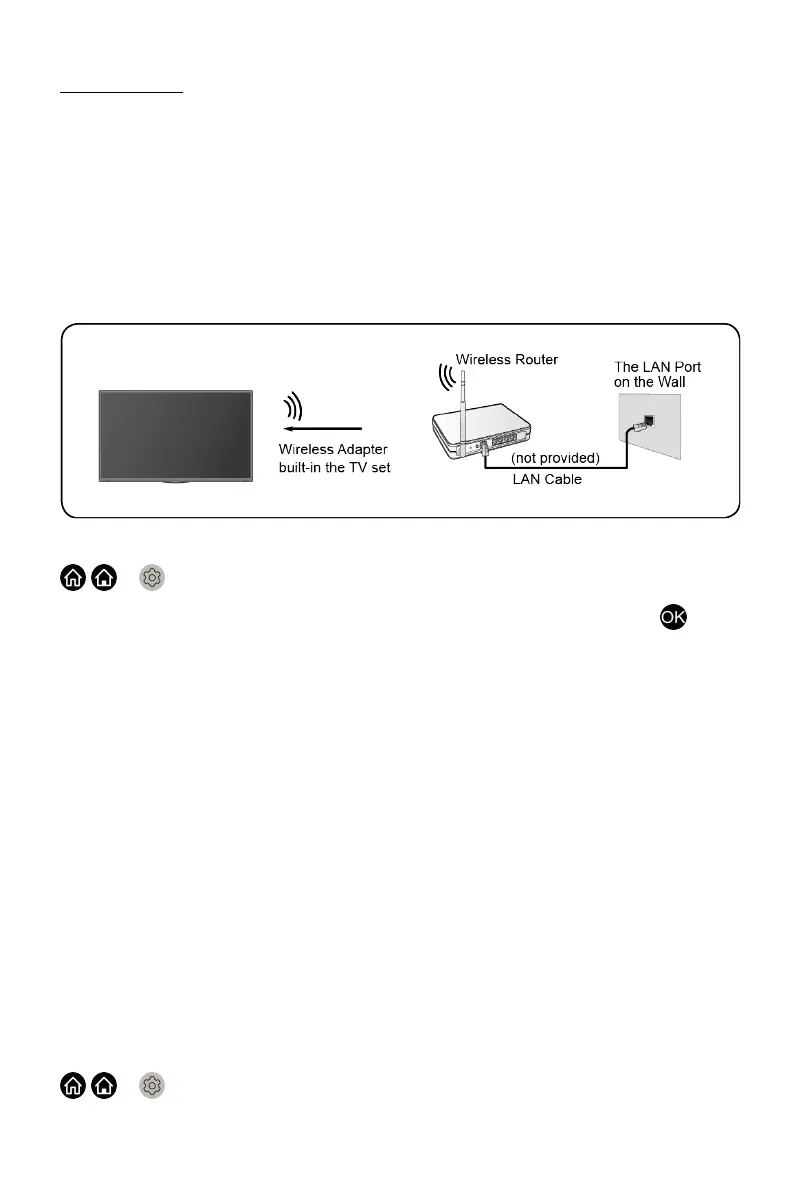
Wireless Internet Connection
Connecting to a wireless network
To connect to an available wireless network, make sure that you turn on your
WiFi and have the wireless router's SSID and password before attempting to
connect.
To get access to the Internet in a wireless way:
/ > Settings > Network > Network Configuration
Set the TV network by selecting Network Configuration and press
button to enter the submenu.
• Connection Type
Choose a wireless network connection to access the Internet.
• Advanced Settings
Configure the advanced wireless network settings for the TV.
• Add
You can add wireless network.
• Refresh
Refresh wireless network.
Note:
• If no wireless router is found, select Add and enter the network name in
the SSID.
• If no wireless router is found, select Refresh.
Wake on wireless network
/ > Settings > Network > Wake on Wireless Network
19



 To Next Page