Go to your mobile Settings to enable Bluetooth, and choose the TV to
connect.
To use this function, make sure to select TV Speaker at / > Settings
> Sound > Speakers > Audio Output.
Related Topic
• Speakers Settings
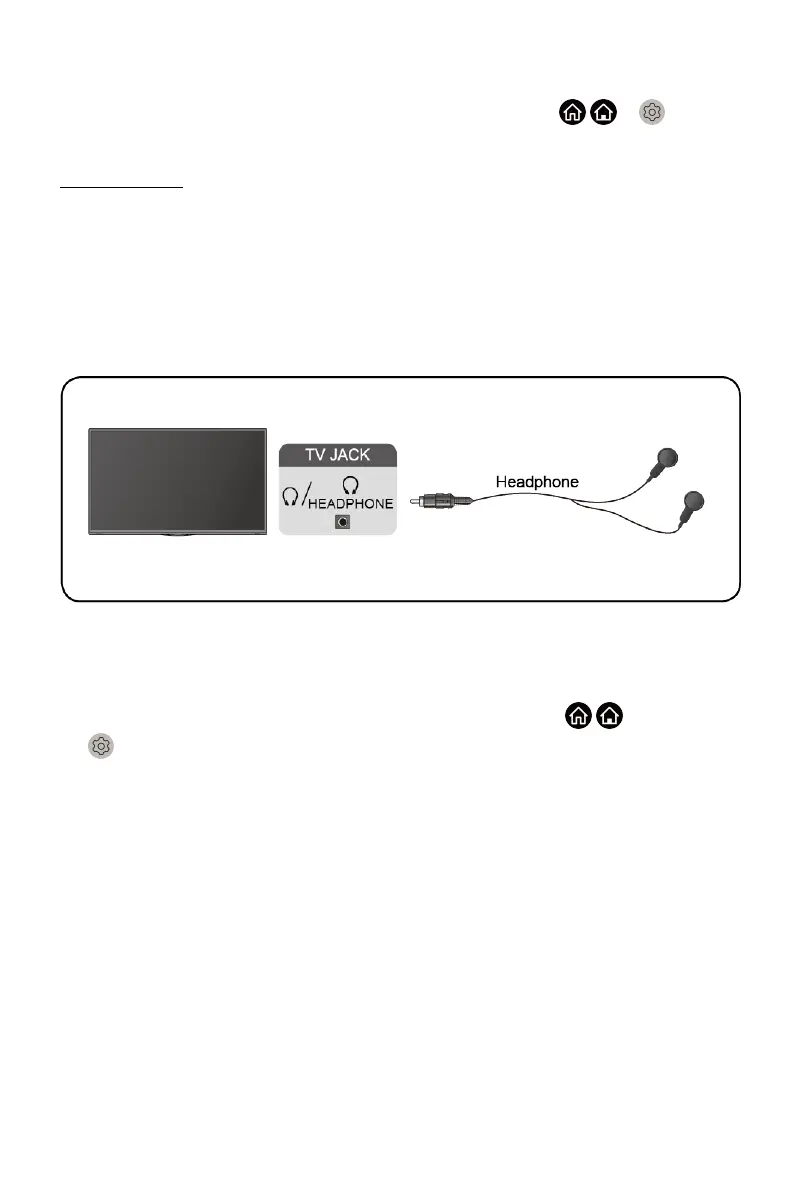
Connecting Headphones
You can connect a pair of headphones (not provided) to the HEADPHONE
port on your TV. While the headphone is connected, the sound from the built-
in speakers will be disabled.
Note:
• Headphone port may not be available in some models.
• Headphones with microphones are not supported.
•
If Headphone with Speakers is selected manually in / >
Settings > Sound > Headphone > Headphone Mode, the headphone
and the TV will have sound output at the same time.
• For more information about headphone settings, please refer to Picture
and Sound > Using Headphones in this manual.
Connecting USB Devices
Connect the USB devices, such as hard drives and USB sticks for browsing
photos, or listening to music.
22


 To Next Page