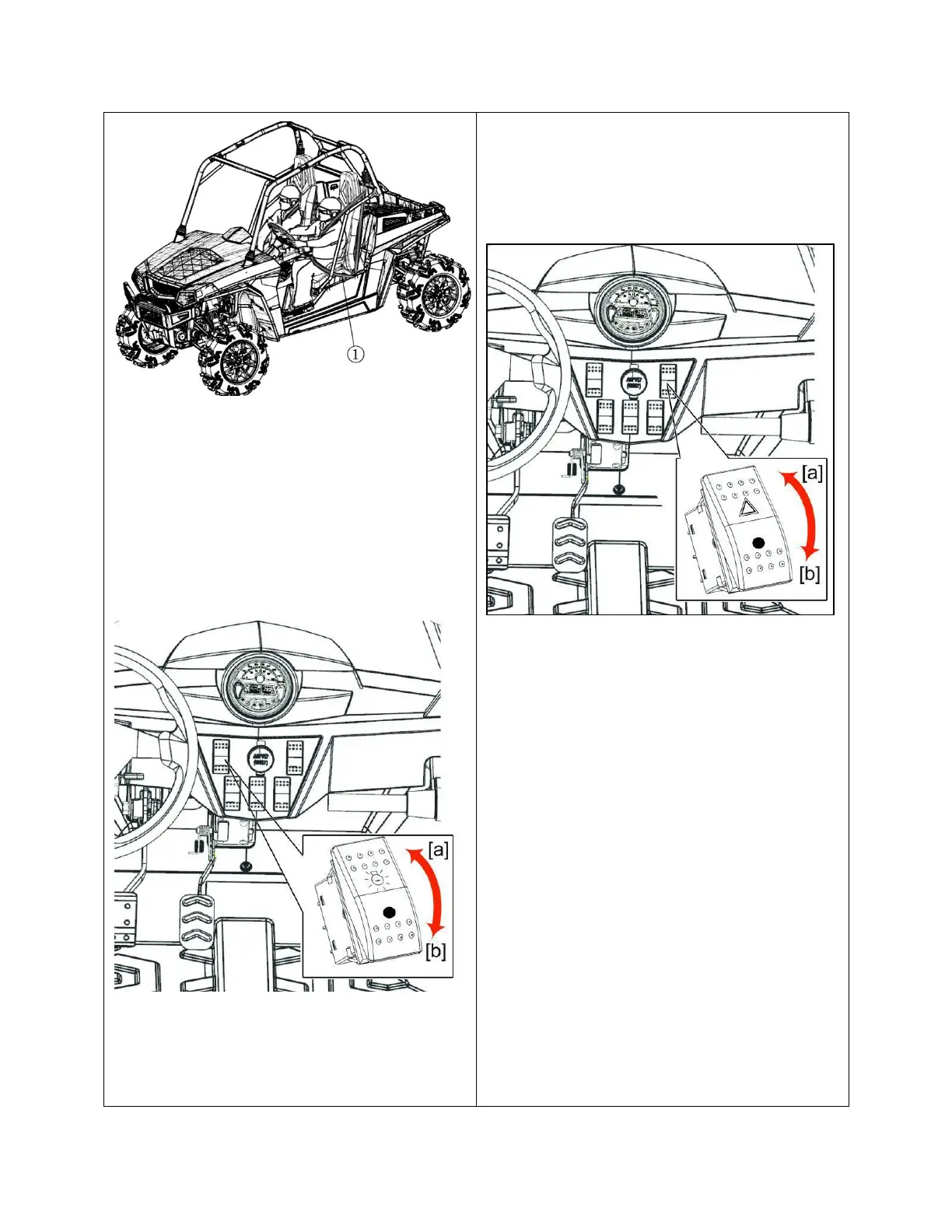
① Seat belt
2. Selecting light switch position.
■ Head Light Switch
Turn on the key switch and toggle the head
light switch to the (a) or ON position.
Toggle the head light switch to the (b) or OFF
position, to turn off the head light.
NOTE:
Turning the head light switch to the “[a]”
position causes the following lamps to light
simultaneously.
1. Tail lights (lamps at the rear portions of the
vehicle)
2. Lamp built in the coolant temperature
gauge.
3. Lamp built in the fuel gauge
4. Lamp built in the speedometer
■ Hazard Light Switch
[if equipped]
Press the top half of the hazard light switch,
the hazard lights flash along with the indicator
on the instrument panel. Press the bottom half
of the hazard light switch to turn off the hazard
lights.
Note:
The hazard light switch will operate when
the key switch is in the “ON” or “OFF”
position. Keeping the switch “ON” causes
the battery voltage to run down.



 To Next Page