GB
19
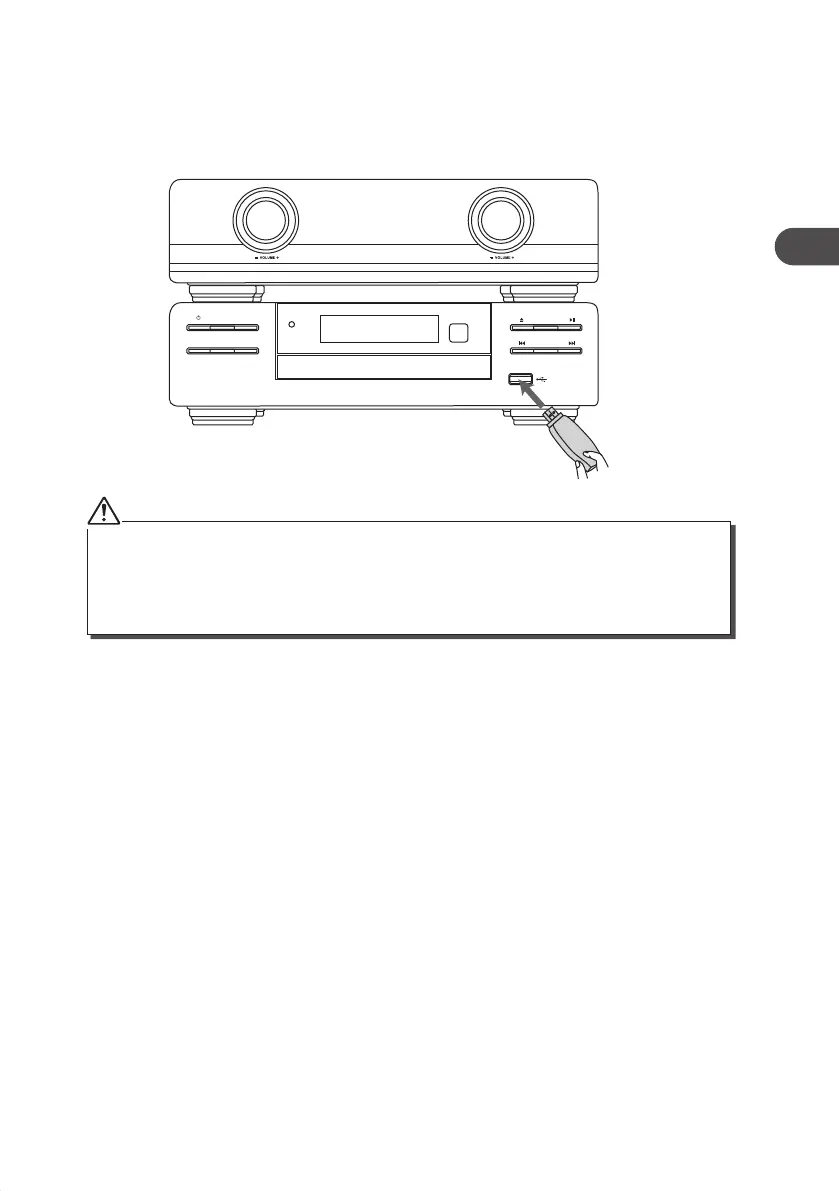
Playing MP3’s from a USB Device
When a USB device is connected to the unit, turn the FUNCTION dial on the unit or press
the USB button on the remote control to select the USB mode.
• The unit can only play MP3 and WMA le formats in USB operation.
• If your USB device is loaded with MP3’s but the display keeps showing ‘NO DATA” on the display, the
format of your USB device might not be compatible with the unit.
• The unit can support USB devices with up to 32GB of memory.
• The unit may not be compatible with all USB devices, this is not an indication of a problem with the unit.
MODE
CLOCKEQ
iR
AXM950E_IB_01GB_RC_130510_Michelle.indd 19 10/5/13 3:13 PM


 To Next Page