Function menu
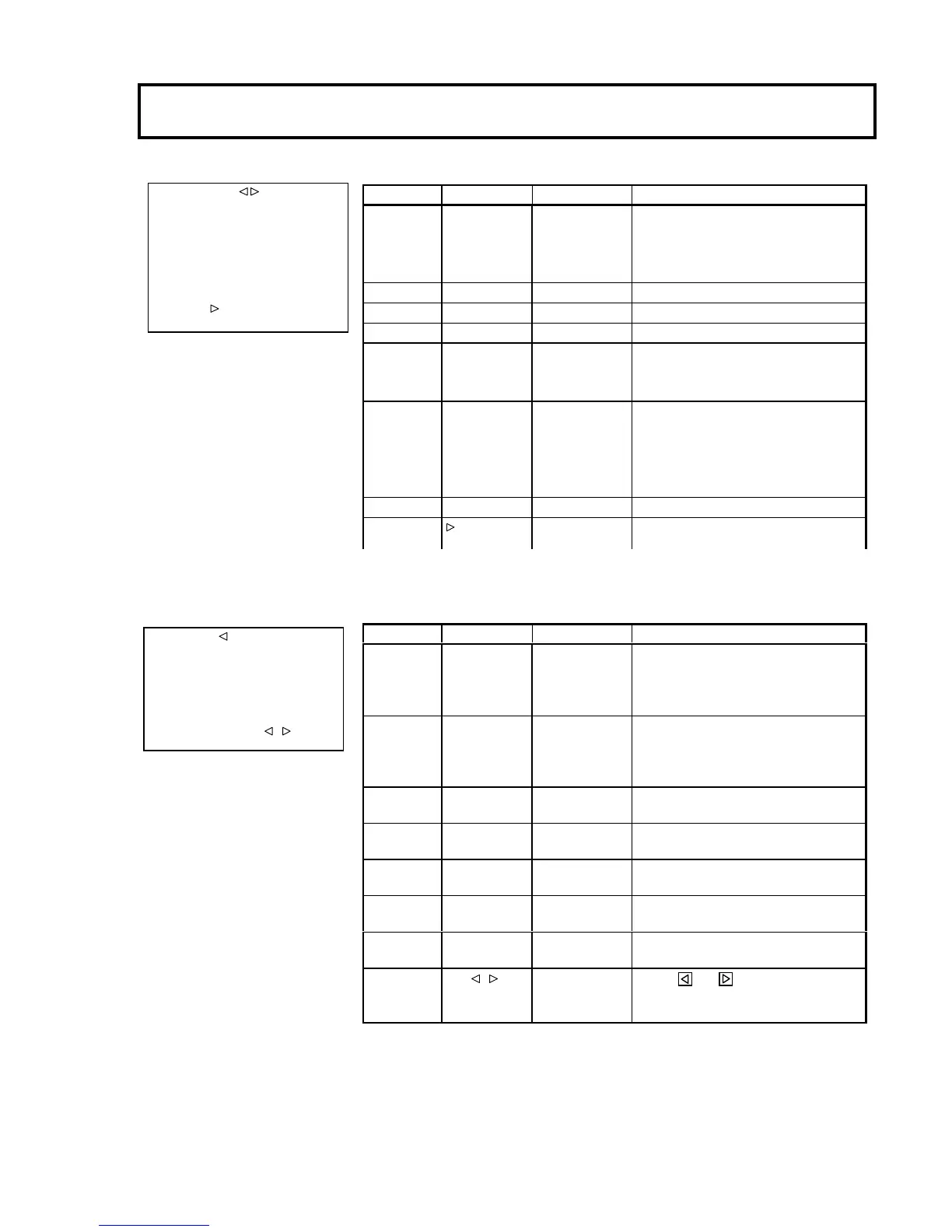
CU-FUNCTION menu
TIME/DATE menu
■CU-FUNCTION
BUZZER :ENABLE
SDI SEL1/2 :HD SDI
SDI SEL3/4 :HD SDI
SDI PIX :HD SDI
SDI AUDIO :OFF
CCU ID : 1
TV FORMAT : 1080i
59.94Hz
TIME/DATE: '09.01.01
Item Setting Factory setting Description
BUZZER ENABLE, DISABLE
ENABLE Sets buzzer operation during call input.
ENABLE : Buzzer sounds.
DISABLE : Buzzer does not sound.
SDI SELECT1/2 HD SDI, SD SDI HD SDI Sets output signal of HD/SD-SDI OUT connector.
SDI SELECT3/4 HD SDI, SD SDI HD SDI Sets output signal of HD/SD-SDI OUT connector.
SDI PIX HD SDI, SD SDI HD SDI Sets output signal of HD/SD-SDI OUT(PIX) connector.
SDI AUDIO ON,OFF OFF Sets the embedded audio ON/OFF of the HD-SDI /SD-
output.
CCU ID 1 ~ 12 1 Set the CCU ID.
This ID is required for the SETUP CONTROL UNIT
identify the CCU when the SETUP CONTROL UNIT
used.
TV FORMAT Used to display the TV FORMAT submenu
TIME/DATE
Used to display the TIME/DATA submenu.
■TIME/DATE
DATE DISP :Y.M.D
TIME DISP :ON
YEAR :09
MONTH :01
DAY :01
HOUR :12
MINUTE :00
SET DATA :PUSH +
Item Setting Factory setting Description
DATE DISP OFF, Y.M.D,
M.D.Y, D.M.Y
Y.M.D
Sets the date display.
When ON is selected, the CU-FUNCTION
the date.
TIME DISP OFF, ON ON
Sets the time display.
When ON is selected, the CU-
the time.
YEAR 00 ~ 99 - Sets the year of the date.
MONTH 00 ~ 12 - Sets the month of the date.
DAY 00 ~ 31 - Sets the day of the date.
HOUR 00 ~ 23 - Sets the hours of the time.
MINUTE 00 ~ 59 - Sets the minutes of the time.
SET DATA PUSH +
- Press the and
buttons together to enable the


 To Next Page