EasyManua.ls Logo

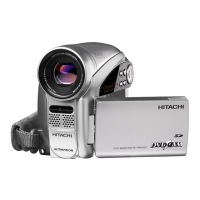
Hitachi DZ-GX5020A K - User Manual

Hitachi DZ-GX5020A K
154 pages
Print Icon
To Next Page IconTo Next Page
Loading...
SERVICE MANUAL
SPECIFICATIONS AND PARTS ARE SUBJECT TO CHANGE FOR IMPROVEMENT
No. 0614E
DVD VIDEO CAMERA/RECORDER
TK
DZ-GX5080A
DZ-GX5020A
DZ-GX5020A (K)
DZ-GX5000A
DO NOT RESELL OR DIVERT IMPROPERLY
DZ-GX5080A
DZ-GX5000A
DZ-GX5020A
December 2006

Table of Contents

Questions and Answers

  • C
    Cameron NelsonSep 23, 2025
    Why does my Hitachi DZ-GX5020A K Camcorder say 'Cannot delete scenes'?
    • T
      Terrence WellsSep 23, 2025
      If your Hitachi Camcorder displays 'Cannot delete scenes', it is because you performed deletion at the upper limit of 999 scenes registered. Combine divided scenes, and then delete if necessary.
  • M
    Mrs. Shelby Sanchez MDAug 25, 2025
    What to do if my Hitachi Camcorder says 'CHECK DISC'?
    • A
      Andrew JensenAug 25, 2025
      If your Hitachi Camcorder displays 'CHECK DISC', it may be because the disc is dirty, scratched, or distorted. Clean the disc, or if it's damaged, replace it with a new one. Also, ensure that the disc type is compatible with your camcorder.
  • S
    sextonheidiAug 25, 2025
    What to do if my Hitachi DZ-GX5020A K Camcorder says 'Card full'?
    • F
      Frances JimenezAug 26, 2025
      If your Hitachi Camcorder displays 'Card full', it means the recording capacity of the card has reached its limit. You can either replace the card with a new one or delete unnecessary stills to free up space.
  • M
    Micheal JacksonAug 27, 2025
    What does 'Disc error has occurred' mean on my Hitachi DZ-GX5020A K Camcorder?
    • J
      Jackson FarrellAug 27, 2025
      If your Hitachi Camcorder shows 'Disc error has occurred', it might be due to a dirty disc. Clean the disc. It could also be because the disc has been edited on another device, causing a data mismatch. In this case, format the disc (this will erase all data) or replace it.
  • A
    Alexis CollinsAug 27, 2025
    Why does my Hitachi DZ-GX5020A K Camcorder show 'Card error'?
    • N
      Nathan NealAug 27, 2025
      If your Hitachi Camcorder displays 'Card error', it could be because the card terminals are dirty. Try cleaning them with a dry cloth. It can also appear if data other than photos is recorded on the card, in which case you should replace the card.
  • A
    austin87Sep 14, 2025
    Why does my Hitachi DZ-GX5020A K Camcorder display 'COPY PROTECTED'?
    • M
      Meghan SmithSep 14, 2025
      If your Hitachi Camcorder displays 'COPY PROTECTED', it means you are trying to record a copy-guarded image. Copy-guarded images cannot be recorded on the DVD video camera/recorder. Stop trying to record.
  • A
    Amy JacobsSep 12, 2025
    Why does my Hitachi DZ-GX5020A K Camcorder display 'CANNOT RECORD PHOTOS'?
    • C
      Chelsea TorresSep 12, 2025
      If your Hitachi Camcorder displays 'CANNOT RECORD PHOTOS', it means you are trying to record stills on a DVD-RW/DVD-R/+RW. Still images cannot be recorded on these disc types. Use a DVD-RAM or card when recording photos.
  • C
    Connie CaseySep 13, 2025
    Why does my Hitachi DZ-GX5020A K display 'Cannot replace thumbnail on PHOTO scenes'?
    • D
      Daniel MillerSep 13, 2025
      If your Hitachi Camcorder displays 'Cannot replace thumbnail on PHOTO scenes', it means you are trying to change a photo thumbnail in the scene editing menu. The thumbnail of a still image cannot be changed. Select a movie to change the thumbnail.
  • N
    Nancy MorrowSep 4, 2025
    Why does my Hitachi Camcorder say 'Cannot combine. Deselect PHOTO scenes'?
    • R
      Ryan GreenSep 5, 2025
      If your Hitachi Camcorder displays 'Cannot combine. Deselect PHOTO scenes', it means you're trying to combine scenes when a photo is selected. Only video scenes can be combined, so select only video scenes or stop trying to combine scenes.
  • D
    Dana MorrisonSep 2, 2025
    What to do if my Hitachi Camcorder says 'Data error in a part of image file'?
    • N
      nicole16Sep 2, 2025
      If your Hitachi Camcorder displays 'Data error in a part of image file. Repair data now? YES NO', it could be because the disc is dirty, so first check for dirt. This message also appears if writing to the file was interrupted, like if the power was turned off during recording. Choose 'YES' to attempt automatic repair. Choosing 'NO' will prompt you to verify initialization.

Summary

1 Safety Precaution for Repair

1-1 Cautions

General safety warnings and precautions before servicing.

1-2 Electrostatic Protection Measures

1-3 Cautions When Handling DVD Drive

1-4 Lead-Free Solder

2 General Description

2-3 Specifications

Technical specifications including CCD sensor, lens, zoom, and recording capabilities.

4 Troubleshooting

4-1 Procedure for Troubleshooting

Step-by-step guide for diagnosing and resolving operational problems with the camera.

4-2 Messages and Troubleshooting

Information on error messages displayed by the camera and corresponding troubleshooting steps.

4-3 Display of Error Codes and Troubleshooting

Procedures for displaying and clearing error codes, and troubleshooting major issues.

4-3-1 Displaying error codes and clearing them

Methods for viewing error codes and how to clear them from the system.

4-3-3 Major error codes and troubleshooting

A table listing common error codes and their recommended troubleshooting actions.

4-3-5 Cleaning disc and optical pickup

Instructions for cleaning the disc and the optical pickup to resolve playback issues.

4-4 Checking Versions of Firmware and Updating

Procedures for checking firmware versions and updating the camera's software.

4-4-2 Updating firmware

Detailed instructions on how to update the camera's firmware using a disc or card.

4-5 Trouble Diagnosis

General troubleshooting guide for various symptoms like power issues, disc problems, and signal errors.

4-5-1 Trouble diagnosis flowchart

Flowcharts to diagnose specific issues, starting with power-related problems.

4-6 Procedure for Removing Disc from Faulty DVD Video Camera;Recorder

Step-by-step guide on how to safely remove a disc from a malfunctioning camera.

4-7 System Resetting;Resetting Camera Functions

Information on system reset and resetting camera functions to factory defaults.

5 Disassembly and Reassembly

5-3 Disassembly

Detailed step-by-step instructions for disassembling various parts of the camera.

5-4 EEPROM Data Backup and Write

Procedures for backing up and writing EEPROM data, crucial after replacing the MAN circuit board.

5-4-1 Backup Method

Instructions on how to back up the EEPROM data from the camera to a PC.

5-4-2 Write Method

Instructions on how to write backed-up EEPROM data to a new EEPROM chip.

6 Adjustment

6-1 Creating Reference Data

Process for creating reference data required for camera adjustments.

6-2 Setups for Adjustment

Preparation steps and required equipment for performing camera adjustments.

6-3 List of Adjustment Items

A comprehensive list of all adjustable parameters within the software.

6-3-2 List of Adjustments Needed After Replacing Major Components

Identifies which adjustments are necessary after replacing specific major internal components.

6-4 Adjustment Procedure

General procedure for performing various camera adjustments using the software.

6-4-2 Video Level

Procedure for adjusting the video output level using an oscilloscope.

6-4-4 Autofocus

Steps for calibrating the autofocus system using a backfocus chart.

7 Exploded View

S Wiring and Schematic Diagrams

C Circuit Board Diagrams

B Block Diagrams

Hitachi DZ-GX5020A K Specifications

General IconGeneral
TypeCamcorder
LCD Screen Size2.7 inches
LCD Screen Pixels123, 000 pixels
ViewfinderColor
Audio Recording FormatDolby Digital 2.0

Related product manuals