12
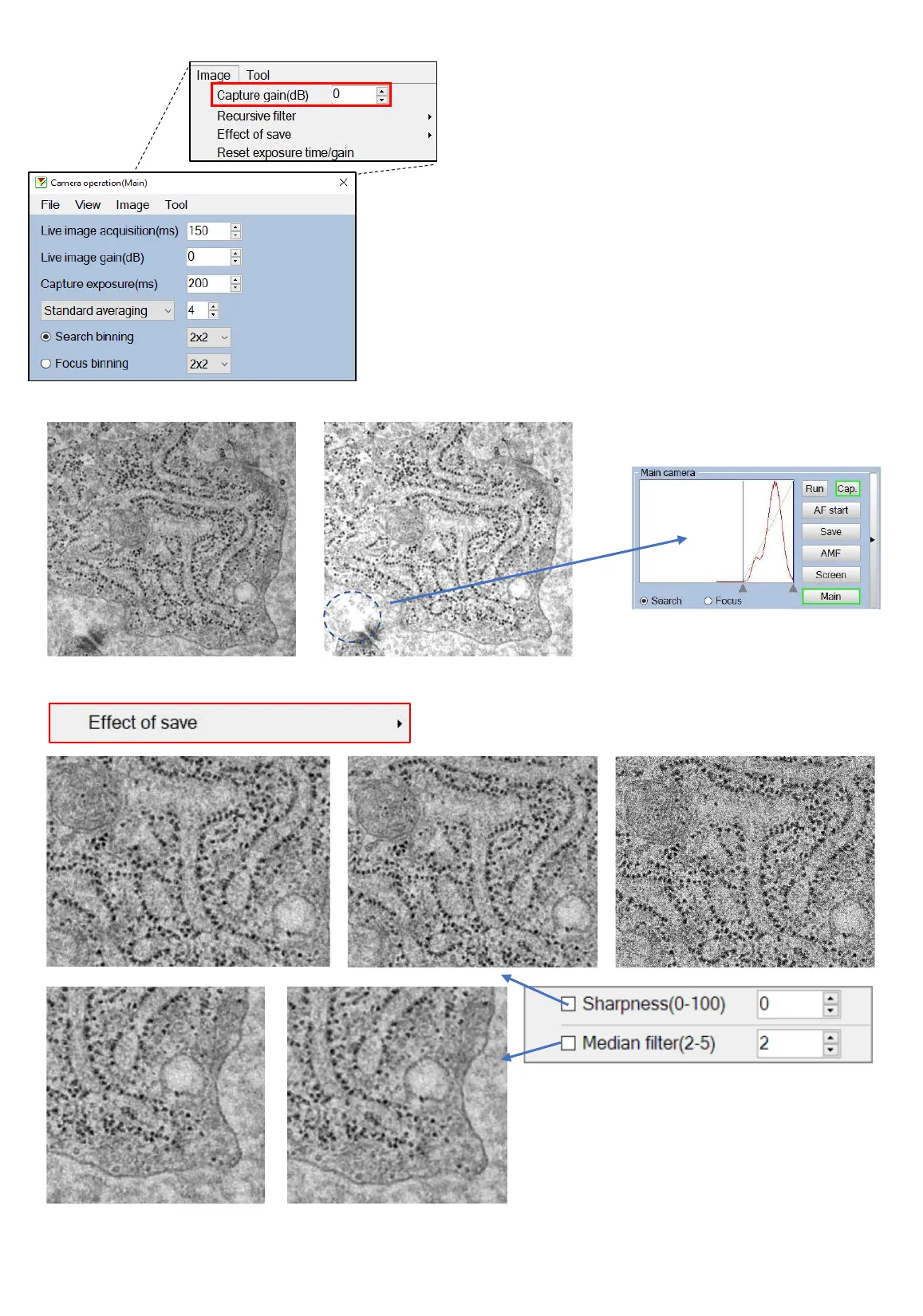
Capture gain (dB):
Range between 0-20, default is 0
For normal samples, we use capture gain 0.
In the example under you can see that gain
8 gave an overexposed image.
It can be a bit challenging to define the
capture gain especially if you leave the live
gain very high.
Turn off “set run after save” if you want to
see the histogram of the captured image.
600 ms , 4 ave, gain 4 600 ms, 4 ave, gain 8
“Effect of save”: if you check sharpness or/and median filter, these will
be processed and saved in your image. This is a postprocessing action.
Sharpening 25 Sharpening 50 Sharpening 100
Median inactive Median 4
Median filter will remove noise
and sharpening will make edges
more defined.
Camera capture parameters (MAIN camera)



 To Next Page