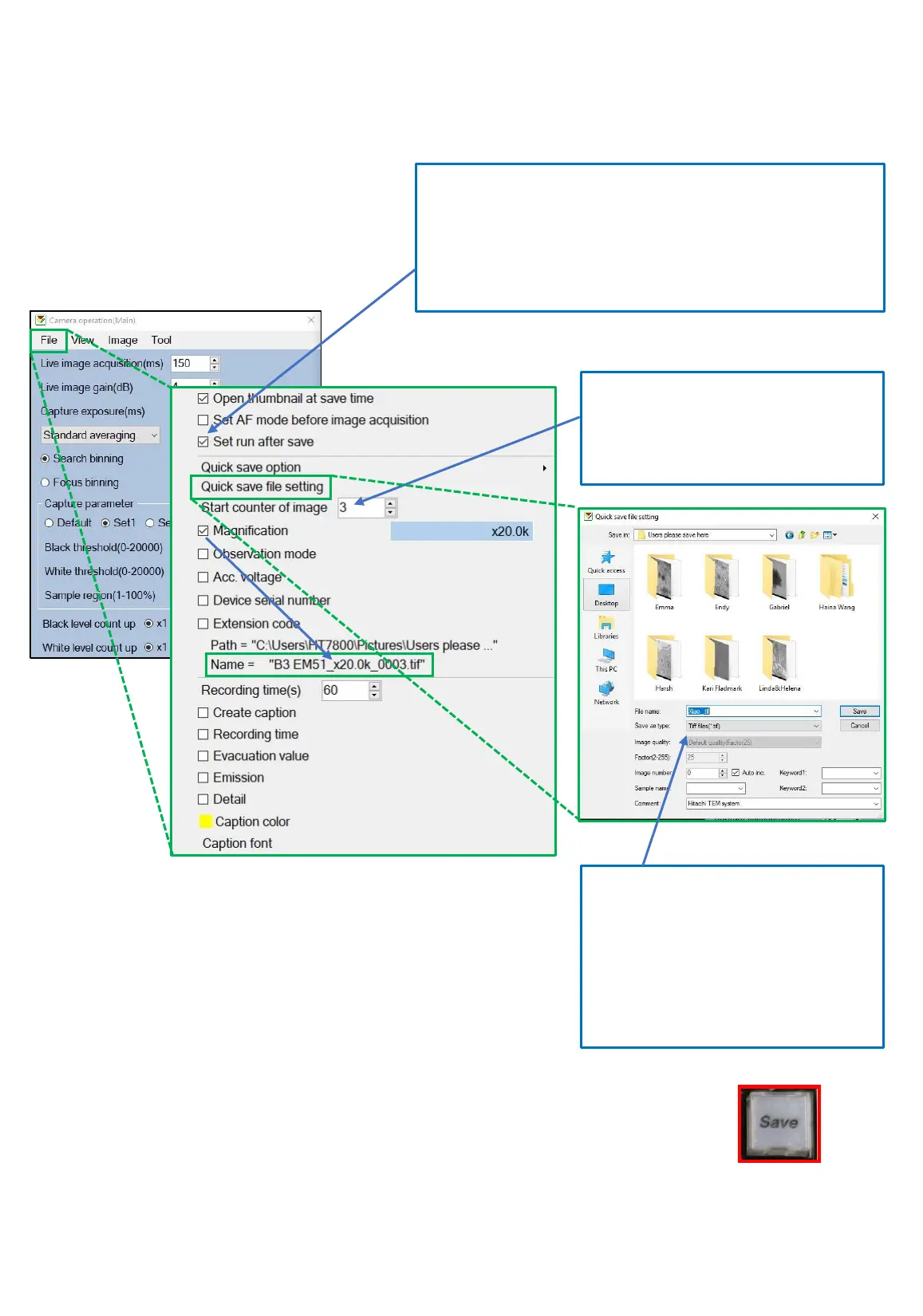
• Define the save file settings inside the camera operation window, under file.
• To acquire an image, click “save” button on the control panel.
The image should now be automatically saved.
Save file setting
This option should always be checked in order to protect
the camera chips from long exposure of the frozen
image. Once you have acquired an image, it will
automatically be saved and the frame will go back to live.
For automatic saving of images,
reset the counter to 1 between
users or grids (it’s up to you).
Create a folder with your name
under pictures/users save here/
Define the format. If you select
jpeg, you will decrease the image
quality.
13



 To Next Page