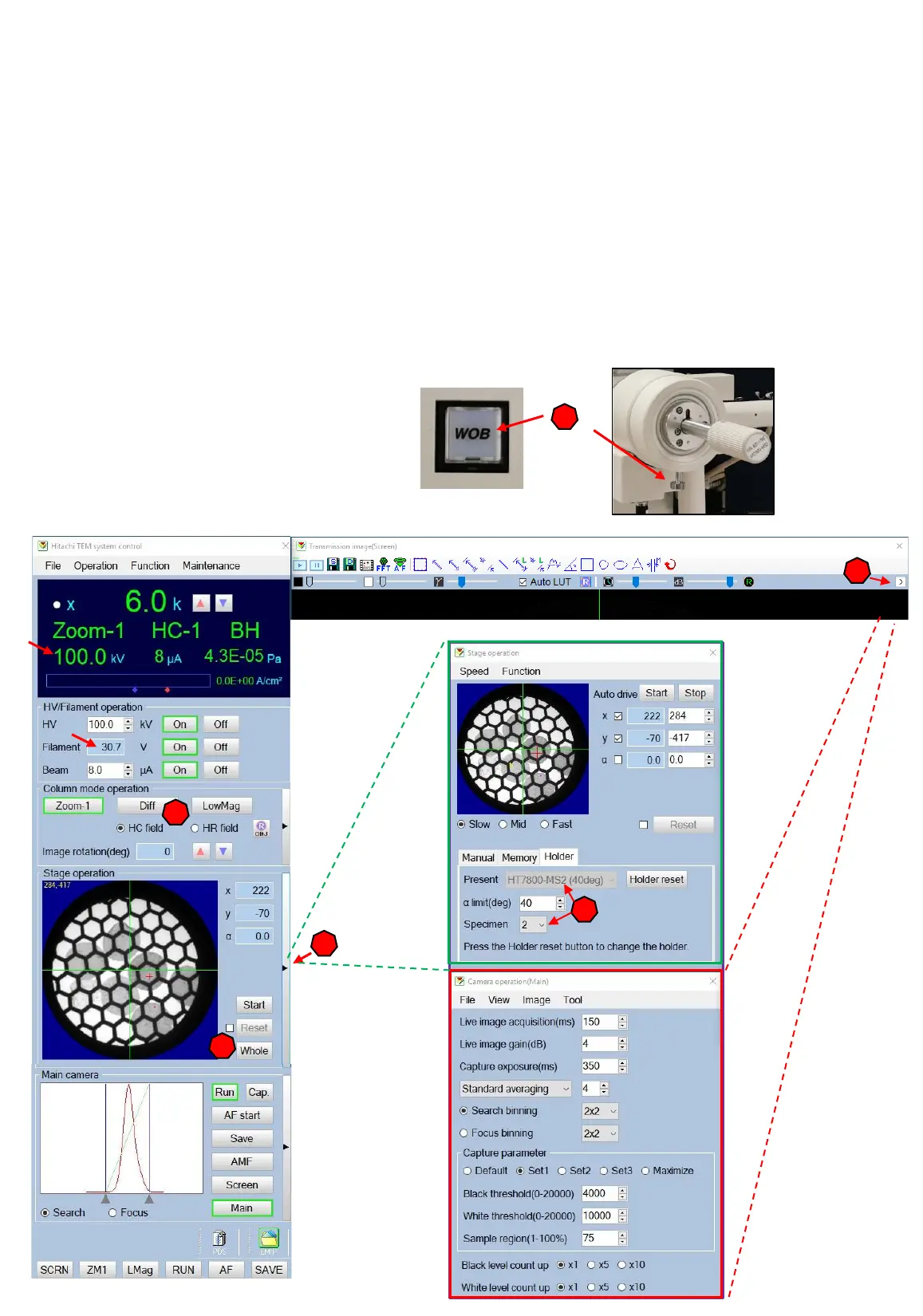
How to start your imaging
Insert your sample holder and perform a beam shift horizontal alignment (page 17).
1. Open the Stage operation window.
2. Select the field mode you want to use (HC=high contrast, magnifies up to 200.000
or HR=higher resolution, magnification between 200-600.000).
3. Select the correct holder and specific holder position your want to image.
4. Open the camera operation mode.
5. Magnify to 5-6K. Focus you image by using the wobbler and carefully adjusting the
eucentric height with the screw.
5
4
3
1
6
9
2



 To Next Page