Version 1.1, 09/2020. Copyright 2012 Hitron Technologies
21
Version 1.1, 09/2020. Copyright 2020 Hitron Technologies
21
Hitron CODA-551x User’s Guide
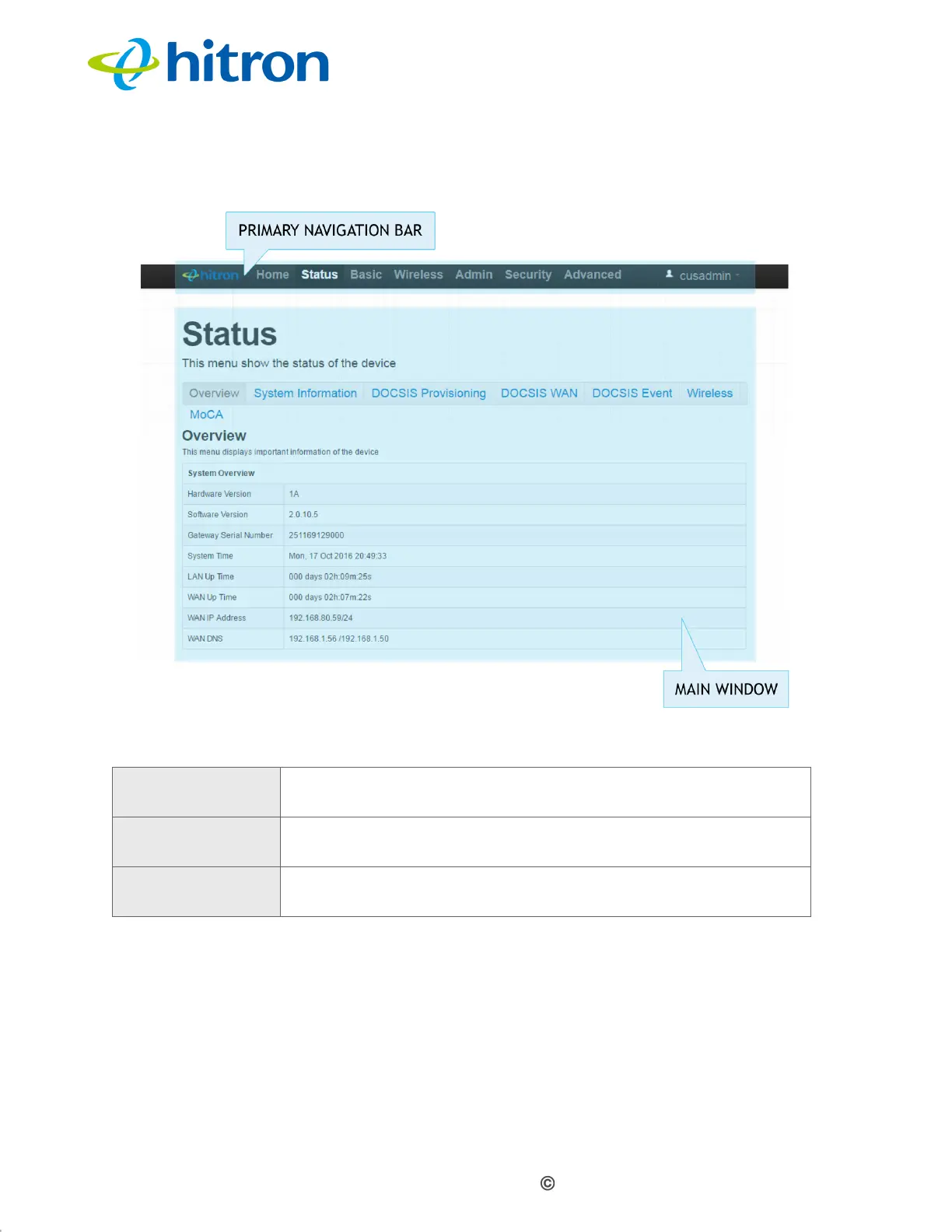
Figure 5: GUI Overview
1.7 Resetting the CODA-551x
When you reset the CODA-551x to its factory defaults, all user-configured settings
are lost, and the CODA-551x is returned to its initial configuration state.
Table 4: GUI Overview
Primary
Navigation Bar
Use this section to move from one part of the GUI to another.
Main Window Use this section to read information about your CODA-551x’s
configuration, and make configuration changes.
Online Help Use this section to learn more information about the fields in
each screen.



 To Next Page
 Loading...



