Version 1.1, 09/2020. Copyright 2012 Hitron Technologies
82
Version 1.1, 09/2020. Copyright 2020 Hitron Technologies
82
Hitron CODA-551x User’s Guide
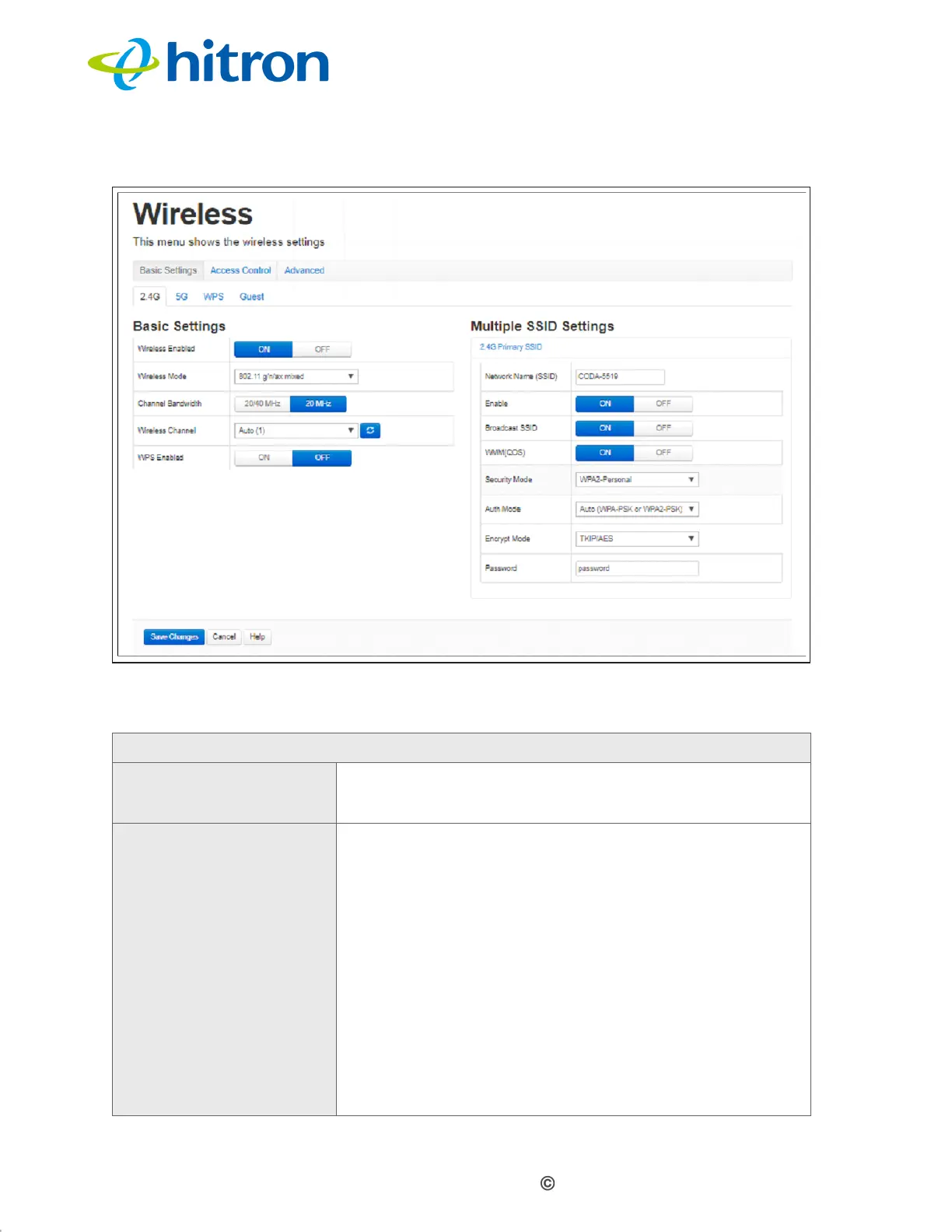
Figure 32: The Wireless: Basic Settings: 2.4G Screen
The following table describes the labels in this screen.
Table 23: The Wireless: Basic Settings: 2.4G Screen
Basic Settings
Wireless Enabled Select On to enable the 2.4GHz wireless network.
Select Off to enable the 2.4GHz wireless network.
Wireless Mode Select the type of 2.4GHz wireless network that you
want to use:
802.11 g Only: use IEEE 802.11g.
802.11 n Only: use IEEE 802.11n.
802.11 g/n Mixed: use IEEE 802.11g and 802.11n.
802.11 g/n/ax Mixed: use IEEE 802.11g, 802.11n
and 802.11ax.
Only wireless clients that support the network protocol
you select can connect to the wireless network. If in
doubt, use 11g/n/ax Mixed (default).



 To Next Page
 Loading...



