Maintenance
108 (124)
11.2 Clear and Revert Configuration
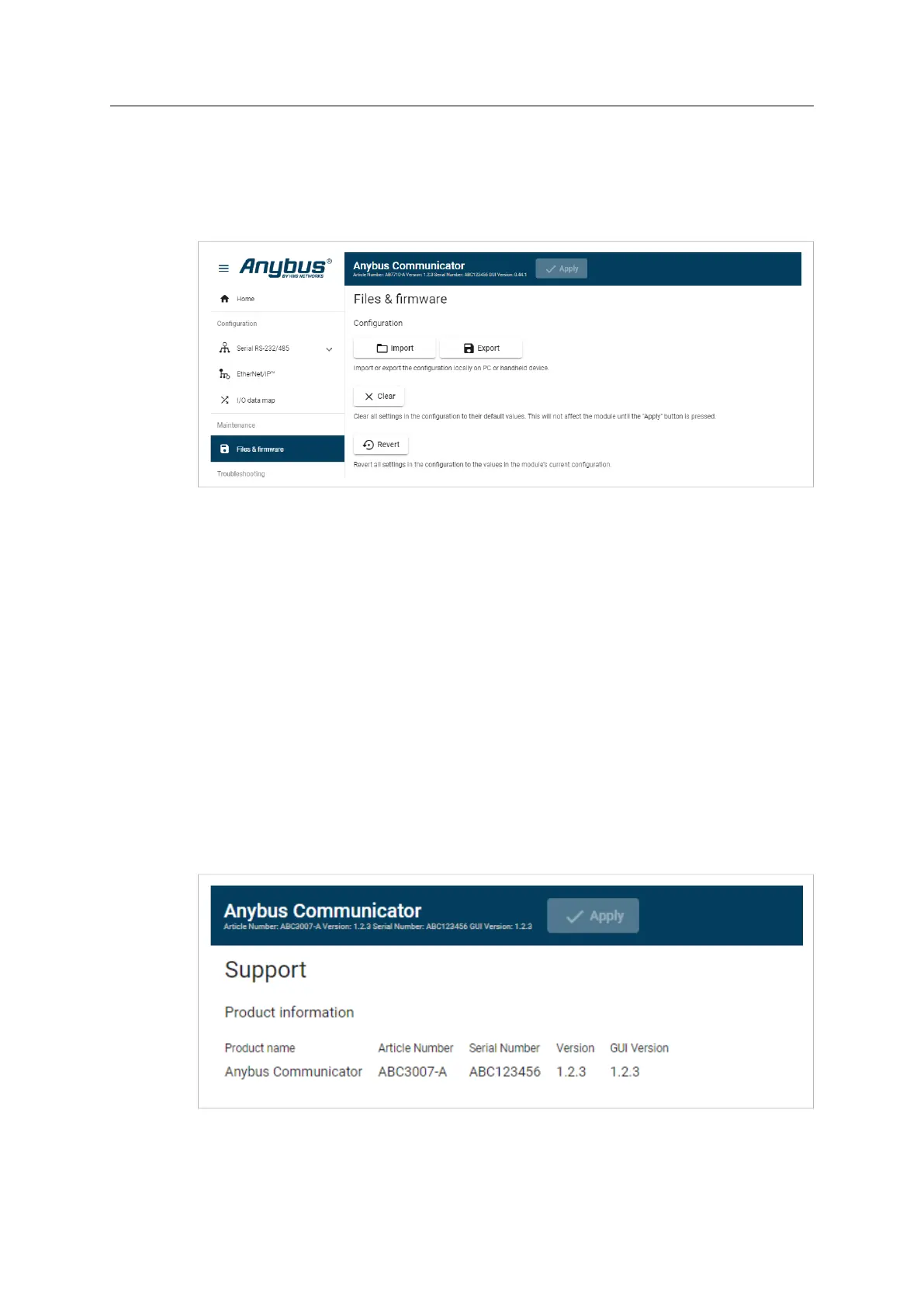
You can restore all settings in a configuration to the default settings.
Procedure
To clear the configuration:
1. On the Files & firmware page, click Clear.
2. In the Confirm clear window, click Clear.
3. To apply the change, click Apply in the web-interface header, and follow the instructions.
You can revert all changes done to the settings in the current configuration.
To Revert the configuration:
1. On the Files & firmware page, click Revert.
2. In the Confirm revert window, click Revert.
3. To apply the change, click Apply in the web-interface header, and follow the instructions.
11.3 Firmware Management
11.3.1 View the Firmware Version
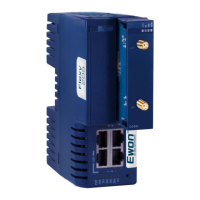
On the Support page, you can view the current applied firmware version.
Anybus
®
Communicator
™
User Manual
SCM-1202-152 1.10 en-US


 To Next Page