Communicator Configuration 81 (124)
7.12 Use an Existing Configuration
When you have configured a Communicator and want to use the same settings to configure
additional Communicators, do the following.
Procedure
In the built-in web-interface of the Communicator with the configuration you want to use:
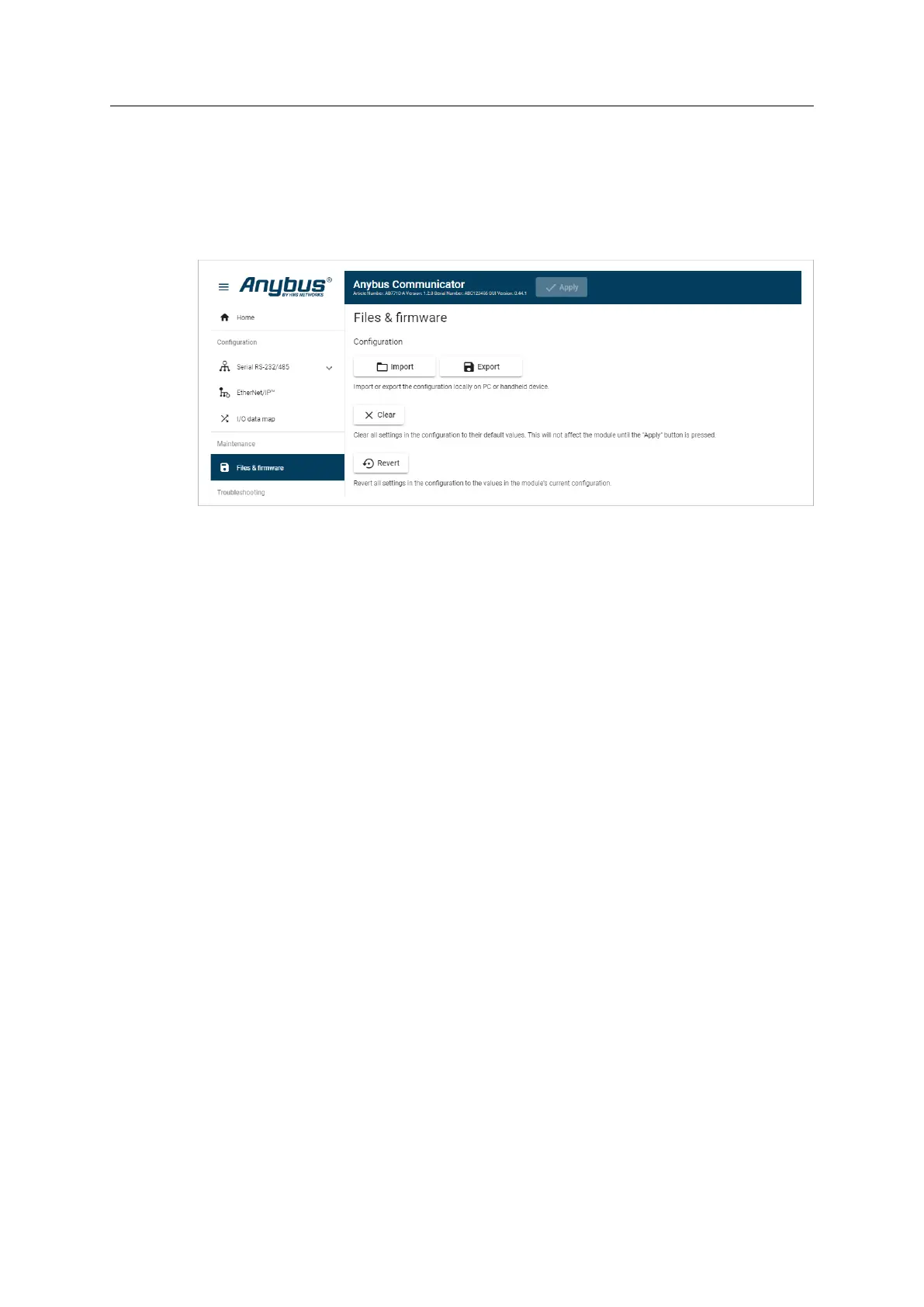
1. On the Files & firmware page, click Export
→ The configuration is saved in an conf file and downloaded to your PC.
In the built-in web-interface of the new Communicator to be configured:
2. On the Files & firmware page, click Import
3. In the Import configuration window, click Select file (.conf).
4. In the Open dialog box, browse to and select the configuration file and click Open
5. To import the configuration file, click Import.
Result
All the configuration settings are imported.
To apply the settings, click Apply in the web-interface header, and follow the instructions.
Anybus
®
Communicator
™
User Manual
SCM-1202-152 1.10 en-US


 To Next Page