Communicator Configuration 69 (124)
7.9.4 To Configure IP Settings Manually
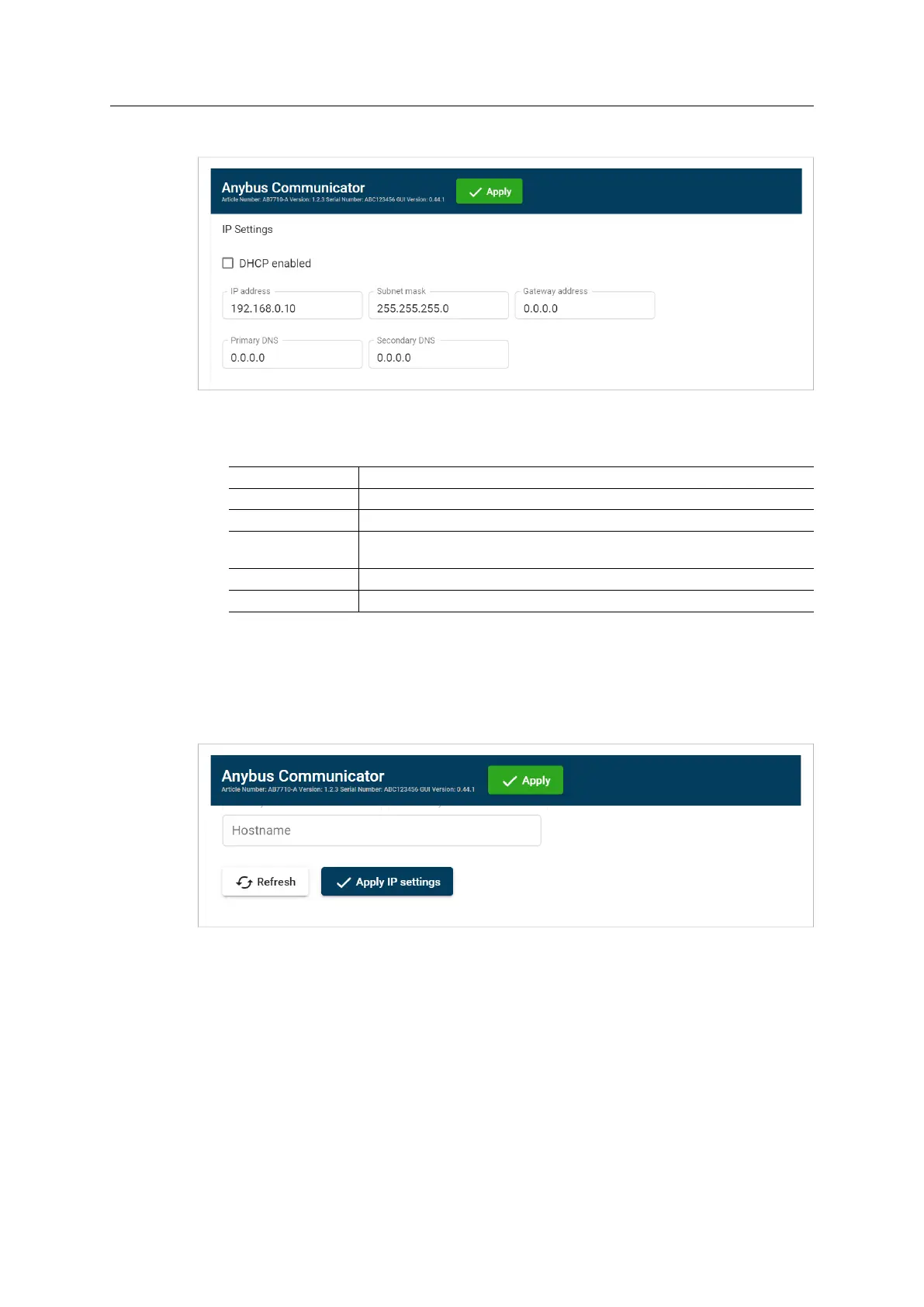
1. Deselect the DHCP enabled checkbox.
2. Configure the IP settings.
Setting Description
IP address
The EtherNet/IP network IP address in IPv4 dot-decimal notation
Subnet mask
The EtherNet/IP network Subnet mask in IPv4 dot-decimal notation.
Gateway address
TheEtherNet/IP network Gateway address in IPv4 dot-decimal notation.
If there is no gateway available, set the Gateway address to: 0.0.0.0
Primary DNS
The EtherNet/IP network Primary DNS in IPv4 dot-decimal notation.
Secondary DNS
The EtherNet/IP network Secondary DNS in IPv4 dot-decimal notation.
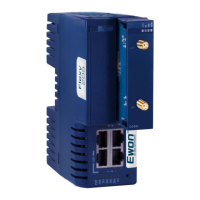
If you change a value and click Refresh, the value is reset to the last applied value.
3. To apply the settings, click Apply IP Settings.
7.9.5 Naming the Host
You can label the Communicator.
• The maximum allowed length of the Hostname is 64 characters.
• No symbol characters, punctuation characters, or whitespace are permitted.
• Write the Hostname as one single word.
Anybus
®
Communicator
™
User Manual
SCM-1202-152 1.10 en-US


 To Next Page