How to configure an Anybus AS-Interface Master module
SCM-7032-036
Rev 1.02
5.2 Configuration using the Terminal Interface
The AS-Interface Master can also be configured using the Terminal Interface. Please follow the steps below.
1 Connecting to the AS-Interface with a Terminal software
Use for example the HyperTerminal or TeraTermPro on a PC to configure the AS-Interface Master. Connect
a serial cable between the PC and the config port on the AS-Interface Master (make sure that it is not
connected to the gateway interface). The config port is located next to the AS-Interface network connectors
on the X-gateway. Start the HyperTerminal and connect using the same parameter settings as described in
section 4.2 Anybus X-gateway configuration.
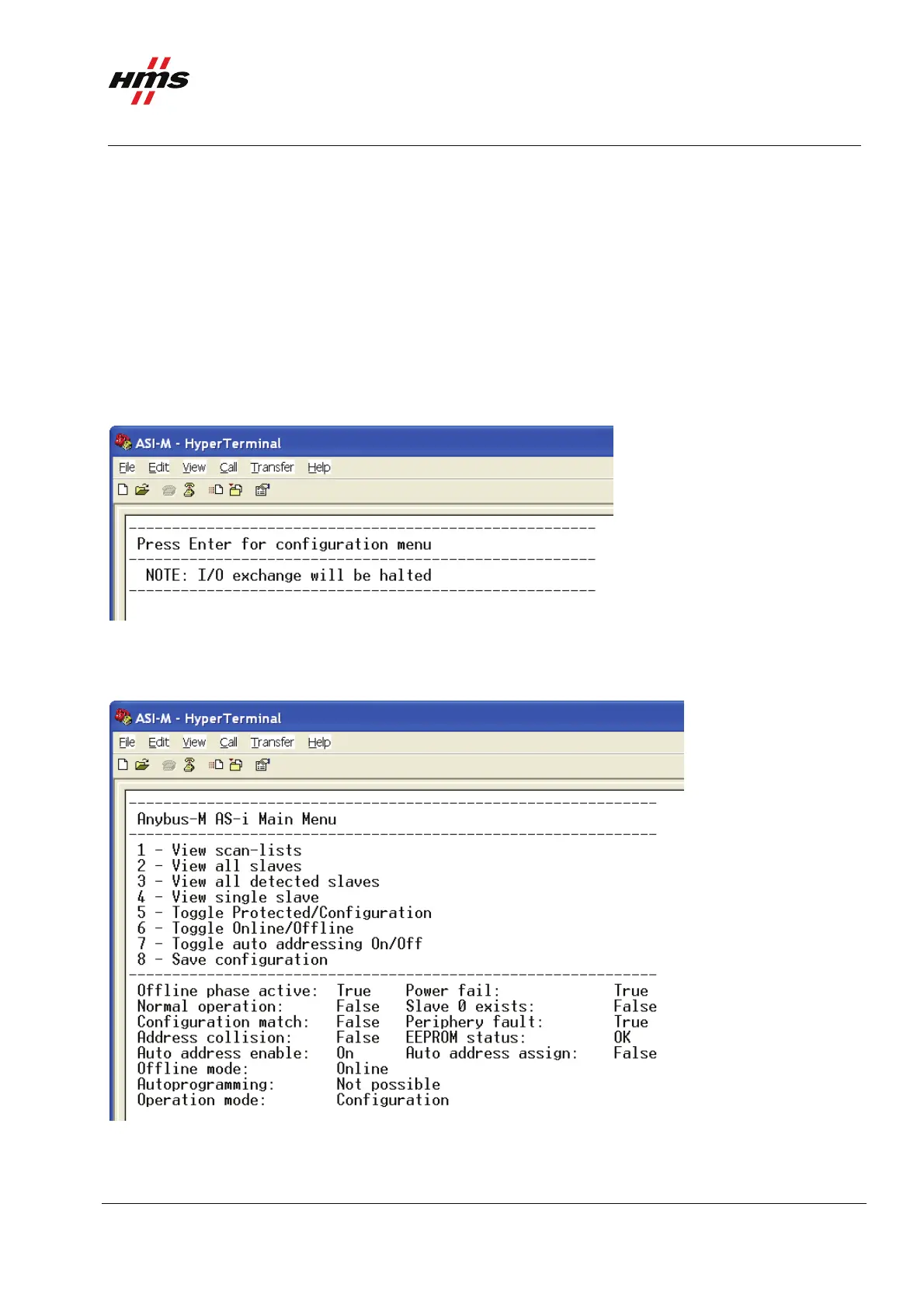
2 Opening the main menu
Figure 6 Entering the menu of the AS-Interface Master.
Press enter to open the configuration menu. Now the module is set to Idle mode, until the terminal is
removed.
Figure 7 The main menu of the AS-Interface Master.
www.anybus.com HMS Industrial Networks AB
Page 10 (19)



 To Next Page