EasyManua.ls Logo

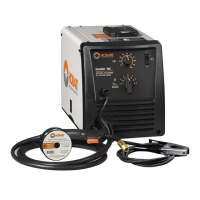
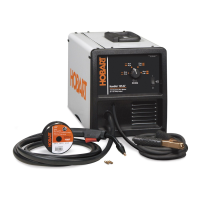
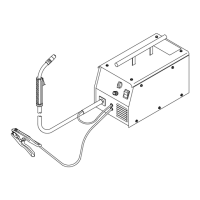
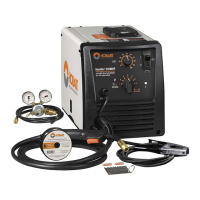
Hobart Handler 210 - User Manual

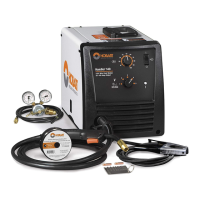
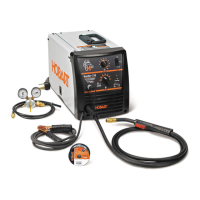
Hobart Handler 210
56 pages
Print Icon
To Next Page IconTo Next Page
Loading...
Processes
OM-227 978D 201004
Handler 210
Arc Welding Power Source And
Wire Feeder
Description
MIG (GMAW) Welding
Flux Cored (FCAW) Welding
R

Table of Contents

Questions and Answers

  • E
    Elizabeth McfarlandJul 27, 2025
    What to do if Hobart Handler 210 Welding System has no weld output, wire does not feed, and fan motor continues to run?
    • C
      Connie GillJul 27, 2025
      If your Hobart Welding System exhibits no weld output, the wire doesn't feed, but the fan continues to run, several factors could be at play. First, overheating might be the issue. Allow the fan to run with the gun trigger switch off, as the thermostat will close once the unit has cooled down. Also, verify the Voltage range switch position, ensuring the knob "clicks" into place at the desired range setting. Lastly, make sure the gun trigger leads are securely connected.
  • M
    Marissa RiddleJul 31, 2025
    Why does my Hobart Handler 210 Welding System have no weld output, wire does not feed, and fan does not run?
    • W
      whollandJul 31, 2025
      If your Hobart Welding System isn't producing a weld, the wire isn't feeding, and the fan isn't running, begin by ensuring the power cord is securely plugged into the receptacle. Next, check the building's line fuse or circuit breaker and replace or reset if necessary. Then, confirm the Power switch is in the On position. Finally, reset the welding power source supplementary protector.
  • M
    Michelle BerryAug 10, 2025
    What to do if Hobart Handler 210 has no weld output but wire feeds?
    • C
      Carla PerryAug 11, 2025
      If your Hobart Welding System has no weld output, but the wire is feeding, try the following: ensure the work clamp is connected to establish good metal-to-metal contact. Replace the contact tip. Verify the polarity connections are correct. Check the thumbscrew securing the gun end to the feed head adapter and tighten if needed.
  • M
    Mikayla TaylorAug 16, 2025
    How to troubleshoot low weld output on Hobart Handler 210?
    • M
      Michelle KingAug 16, 2025
      To troubleshoot low weld output on your Hobart Welding System, first, ensure the unit is connected to the correct input voltage or check for low line voltage. Also, verify that the voltage switch is in the appropriate position.
  • M
    Marc WhitneyAug 20, 2025
    What causes weld porosity in Hobart Handler 210?
    • S
      Sean MartinAug 21, 2025
      Weld porosity in your Hobart Welding System can be addressed by taking the following actions: * Remove any weld spatter buildup in the nozzle. * Inspect the O-rings on the gun connector and replace them if they are damaged. * Ensure the inner head tube is securely tightened in the cable connector. * Verify the gun connector is fully inserted into the drive assembly. * Check the shielding gas flow and supply.
  • R
    richard01Nov 4, 2025
    What to do if Hobart Handler 210 electrode wire feeding stops during welding?
    • C
      courtney98Nov 4, 2025
      If the electrode wire feeding stops during welding with your Hobart system, there are several potential solutions: * Straighten the gun cable or replace any damaged parts. * Adjust the drive roll pressure. * Change to the correct drive roll groove. * Readjust the hub tension. * Replace the contact tip if it's blocked. * Clean or replace the wire inlet guide or liner if they are dirty or plugged. * Replace the drive roll or pressure bearing if they are worn or slipping. * Secure the gun trigger leads or repair them if damaged. * Check and clear any restrictions at the drive assembly and liner. * Ensure the gun is secured to the feed head and tighten the thumbscrew if necessary. * If none of these steps work, have a Factory Authorized Service Agent inspect the drive m...

Summary

Safety Precautions

Symbol Usage

Explains symbols used to indicate hazards and important information.

Arc Welding Hazards

Details dangers related to arc welding, including electric shock and proper grounding.

Additional Symbols for Installation, Operation, and Maintenance

Covers symbols related to fire, falling equipment, overheating, sparks, static, moving parts, and wire.

Specifications

Specifications

Details the technical specifications of the welding unit.

Duty Cycle and Overheating

Explains the duty cycle and how to prevent overheating.

Installation

Operation

Weld Parameter Chart For 230 VAC Model

Provides recommended settings for various welding materials and wire types.

Maintenance & Troubleshooting

Troubleshooting Table

Lists common problems and their recommended solutions.

MIG Welding (GMAW) Guidelines

Troubleshooting - Excessive Spatter

Addresses excessive spatter issues and their solutions.

Troubleshooting - Porosity

Covers troubleshooting for porosity in weld metal.

Troubleshooting - Excessive Penetration

Solutions for problems with excessive weld penetration.

Troubleshooting - Lack Of Penetration

Addresses issues related to insufficient weld penetration.

Troubleshooting - Incomplete Fusion

Discusses and resolves problems with incomplete fusion in welds.

Troubleshooting - Burn-Through

Provides solutions for burn-through during welding.

Troubleshooting Guide For Semiautomatic Welding Equipment

Comprehensive guide for troubleshooting welding equipment issues.

Warranty

Limited Warranty

Outlines the terms, conditions, and duration of the product warranty.

Hobart Handler 210 Specifications

General IconGeneral
Input Voltage230 V
Amperage Output25 - 210 A
Weldable MaterialsSteel, Stainless Steel, Aluminum
Welding ProcessesMIG (GMAW), Flux-Cored (FCAW)
Input Frequency60 Hz
Output Current Range25 - 210 A
Wire Feed Speed Range50-700 IPM
Weight79 lb
Spool Size Capacity4 or 8 in.
Input Phase1-Phase
Duty Cycle20% @ 90A

Related product manuals