EasyManua.ls Logo

Hobart Multi-Handler 200 - User Manual

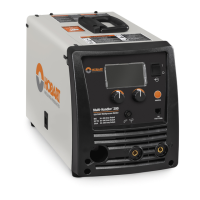
Hobart Multi-Handler 200
76 pages
Print Icon
To Next Page IconTo Next Page
Loading...
www.HobartWelders.com
Description
OM-285922B 202008
Processes
Multiprocess Welding
Arc Welding Power Source And
Wire Feeder
Hobart
Multi-Handler 200
)
t

Table of Contents

Questions and Answers

  • D
    David RodriguezJul 27, 2025
    What to do if my Hobart Multi-Handler 200 Welding System has no weld output and is completely inoperative?
    • B
      Bryan GarciaJul 27, 2025
      If your Hobart Welding System is completely inoperative with no weld output, make sure the line disconnect switch is in the On position. Also, check and replace the line fuse(s) if needed, or reset the supplementary protector. Ensure the power cord is properly plugged in and the receptacle is receiving power.
  • R
    Ryan PadillaJul 31, 2025
    What causes TIG welding problems like wandering arc in Hobart Multi-Handler 200 Welding System?
    • Y
      Yvonne HarmonJul 31, 2025
      If you're having TIG welding problems such as a wandering arc, hard starts, poor welding characteristics, or spattering with your Hobart Welding System, use the correct type and size of tungsten. Ensure the tungsten is properly prepared, and verify the electrode polarity.
  • K
    Keith WilliamsAug 5, 2025
    Why does my Hobart Multi-Handler 200 Welding System have no weld output but the unit is on?
    • A
      amy64Aug 5, 2025
      If your Hobart Welding System is on but there's no weld output, check that the weld cables are securely connected into their receptacles. Also, make sure the work clamp has a good connection to the workpiece.
  • D
    Danny LangAug 9, 2025
    Why is my Hobart Welding System's welding arc or output erratic or improper?
    • B
      Blake McintyreAug 10, 2025
      If you're experiencing an erratic or improper welding arc or output with your Hobart Welding System, ensure you are using the correct size and type of weld cable. Clean and tighten all weld connections. Verify the electrode polarity and check for poor connections to the workpiece, correcting them as necessary.
  • T
    Tiffany TrujilloAug 13, 2025
    Why does my Hobart Welding System have TIG welding problems like tungsten electrode oxidizing?
    • A
      Ashley CraigAug 13, 2025
      If the tungsten electrode is oxidizing and not remaining bright after welding with your Hobart TIG Welding System, shield the weld zone from drafts. Check that you're using the correct type of shielding gas. Inspect and tighten all gas fittings, and verify the electrode polarity.
  • D
    David FitzgeraldAug 17, 2025
    What causes stick welding problems like hard starts with my Hobart Multi-Handler 200?
    • G
      gabrielle40Aug 17, 2025
      If you are experiencing hard starts, poor welding characteristics, or unusual spattering with your Hobart Welding System during stick welding, use the correct type and size of electrode. Verify the electrode polarity and correct any poor connections. Ensure that a remote control is not connected.
  • P
    Peter WatkinsAug 22, 2025
    Why is the fan not operating on my Hobart Welding System?
    • M
      Mr. Michael HaynesAug 22, 2025
      The fan on your Hobart Welding System might not be operating because the unit hasn't warmed up enough to require cooling. Check for and remove anything that might be blocking the fan's movement. If these steps don't resolve the issue, have a Factory Authorized Service Agent inspect the fan motor and control circuitry.

Summary

Safety Precautions

Arc Welding Hazards

Details arc welding hazards and safety precautions.

Fumes and Gases Hazards

Discusses welding fumes/gases hazards and necessary precautions.

Arc Rays Hazards

Details arc ray hazards and protective measures.

Additional Hazards

Fire or Explosion Hazards

Lists fire/explosion risks during installation and operation.

EMF Information

Specifications

Duty Cycle and Overheating for MIG (GMAW)

Explains duty cycle and overheating for MIG welding.

Duty Cycle and Overheating for TIG (GTAW)

Explains duty cycle and overheating for TIG welding.

Duty Cycle and Overheating for Stick (SMAW)

Explains duty cycle and overheating for Stick welding.

Installation

Selecting A Location

Guides on choosing a suitable location for the welding unit.

Electrical Service Guide

Provides guidance on electrical service requirements.

Connecting 120 Volt Input Power

Explains how to connect 120-volt input power.

Connecting 1-Phase Input Power For 240 VAC

Details connecting 1-phase, 240 VAC input power.

Operation

Weld Parameter Charts

Welding Parameters 120 Volt

Provides weld parameter charts for 120V input.

Welding Parameters 240 Volt

Provides weld parameter charts for 240V input.

Maintenance & Troubleshooting

Error Displays

Lists and explains various error messages displayed by the unit.

Error Messages

Provides detailed error messages and their remedies.

Troubleshooting

Offers troubleshooting tips for common welding problems.

Selecting and Preparing Tungsten

Guidelines for TIG Welding (GTAW)

GMAW Welding (MIG) Guidelines

Troubleshooting Excessive Spatter

Troubleshoots excessive spatter issues in welding.

Troubleshooting Porosity

Troubleshoots porosity issues in welding.

Troubleshooting Lack Of Penetration

Troubleshoots lack of penetration in welds.

Troubleshooting Incomplete Fusion

Troubleshoots incomplete fusion in welds.

Troubleshooting Waviness Of Bead

Troubleshoots waviness of weld beads.

Troubleshooting Distortion

Troubleshoots distortion issues in welding.

Troubleshooting Semiautomatic Welding Equipment

General troubleshooting guide for semiautomatic welding equipment.

Guidelines for Stick Welding (SMAW)

Troubleshooting Stick Welding

Troubleshoots common stick welding issues like porosity and spatter.

Hobart Multi-Handler 200 Specifications

General IconGeneral
Input Frequency60 Hz
ProcessesMIG, DC Stick
Weight68 lbs
Input Current20A (115V), 20A (230V)
Electrode Size1/16 - 5/32 in
Input PhaseSingle-Phase
Open Circuit Voltage56V
Wire Diameter Range.023 - .035 in.

Related product manuals