TLi
IQ
System User Manual 6 – 2
Section 6 – Printer
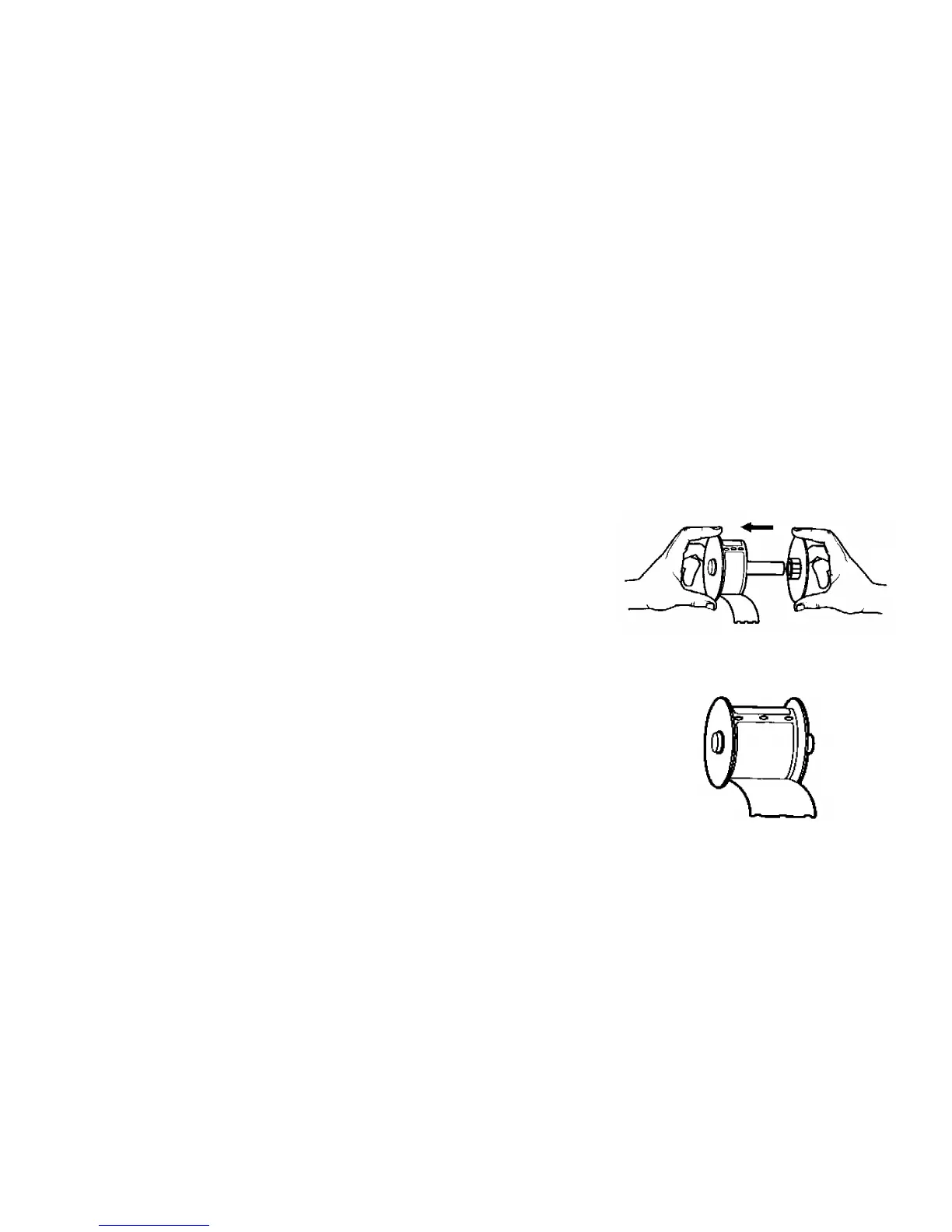
4. Remove the RIGHT SIDE of the spool by sliding it off the right end.
5. Remove the tape from the end of a new roll of labels. Cut the lead label in half to create a clean straight edge.
The printer feeds a straight edge much easier than a rough edge.
6. Refer to Figure 1 while following these instructions: Slide the roll of
labels over the spool from right to left as shown in Figure 1(a). Then
reattach the right side of the spool and push it firmly against the label
roll as shown in Figure 1(b). The labels will feed from the bottom of
the roll.
7. Ensure the power cord is connected. Turn on the printer (On/Off
switch is located at the back of the printer). The green power light will
flash and the printer motor will run as it looks for labels to feed.



 To Next Page