Holtkamp Electronics UNO 7600XL engl. techn. Stand 04.2016 4050_04.2016 V09.2019
- 27 -
16.2 Cancelling the statistic values or the
counter readings
1 2 3 4
Normalmode
Normalmode
NEXT
than
+
than
-
+
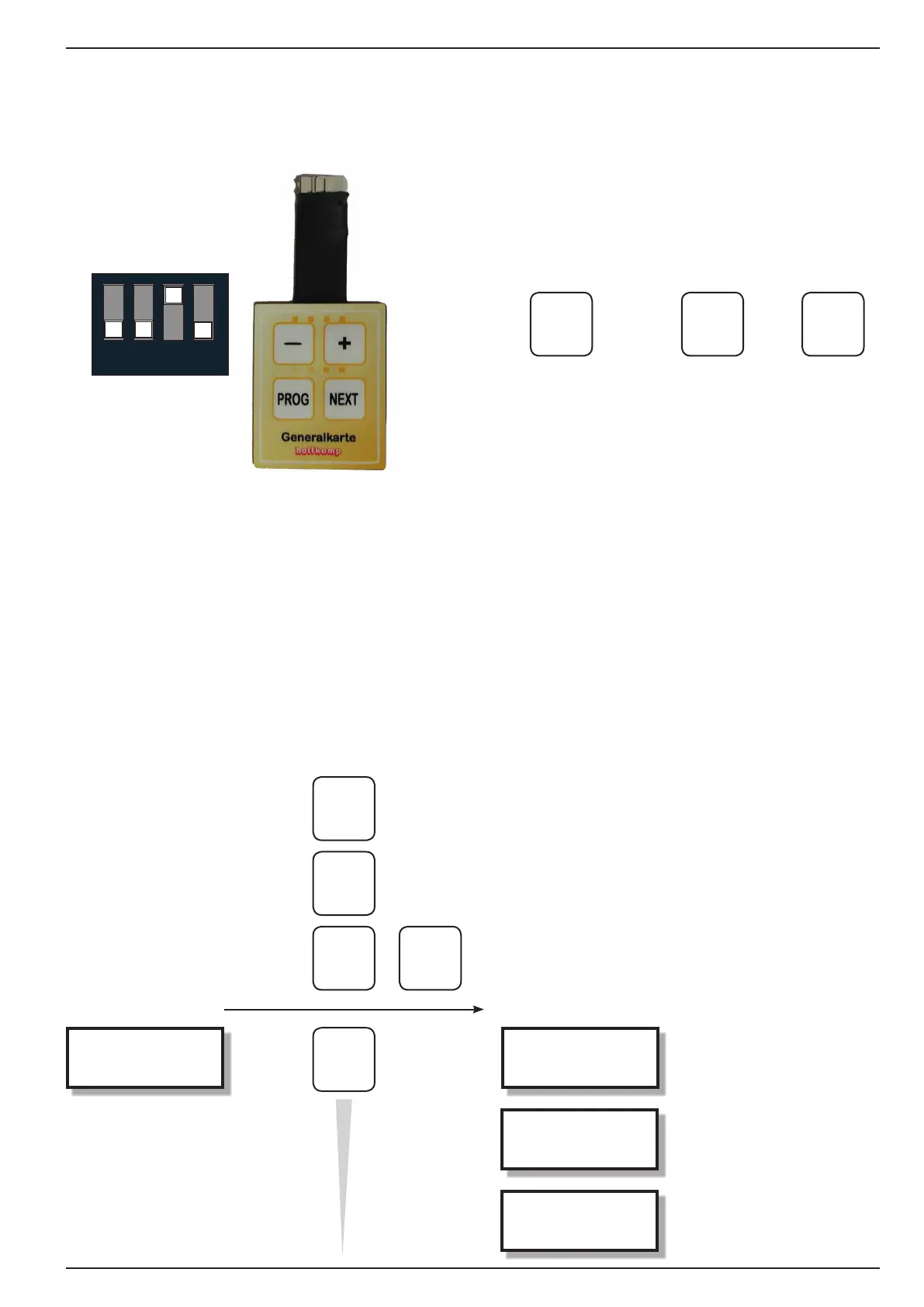
Forcancelling thestatistic valuesor counterreadings,the DIP
switchno.3mustbesetat"on"(upwards).DIPswitchno.3can
tostayinthisposition(manufacturingstate).
Innormal mode youmust insert themastercard andactuated
theNEXTbutton.IfyouactuatethePLUSandMINUSbuttonat
once,theindicatedpositionwillbedelete.Youleafthroughtothe
nextpositionwithNEXTbutton.
-seeautorepeatfunction,chapter5/Generalatprogramming
TheUNOoersfollowingfailurestatisticsinaspecialmenu:
● Watchdog-Reset counter
● Numbersoferrormessages
● Thelast8errormessages
16.3 Enquiring the failure statistics
Innormal modeyoumust insertthemaster cardandactuated
the PLUS button. During you hold the PLUS button, you must
onceactuate the NEXTbutton.Onlythan you canunhand the
PLUSandNEXTbuttonagain.
Thedisplayappears"Watchdog-Resets".WiththeNEXTbutton
you leaf through to the next position.
- FREE -
Tari1
Watchdog-Reset
0
Error messages
82
0 0 0 0
0 0 0 27
NEXT
+
NEXT
+
NEXT
Current value
hold
1x
unhand
insertmastercard


 To Next Page