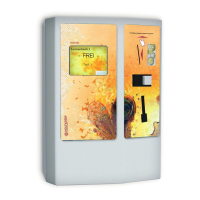
Holtkamp Electronics UNO 7600XL engl. techn. Stand 04.2016 4050_04.2016 V09.2019
- 28 -
17 Not programmable special
equipments
17.1 Electric contactor 2 x 20 A
Theelectriccontactoroersthepossibilitytoincreasetheswit-
chingpoweroftheUNO.IfyouhaveorderedyourUNOwithan
electriccontactor,itwillbeinstalledontheSBframeinsideon
thebacksideofthecasing.
17.2 Extra connection for time hold
Theextraconnectionfortimeholdoersthepossibility,tointer-
ruptthemaintimecount-downwithanexternalswitch(e.g.ow
sensor).Theoperatinghourscounteristorunon.IfyourUNO
has been ordered with an extra connection for time stop, you
willndontheSBframe,ontheinsidebacksideofthecasing
a2-polescrew-terminaltoconnectanexternalswitch(potential
freeclosingcontact).Thisspecialequipmentcannotbeordered
togetherwiththespecialequipment,cleaningbuttonoranexter-
nalshortimpulseforthewashingmachinedoor.
17.3 Power depending time hold
Thepowerdependingtimeholdoersthepossibility,tointerrupt
themaintime,dependentonthepowerinputoftheconnected
device.Ifthepowerinputisunder40,80or100mA(asordered),
themaintimecount-downwillbeinterrupted.
17.4 Extra connection for cleaning button
Theextraconnectionforthecleaningbuttonoersthepossibility,
todisabletheconnecteddeviceaftereveryuse,untilanexternal
buttonhasbeenpressed.Thedisabledconditionisshownbythe
word"cleaning"blinkinginthedisplay.Ifyouhaveorderedyour
UNOwithanextraconnectionforacleaningbutton,youwillnd
ontheSBframe,ontheinsideofthebacksideofthecasinga
2-pole screw terminal to connect an external button (potential
freeclosingcontacts).Thisspecialequipmentcannotbeorde-
redtogetherwiththespecialequipmenttimestoporanexternal
shortimpulseforthewashingmachinedoor.
17.5 Internal short time impulse for washing
machine door opening
Theshorttimeimpulseforwashingmachinedooropening
oersthepossibility,toturnontheconnecteddevicefor30se-
conds.Thedooropeningstartedwithpressingtherejectbutton
onthecointester.Afteranyactivationofshorttimeimpulsethis
functionisblockedfor60seconds.Thisspecialequipmentcan´t
beorderedtogetherwiththespecialequipment,cleaningbutton
ortimehold.
17.6 Potential free relay contact
IfyouhaveorderedyourUNOwithpotentialfreerelaycontacts,
theclosingcontactsofthemainrelayortherun-out,willbevol-
tagefreeonthescrewterminals.TheseterminalsareontheSB
frame,insideofthebacksideofthecasing
17.7 Key switch for free use
The key switch for free use oers the possibility, to use the
connecteddevicewithoutpaying,aslongasthekeyswitchison.
IfyouhaveorderedtheUNOwithakeyswitchforfreeuse,itwill
be installed outside underneath the casing.
17.8 Connection possibility for cancel button
Theconnectionpossibilityforthecancelbuttonallowscancelling
pre-runandmaintimewithanexternalbutton.Therun-outtime
can´tbecancelled.IfyouhaveorderedyourUNOwithanextra
connection for a cancel button, you will nd on the SB frame,
ontheinsiderearwallofthecasinga2-polescrewterminal,to
connectanexternalbutton(potentialfree,closingcontacts),ora
button on the casing will be used.
16.4 Cancelling the failure statistics
Innormalmodeyoumustinsertthemastercardandactuatedthe
PLUS button. During you hold the PLUSbutton,youmustonce
actuate the NEXT button. Only than you can unhand the PLUS
and NEXT button again. The display appears "Watchdog-Re-
sets".IfyouactuatethePLUS and MINUSbuttonatonce,the
values will be delete. With the NEXT button you leaf through to
the next position.


 To Next Page