(3)
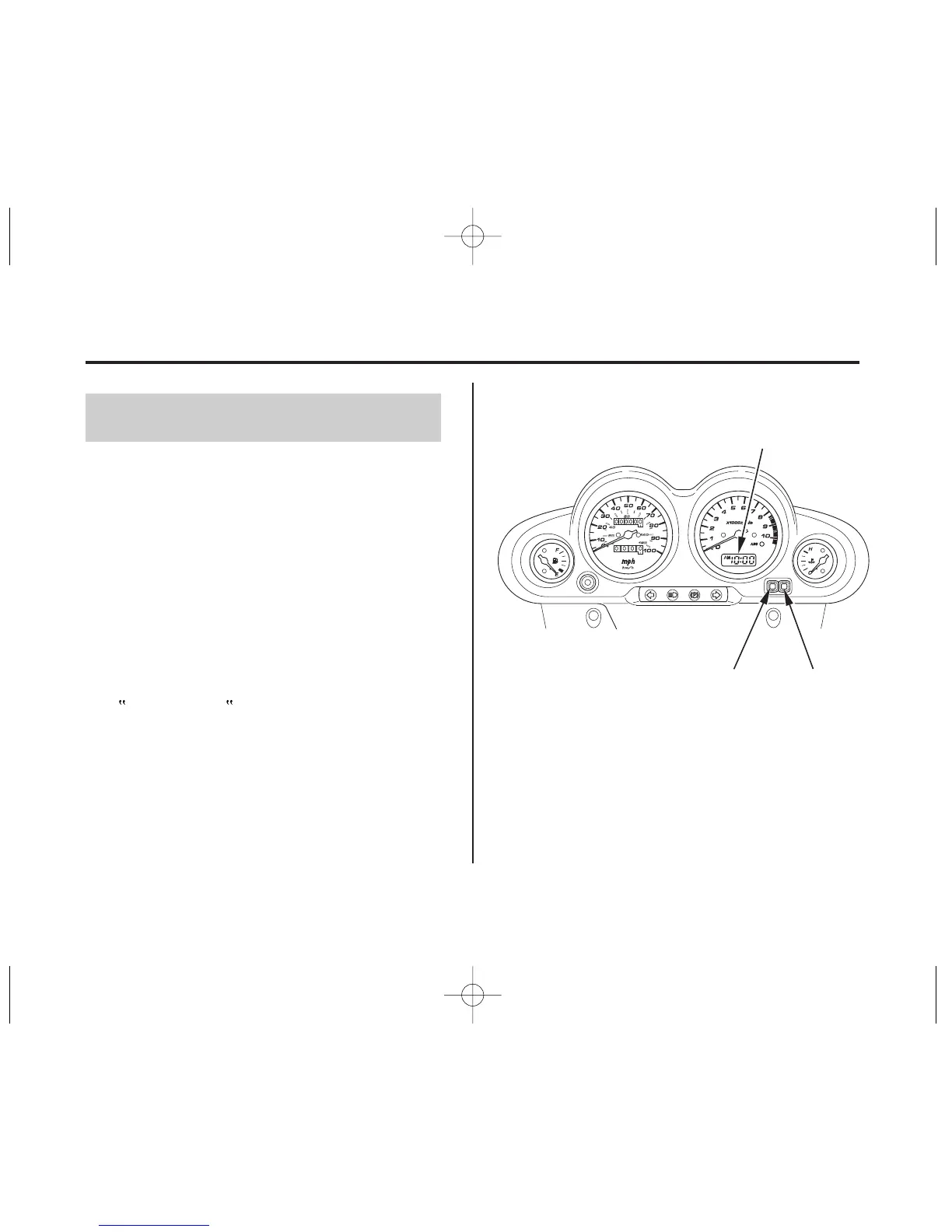
(1)
(2)
(1) H button
(2)Mbutton
(3) digital clock
18
Digital Clock
Gauges & Indicators
Instruments & Controls
Shows hour and minute. To adjust the time,
proceed as follows:
Turn the ignition switch ON.
To set the hour, press the H button (1)
until the desired hour and AM/PM
setting are displayed.
To set the minute, press the M button
(2) until the desired minute is displayed.
The minute dispiay will return to
00 when 60 is reached without
affecting the hour display.
The clock will reset to 1:00 if the battery
is disconnected.
1.
2.
3.
04/10/19 10:40:04 31KSZ610_027



 To Next Page