To Next Page
T
Timothy WarrenAug 18, 2025
What to do if Honeywell Gas Detectors sensor is due for calibration?
- DDanielle MillerAug 18, 2025
If the sensor is due for calibration, contact Technical Services.

What to do if Honeywell Gas Detectors sensor is due for calibration?
If the sensor is due for calibration, contact Technical Services.
What to do if Honeywell Gas Detectors sensor end of life reached?
If the sensor has reached the end of its life, contact Technical Services.
What to do if Honeywell Gas Detectors sensor span gain is not calibrated?
If the sensor span gain is not calibrated, contact Technical Services.
What to do if Honeywell Gas Detectors sensor baseline is not calibrated?
If the sensor baseline is not calibrated, contact Technical Services.
What to do if Honeywell Gas Detectors O2 sensor displays 0% and is in Alarm A status?
If the O2 sensor displays 0% and is in Alarm A status when no nitrogen is present, the sensor may be missing or defective. Contact Technical Services for assistance.
What to do if temperature sensor ADC signal is too high in Honeywell Gas Detectors?
If the temperature sensor ADC signal is too high, contact Technical Services.
What to do if temperature sensor ADC signal is too low in Honeywell Gas Detectors?
If the temperature sensor ADC signal is too low, contact Technical Services.
What to do if Honeywell Gas Detectors sensor board eeprom is uninitialized?
If the sensor board eeprom is uninitialized, contact Technical Services.
What to do if Honeywell Gas Detectors sensor is not responding to span calibration?
If the sensor is not responding to span calibration, contact Technical Services.
What to do if Honeywell Gas Detectors sensor span gain is too high?
If the sensor span gain is too high, contact Technical Services.
Guidance on selecting the best location for the sensor based on air currents and emission sources.
Recommended installation heights for different detected gases based on their relative density.
Instructions for mounting the unit on walls, including drilling hole dimensions and securing the unit.
Specific procedure for mounting the unit within a duct using the custom enclosure.
General guidelines and requirements for electrical wiring, including cable types and grounding.
Diagram and instructions for connecting power and communication wiring to the main circuit board.
Setting and adjusting alarm levels (A, B, C) and hysteresis values for gas detection.
Step-by-step instructions for setting the sensor zero using a calibration gas.
Procedure to calibrate the sensor's span using a specific concentration of calibration gas.
A list of 2-digit error codes displayed on the LCD and their corresponding descriptions.
 General
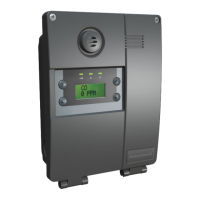
| Display | LCD |
|---|---|
| Operating Temperature | -20°C to 50°C (-4°F to 122°F) |
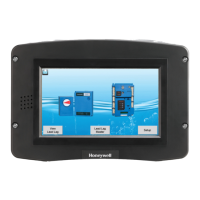
| Touchscreen | No |
| Gas Detection | Toxic and combustible gases |
| Sensor Options | Electrochemical, infrared |
| Power Supply | 24 VDC |
| Communication | Modbus |
| Enclosure | Polycarbonate |
| Output | 4-20 mA, relay outputs |
| Storage Temperature | -40°C to 70°C (-40°F to 158°F) |
| Weight | 0.5 kg |