Logging In and Viewing Live Video
9
Using the Live View Interface
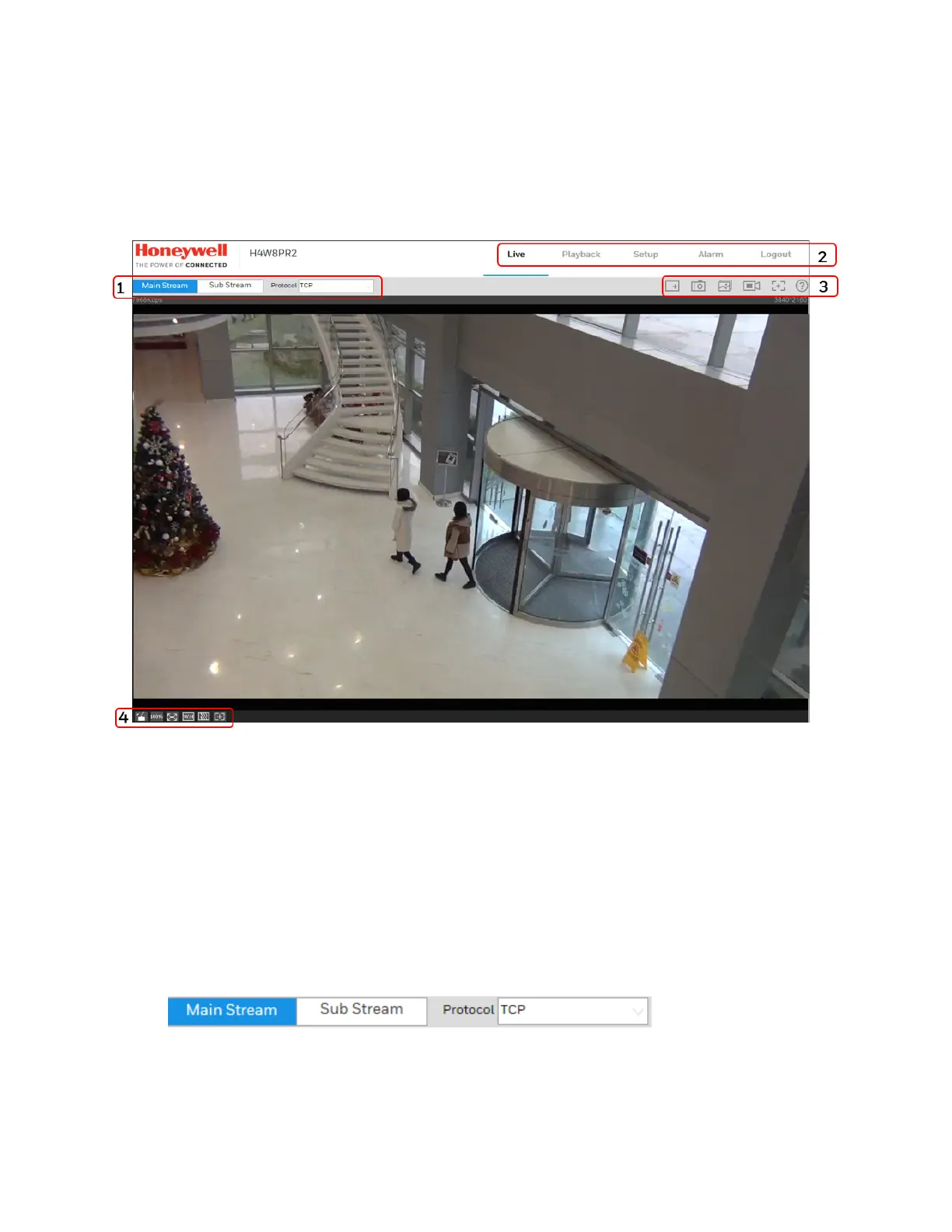
The Live View window has four areas with controls and options for monitoring live video.
Figure 3-4 Live View Interface
1. Video encoder settings area (see Video Encoder Settings, page 9)
2. System menus (see System Menus, page 10)
3. Live View controls toolbar (see Live View Controls, page 10)
4. Live View interface settings toolbar (see Live View Window Configuration, page 11)
Video Encoder Settings
In the video encoder settings area of the Live View interface, you can choose a stream and set
the stream protocol.
Figure 3-5 Video Encoder Settings



 To Next Page
 Loading...




