Performance Series IP Camera Software Configuration Guide
46
7 Configuring Video Analytics
This chapter contains the following sections:
• Configuring Video Detection Settings, page 46
• Configuring Audio Detection Settings, page 51
• Configuring Smart Plan, page 52
• Configuring Face Detection Events, page 53
• Configuring People Counting Events, page 54
• Configuring System Events Settings, page 56
Configuring Video Detection Settings
Configuring Motion Detection Settings
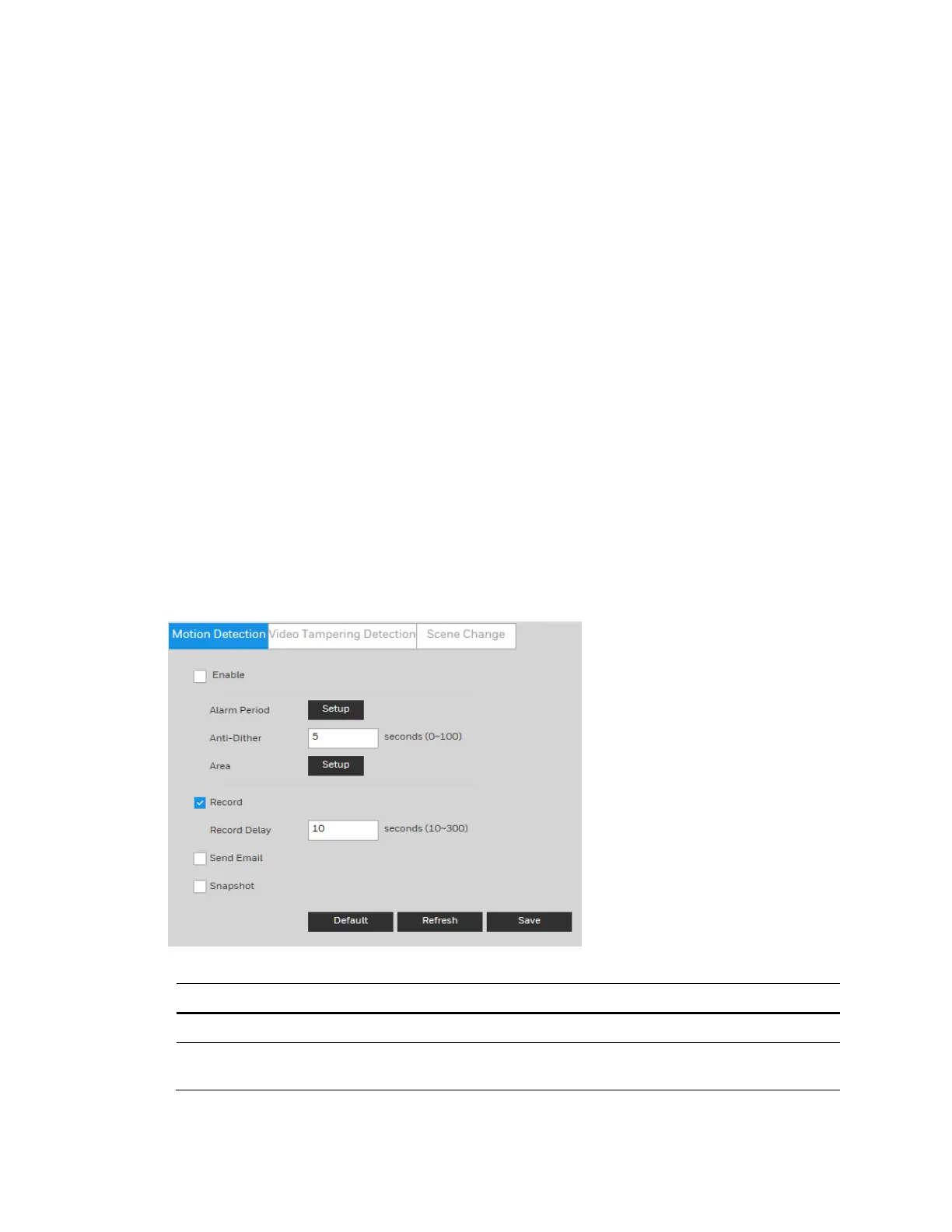
Go to Setup Video Analytics Video DetectionMotion Detection.
Figure 7-1 Video Detection
Table 7-1 Video Detection Configurations
Parameter Function
Enable Click the checkbox to enable motion detection.
Alarm Period
Configure the arm/disarm period. Click Setup to open the setup menu.
See Configuring the Alarm Period on page 47.



 To Next Page
 Loading...




