Configuring Camera Settings
51
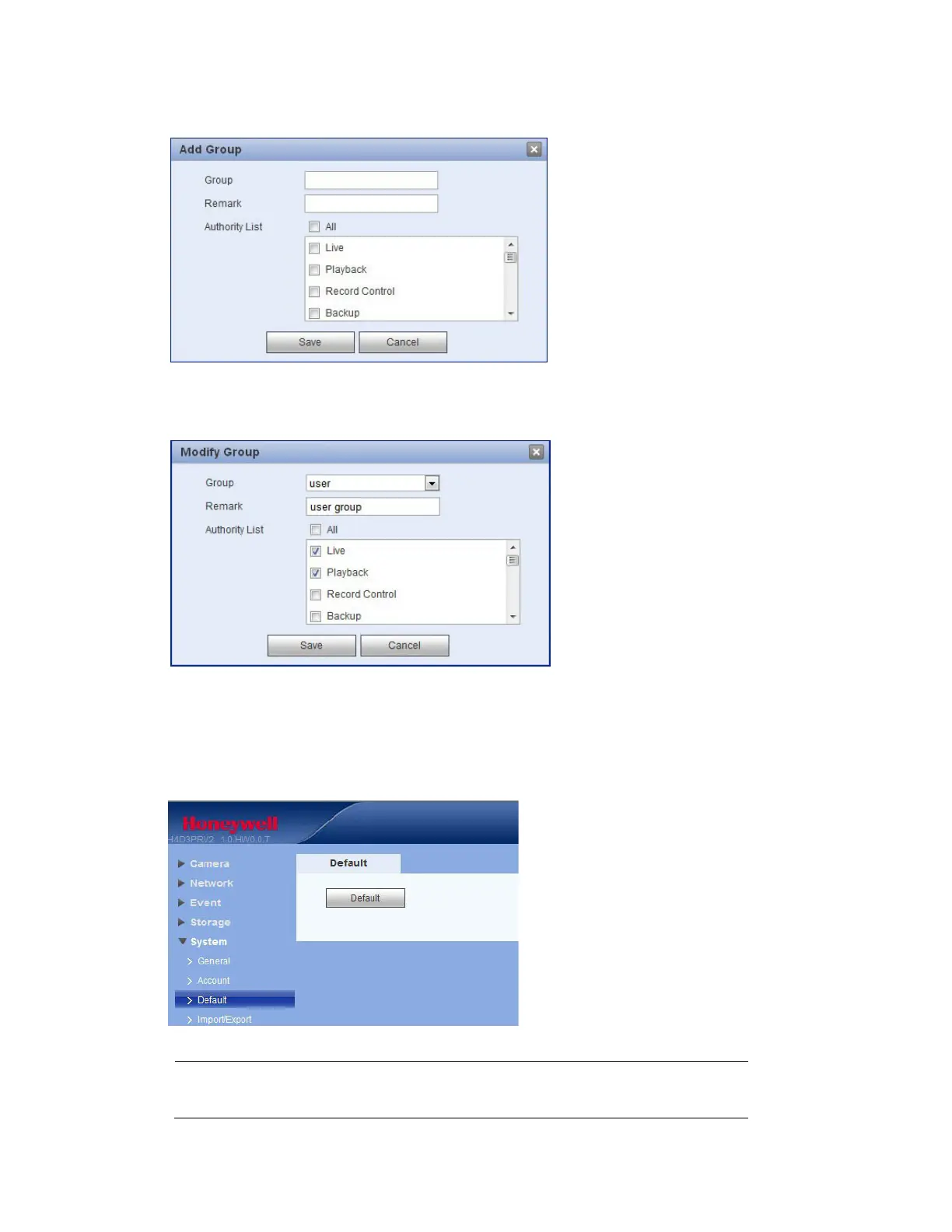
Figure 5-37 Add Group Interface
Click Modifying a Group to edit the remark and/or the rights assigned to the group. Click Save to save
the new settings.
Figure 5-38 Modify Group Interface
Restoring Default Settings
Click Default to restore the camera to its factory default settings.
Figure 5-39 Default Interface
Note The system cannot reset some information, such as the network IP address.



 To Next Page
 Loading...