Honeywell Portable Generator Service Manual www.honeywellgenerators.com 9-11
FAN COVER
9.10FAN COVER
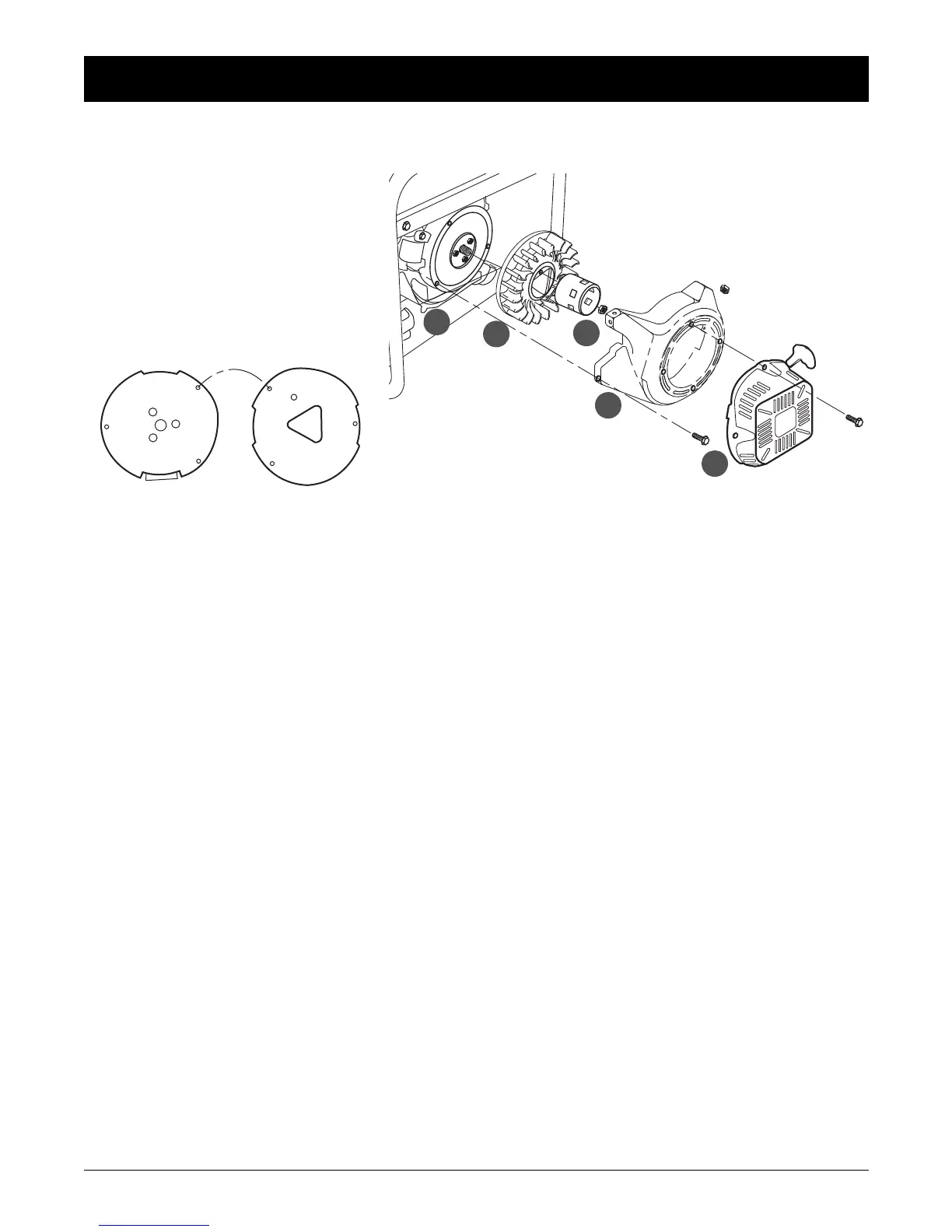
A—STARTER PULLEY
Install by aligning the hole in the pulley with
the lug on the cooling fan.
B—COOLING FAN
Install by aligning the three lugs on the rear
side of the fan with the small hole in the fly-
wheel. When disassembling and assem-
bling, take care not to damage the fan
blades.
C—FLANGE NUT (16 mm)
Hold the flywheel by placing a screwdriver
into the pulley.
D—FAN COVER
Remove and install with the recoil starter
assembly.
E—RECOIL STARTER ASSEMBLY
Install with the starter grip position as
shown.



 To Next Page
 Loading...