LYNX Touch Installation and Setup Guide
- 36 -
Programming the Control
Program Zones (Continued)
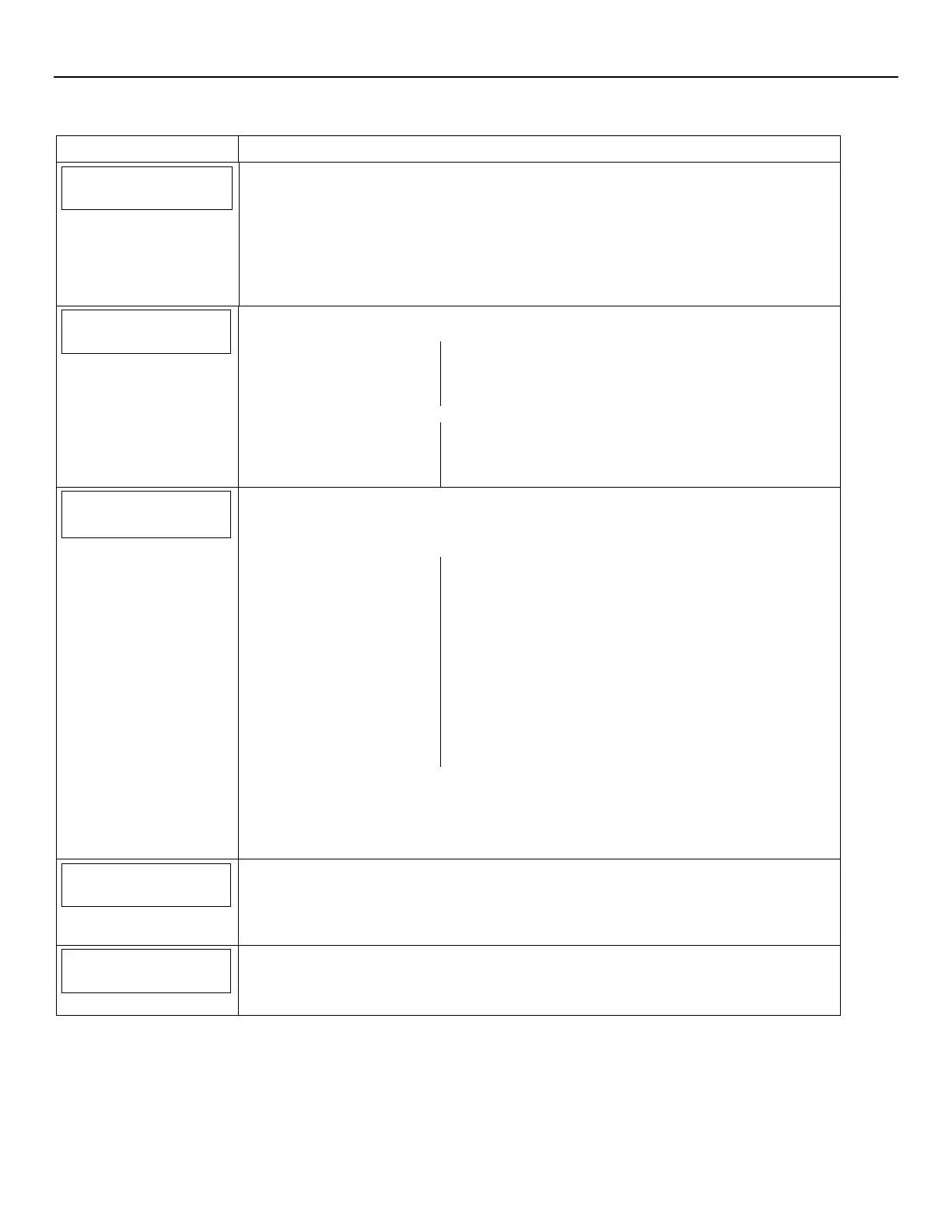
SCREEN ACTION
Zone Description 1
Zone Description 1/Zone Description 2
When programming the Zone Description, after entering the first letter of the description on the
keypad you can use the up and down arrows to scroll through the available
preprogrammed zone descriptions. For a list of the pre-programmed Zone Descriptors, please
visit http://www.security.honeywell.com/hsc/resources/MyWebTech
Select “Zone Description 1 or Zone Description 2”. Using the displayed keypad enter Zone
Description 1 or Zone Description 2. The system announces the Zone Description. Enter
“Done”, when you are finished. The system returns to the Zone Programming page.
Device Type
Device Type
Select “Device Type”. The system displays the following options:
New Door
Window
Motion Sensor
Glass Break
Smoke Detector
Heat Sensor
Carbon Mono. Det.
Use the down arrow to scroll to the next page of options:
Temperature
Flood
Environmental
Medical
Fire
Police
Garage Door Other
Response Type
Not Used
Response Type
1. Select “Response Type”. The system displays the specific options, which are dependant
upon the Device Type that was selected for the zone. Use the down arrow to scroll to the
next page of options. Use the arrow to return to the previous page.
2. Select the desired Response Type and select “Save”. The system will return to the Zone
screen.
Note: For threshold monitoring to be configurable on the LYNX Touch Z-wave thermostat
screen, the respective zones will first need to be assigned with a response type in zone
programming. The recommended response type is Trouble.
Alarm Report
Yes
Alarm Report
Note: This field is for Alarms. If Response Type “Trouble” is set up and Alarm Report is set to
“No” the system will still report if Report Alarms was enabled in the Reporter
programming.
Select “Report” to toggle between “No” or “Yes”. Select “Save”.
Chime
Disabled
Chime
Note: Chime only applies to entry/exit, perimeter and interior zone types.
Select “Chime” to scroll through the selections that include “Disabled” and ten optional chimes.
Select “Save”.


 To Next Page
 Loading...