| Talkman A700 | 63
Note: When you remove the battery terminal side post bolts from the vehicle battery, the vehicle
computer and radio return to their default settings.
2.
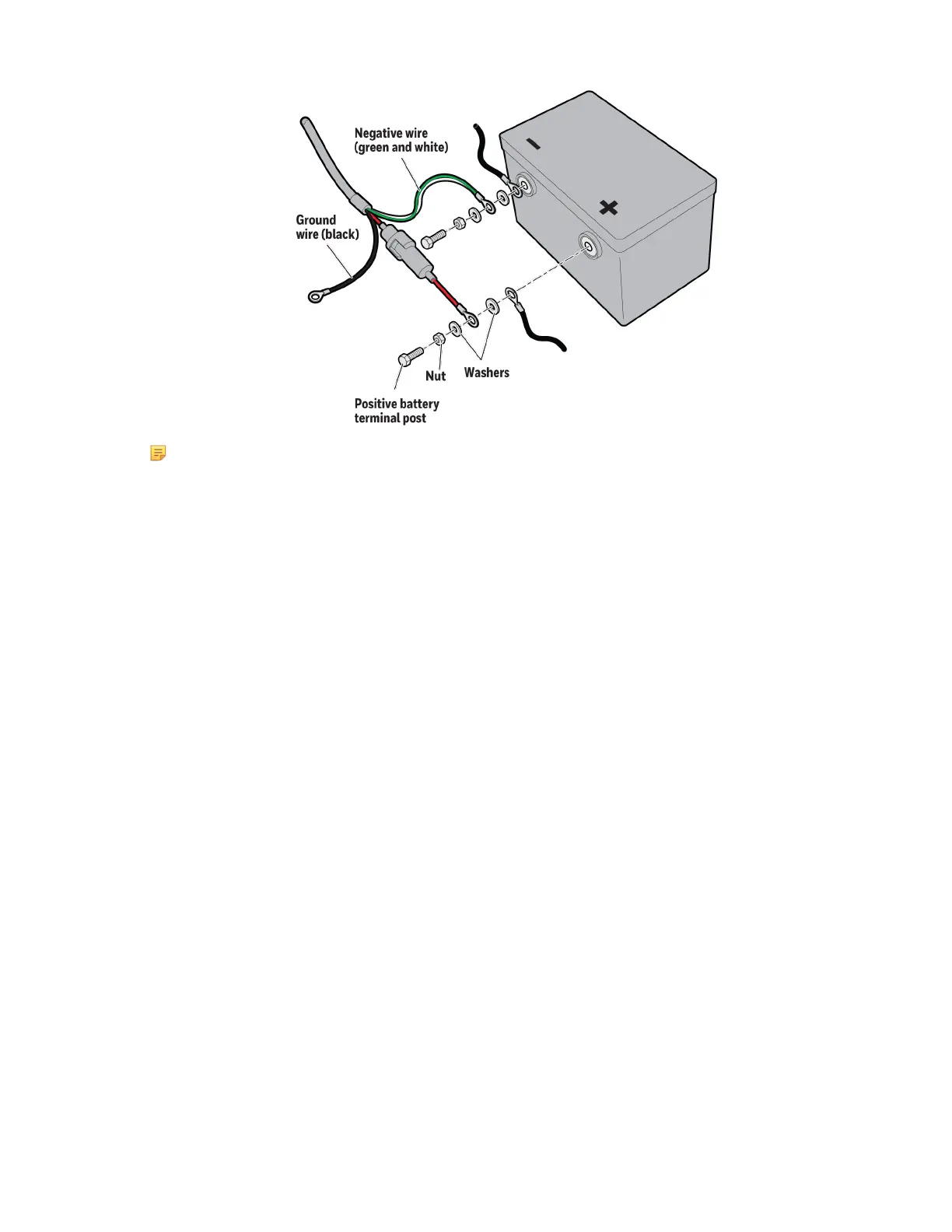
Fasten a 3/8-inch nut to the 3/8 x 1-1/2-inch positive battery terminal post.
3.
Place a 3/8-inch washer on the battery terminal post.
4.
Slide the positive wire fuse link terminal ring from the power input cable onto the positive battery post.
5.
Put another 3/8-inch washer on the battery terminal post.
6.
Slide the positive battery cable on the post.
7.
Insert the post assembly (Steps 2 through 6) into the positive battery terminal.
8.
Tighten the battery terminal post securely.
9.
Tighten the nut installed in Step 2 to secure the washers and cables firmly in place.
10.
Repeat Steps 1 through 9 for the negative wire.
11.
Connect the ground wire. For help, see the next section.
Fasten the Ground Wire
1.
The braided wire on the vehicle battery cable is the grounding strap. To ensure proper cable shielding, fasten the
ground strap to the vehicle sheet metal.
2.
Drill a small hole into the metal that you intend to fasten the ground wire to.
3.
Use a punch to dimple and enlarge the hole until it is the same size as the screw.
4.
Scrape off a small circle of paint around the hole to make sure bare metal is exposed.
5.
Secure the wire with a #8 5/8-inch screw and flat washer.
Attach the A700 VMT to the Vehicle
1.
Connect the VMT dock (BL-904) to the cable (CM-904-101)
2.
Connect the cable to the power supply.
3.
Slide the Talkman A700 device into the dock.











 To Next Page