EasyManua.ls Logo

Honeywell Vocollect Talkman A700 - User Manual

Honeywell Vocollect Talkman A700
100 pages
Print Icon
To Next Page IconTo Next Page
Loading...
Vocollect Talkman A700 Solution Product Guide
August 2015
ETP.PG.5010A.2015.08

Table of Contents

Questions and Answers

  • J
    Jacob MurphySep 4, 2025
    How to fix Honeywell Scanner error message 0x1a06 - Process history data bins to records write error?
    • A
      April MartinezSep 4, 2025
      To fix the 0x1a06 error on your Honeywell scanner, try turning the device off and then back on. If that doesn't work, reboot the device or reload VoiceClient.
  • M
    mmunozSep 18, 2025
    What does Honeywell Vocollect Talkman A700 Scanner error message 0x0206 mean and how to fix it?
    • C
      christinaclarkSep 18, 2025
      The error message 0x0206 on your Honeywell scanner indicates that the battery is getting low. To fix this, change the battery.
  • T
    Teresa Rivas DDSSep 16, 2025
    What to do if Honeywell Vocollect Talkman A700 Scanner is unable to receive input data?
    • K
      Kimberly CoxSep 16, 2025
      If your Honeywell scanner is unable to receive input data, try turning the device off and then back on again. If that doesn't work, reboot the device or reload VoiceClient.
  • K
    Karen KellySep 14, 2025
    How to fix Honeywell Vocollect Talkman A700 Scanner error message 0x0802 - Speak failed to initialize properly?
    • R
      rojaswendySep 14, 2025
      To fix the 0x0802 error on your Honeywell scanner, check the crashdump file. Turn the device off and then back on again. You can also try rebooting the device or reloading VoiceClient.
  • K
    Kelly CrawfordSep 12, 2025
    How to fix Honeywell Vocollect Talkman A700 Scanner error message 0x1215 - Failed to write dialog terminal-off files in the terminal charger after task or operator load?
    • M
      Michael HartmanSep 13, 2025
      To fix the 0x1215 error on your Honeywell scanner, try reloading the operator, reloading the task, or reloading VoiceClient.
  • L
    Lawrence JonesSep 12, 2025
    How to fix Honeywell Vocollect Talkman A700 Scanner error message 0x1425 - Socket host name or IP address bad?
    • M
      Mark KelleySep 12, 2025
      To resolve the 0x1425 error on your Honeywell scanner, try turning the device off and then back on. If the issue persists, reboot the device, reload VoiceClient, or reload the task. Also, verify the task's output data records (ODRs) and lookup tables (LUTs) have correct and valid socket host and service information.
  • B
    bhessSep 9, 2025
    How to fix Honeywell Vocollect Talkman A700 Scanner error message 0x1a04 - Process history data file descriptor structure error?
    • K
      Kimberly CastroSep 9, 2025
      To address the 0x1a04 error on your Honeywell scanner, try turning the device off and then back on. If this doesn't solve the problem, try reloading the task, rebooting the device, or reloading VoiceClient.
  • T
    Tyler PittsSep 7, 2025
    How to fix Honeywell Vocollect Talkman A700 error message 0x060c - Train returned bad status to UpdTrain?
    • J
      justin05Sep 7, 2025
      To fix error 0x060c on your Honeywell scanner, turn the device off and then back on again. If that doesn't work, reboot the device or reload VoiceClient.
  • M
    Michael DavisSep 5, 2025
    How to fix Honeywell Scanner error message 0x020a - Event detect initialization failed?
    • S
      Sandra ThompsonSep 5, 2025
      To resolve the 0x020a error on your Honeywell scanner, try turning the device off and then back on. If the issue continues, reboot the device or reload VoiceClient.
  • C
    Cynthia MooreAug 21, 2025
    Why Honeywell Scanner will not scan?
    • K
      Kathleen WarnerAug 21, 2025
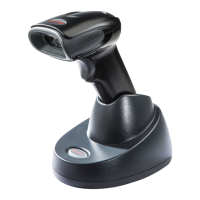
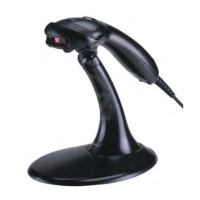
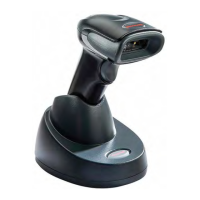
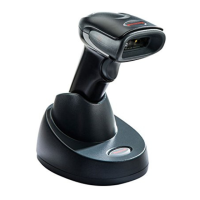
      If your Honeywell scanner is not scanning, ensure it's powered on, properly connected to the Talkman device, and the battery is charged. Also, confirm the Talkman device is on with a charged battery, running voice process software set up for scanning. Using VoiceConsole, verify the task uses the 'BT_SCAN' port for its scanning connection in the advanced settings. If the scanner beeps several times after a scan, it's not connected; verify the connection with Talkman. If it beeps once but Talkman doesn't accept input, ensure task termination characters are default (CR/LF). If scanning fails after Talkman was asleep, toggle Talkman off/on. Try connecting the scanner to a different device. If the scanner is damaged, send it back to Honeywell for repair.

Summary

Chapter 1: Introduction

Talkman Devices and Headsets

Overview of wearable terminals used with Vocollect headsets for voice-directed work.

General Safety Guidelines

Essential safety precautions for working with Honeywell electrical equipment.

Honeywell Battery Safety

Critical warnings and guidelines for safe battery handling, charging, and disposal.

Contact Information

Details for technical support, customer service, and reseller services.

Chapter 2: Using the Talkman A700 Device

Charging an A700 Device Battery

Instructions for charging A700 device batteries, both in and out of the device.

Turning a Talkman Device On

Procedure to power on the Talkman device and interpret LED indicators.

A700 Device LED Indicators

Explanation of the device state, battery charging, and NFC indicator lights.

Adjusting the Voice

How to adjust voice pitch, volume, speed, and gender for clarity.

Scanning with the Talkman A730 Device

Guidelines for using the integrated barcode scanner on the Talkman A730.

Cleaning Procedures for Honeywell Equipment

Recommended practices for cleaning device plastics and contacts.

Chapter 3: Chargers

A700 6-Bay Device Charger

Specifications and operation of the 6-bay device charger.

Mounting the A700 Device or Battery Charger

Step-by-step instructions for installing chargers using DIN rails.

Chapter 4: Accessories

Pidion BM-170 Display

Description of the Pidion BM-170 display device and its controls.

Belts

Information on A700 belt specifications, sizes, and materials.

Vehicle Mounts for Talkman A700

Overview of different vehicle mount types and installation considerations.

Chapter 5: Troubleshooting Equipment Problems

I Cant Hear Anything Through the Headset

Troubleshooting steps for audio issues with the headset.

Numbered Error Messages

List of numbered error codes, their text, and corresponding solutions.

Spoken Error Messages

Common spoken error messages and their recommended resolutions.

Contacting Technical Support

Information needed and steps for contacting technical support.

Appendix A: Specifications

A710 Specifications

Detailed technical specifications for the Talkman A710 device.

A730 Specifications

Detailed technical specifications for the Talkman A730 device.

A700 Product Battery Specifications

Electrical, environmental specs, and battery notifications for A700 batteries.

Appendix B: Part Numbers

Part Numbers: Talkman Accessories

List of part numbers for various Talkman accessories.

Appendix C: Talkman A730 Symbologies

Talkman A730 Symbologies Configuration

Registry keys and settings for configuring barcode symbologies on the A730 device.

Appendix D: Template Training Options

Training with the Talkman Device Only

Method for creating voice templates using only the Talkman device.

Visual Training Devices

Using external devices like QTERM for visual assistance during training.

Appendix E: Compliance

Federal Communications Commission Compliance

FCC Part 15 compliance statement and radio frequency interference measures.

CE Marking & European Compliance

Compliance information for products sold within the European Union.

Declaration of Conformity: RoHS

Compliance with EU directive on the restriction of hazardous substances.

Honeywell Vocollect Talkman A700 Specifications

General IconGeneral
BrandHoneywell
ModelVocollect Talkman A700
CategoryScanner
LanguageEnglish

Related product manuals