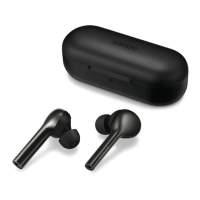
Touch controls
•
Tap twice: Play/Pause music.
•
Tap twice: Answer/End a call.
•
Press and hold the earbud: Reject a call.
•
Press and hold the earbud: Switch noise cancellation mode.
•
Swipe up: Turning up the volume.
•
Swipe down: Turning down the volume.
•
Triple-tap the left/right earbud: Previous/Next track.
• You can also set shocut operations by following the on-screen instructions in the HONOR
AI Space app to suit your needs.
• e new name will only take eect on the current device, and will not be synced to any other
devices.
• For non-Honor phones/tablets, please refer to the actual operations.
Add earbuds to App
Adding earbuds to HONOR AI Space allows you to manage your earbuds conveniently and
access more functions and custom settings for a better audio experience.
Download and install HONOR AI Space
Scan the QR code or search HONOR AI Space in AppGalle to download and install the
latest version of HONOR AI Space.
Getting
Staed
4



 To Next Page