• Always On Display is not available when the is lower than 10%.
• may by device model.
• Full-screen AOD shows a dimmed version of your lock screen. You can change its
appearance by setting a personalized exterior screen.
Enable animated Always On Display
Add personalized pictures or animations while your screen is to make your phone still
vivid and interesting.
Go to Always On Display, select screen. In Images, select a picture or animation
you like and tap APPLY.
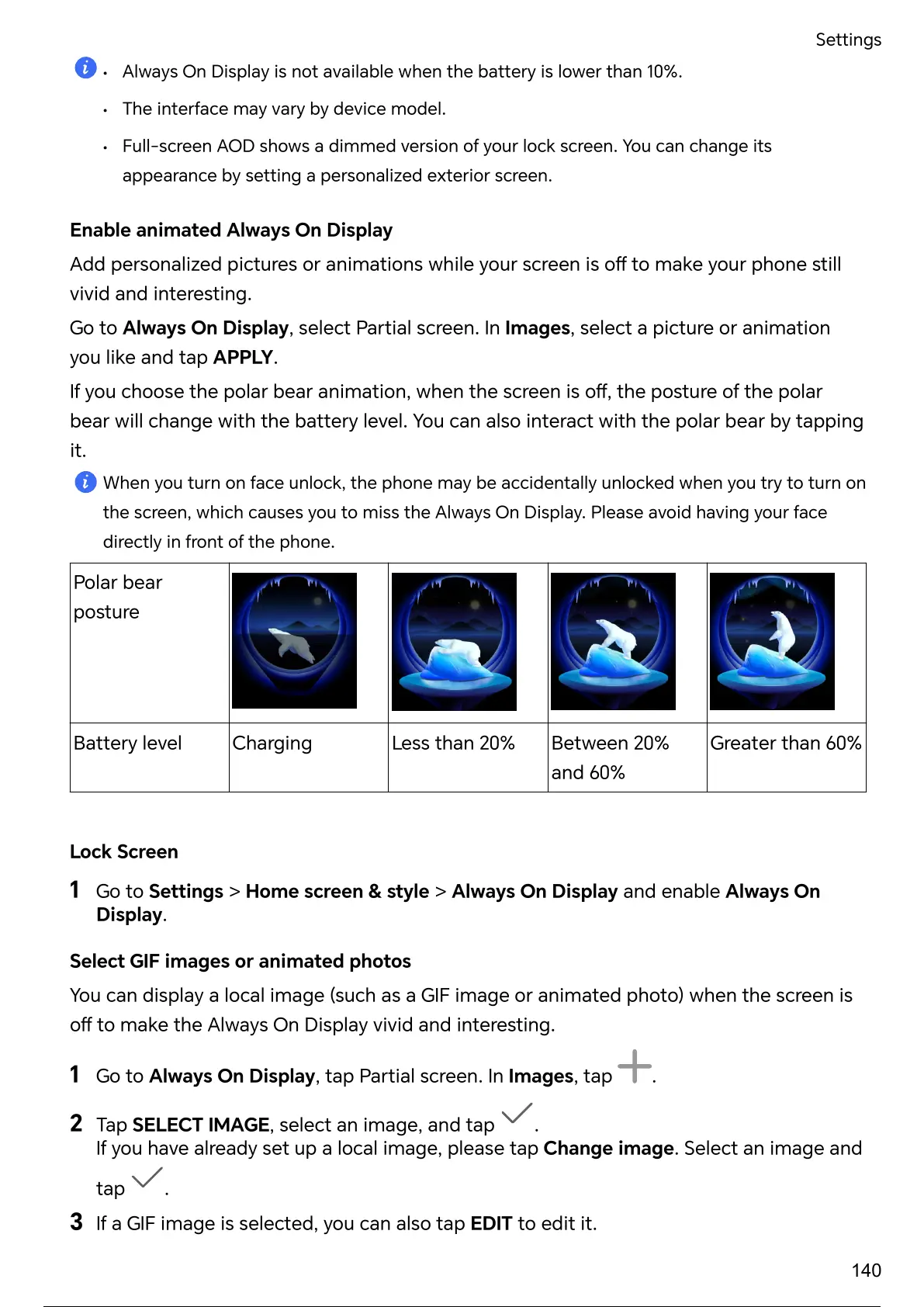
If you choose the polar bear animation, when the screen is the posture of the polar
bear will change with the level. You can also interact with the polar bear by tapping
it.
When you turn on face unlock, the phone may be accidentally unlocked when you to turn on
the screen, which causes you to miss the Always On Display. Please avoid having your face
directly in front of the phone.
Polar bear
posture
level Charging Less than 20% Between 20%
and 60%
Greater than 60%
Lock Screen
1 Go to Settings > Home screen & style > Always On Display and enable Always On
Display.
Select GIF images or animated photos
You can display a local image (such as a GIF image or animated photo) when the screen is
to make the Always On Display vivid and interesting.
1 Go to Always On Display, tap screen. In Images, tap .
2 Tap SELECT IMAGE, select an image, and tap .
If you have already set up a local image, please tap Change image. Select an image and
tap .
3 If a GIF image is selected, you can also tap EDIT to edit it.
Settings
140
145 / 182 144 / 180 145 / 182 144 / 180 145 / 182 144 / 180 145 / 182 144 / 180 145 / 182



 To Next Page