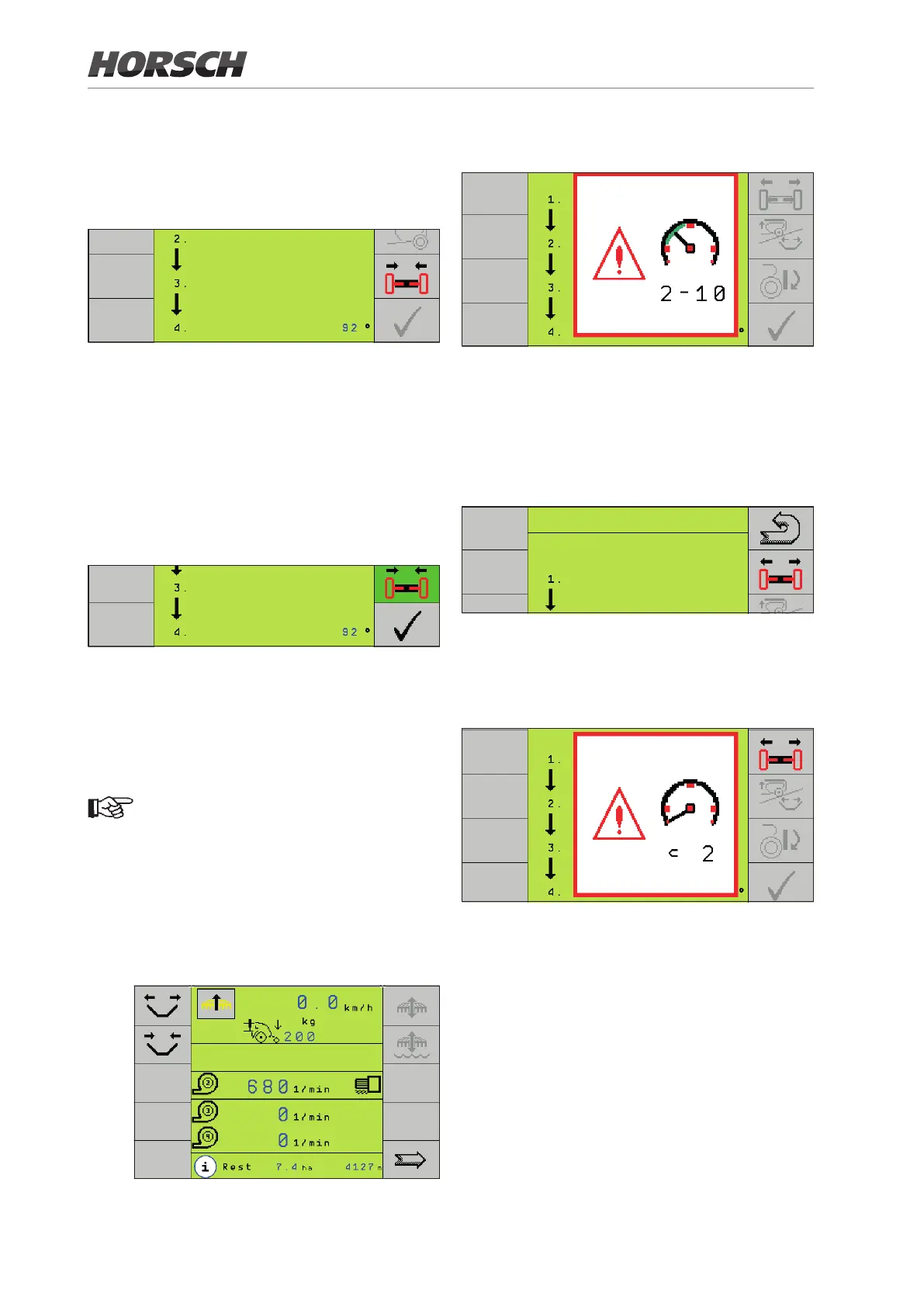
¾ When driving with this speed, the symbol for
the axle adjustment changes to black. The
alert for the speed disappears again.
¾ Press the axle adjustment button:
>
¾ The symbol changes to green.
¾ Retract the axle to transport width during
travelling.
Once the axle is completely retracted, the sen-
sors will switch, and the button "
P
" changes
to black.
¾
P
Press:
>
Unfolding
Pay attention to the sequence of the following
steps!
Do not place any clips on the lift cylinders.
The machine would not reach drilling posi-
tion and not receive a work signal.
¾ Connect the machine.
¾ Switch on the E-Manager.
¾ Switch on the hydraulic Unfolding function in
the display:
>
¾ The display reminds you of the speed of
2 - 10 km/h when extending the axle.
¾ Once the speed is reached, the warning dis-
appears and the symbol for the axle changes
to black.
¾ Press the button to extend the axle. The sym-
bol becomes shaded green.
>
UNFOLDING
¾ The sensors will switch when the axle is
completely extended. The alert to stop the
machine or to reduce the speed to below
2 km/h appears.
¾ Reduce the speed to below 2 km/h or, even
better, stop altogether.
¾ The alert on speed disappears.
¾ The axle symbol changes to grey.
¾ The symbol for lifting and unfolding the wings
changes to black.
¾ Press the key. The symbol becomes shaded
green.
32







 To Next Page