I)o
not
lock
the oven door with the door latch during baking. The latch is
used for self-cleaning only.
Your
oven
temperature is
contr(~lled
very accurately using an oven control
system,
I(
is
reconlmcndcd
that
yoLI
operate the oven
for
a
number
of
weeks
using
the
time
given
on recipes
tis
a
guide
to
become
familiar with your new
t)vcn’s
perl(~rnlancc.
If
you think
an
adjustment
is necessary, see the
D()
It
KJf/r,\((/Adjust the Oven Thermostat section.
How
to
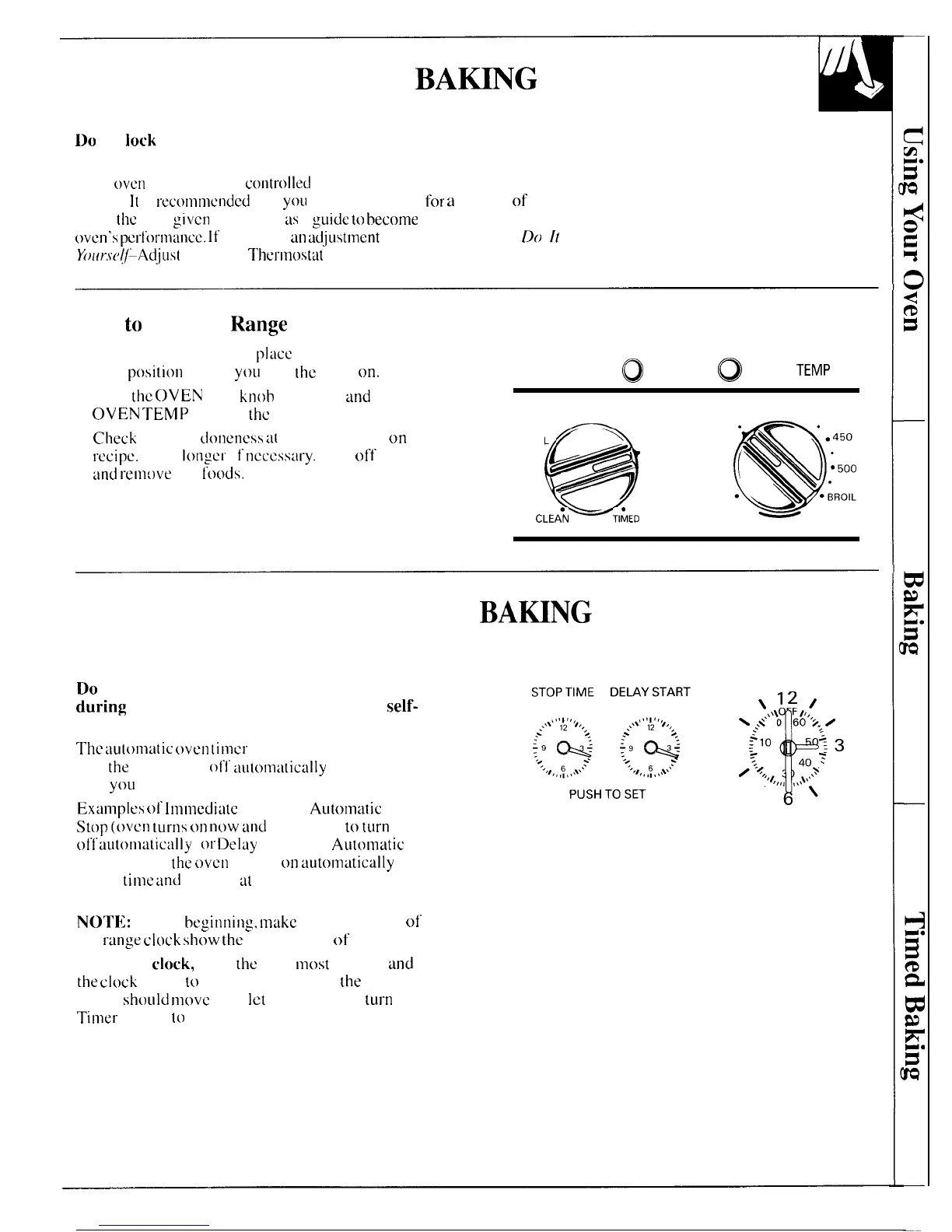
Set Your Range for Baking
To avoid possible burns,
place
the shelves in the
correct
p(~siti(ln
before
you
turn
[he
oven
on.
1. Turn
the
OVEN
SET
knob
to BAKE
and
the
OVEN
TEMP knob to
the
desired temperature.
2.
Check
food for
d(~neness
a[
minimum time
on
recipe.
Cook
tonger
i t
ncccssat-y.
Turn off the heat
and
remove
the
l’c)(~ds.
OVEN SET
~
o
OVEN
TEMP
OFF
350
300. .
● . .400
BROIL
.
@
6/
BAKE
250.
.
.
/
@
200
●
WARM
CLEA*N
TlhED
BAKE
CLEAN
TIMED
BA~NG
How to Time Bake
Do
not lock the oven door with the door latch
during
timed baking. The latch is used for
self-
cleaning only.
The
au[omatic
oven
timer
controls are designed to
turn
the
oven on or
(JII
aut~~maticatly
at specific times
that
yOll
set.
Examptes
01”
Immedititc
Start and
Automatic
stop
(C)VCI1
tLll”IIS
C)I1
IIC)W
~lld
yell Set it
to
tllrn
olf
aLltonlaticalty
)
(~r
~etay
Start and
Automatic
Stop (setting
the
oven
to turn
t)n
automatictilly
at
a later
time
dnd
turn off
tit
a preset stop time) will
be described.
NOTEI:
Before
beginnitlg,
rnakc
sure the hands of
the
r-tinge
clc~ck
show
the
correct time of day.
To set the
clock,
push
the
right
most
knob in
and
turn
the
ctock
hands
tt~
the correct time. (If
the
Automatic
Timer
sht)uld
rn(~vc
also,
let
the knob out,
tur-n
the
Timer pointer
(o
OFF. )
\
1
~1,,1
\
;<’’”0 60
‘2,,
0
g
:10
2,
20 40 ~
0~,
‘,/,,
,,
/
k
?3
,\\\~.
>:\
\
13



 To Next Page