SU~ACE
COO~G
Surface Cooking with Infinite Heat Controls
At both OFF
and
HI positions, there is
a
slight niche so Switching heats to higher settings always shows a
control “cl
icks”
at those positions; “click” on the word
quicker change than switching to lower settings.
HI
marks the highest setting; the lowest setting is
between the words LO and OFF. In a quiet kitchen,
you
may
hear slight “clicking” sounds during cooking,
indicating heat settings selected are being maintained.
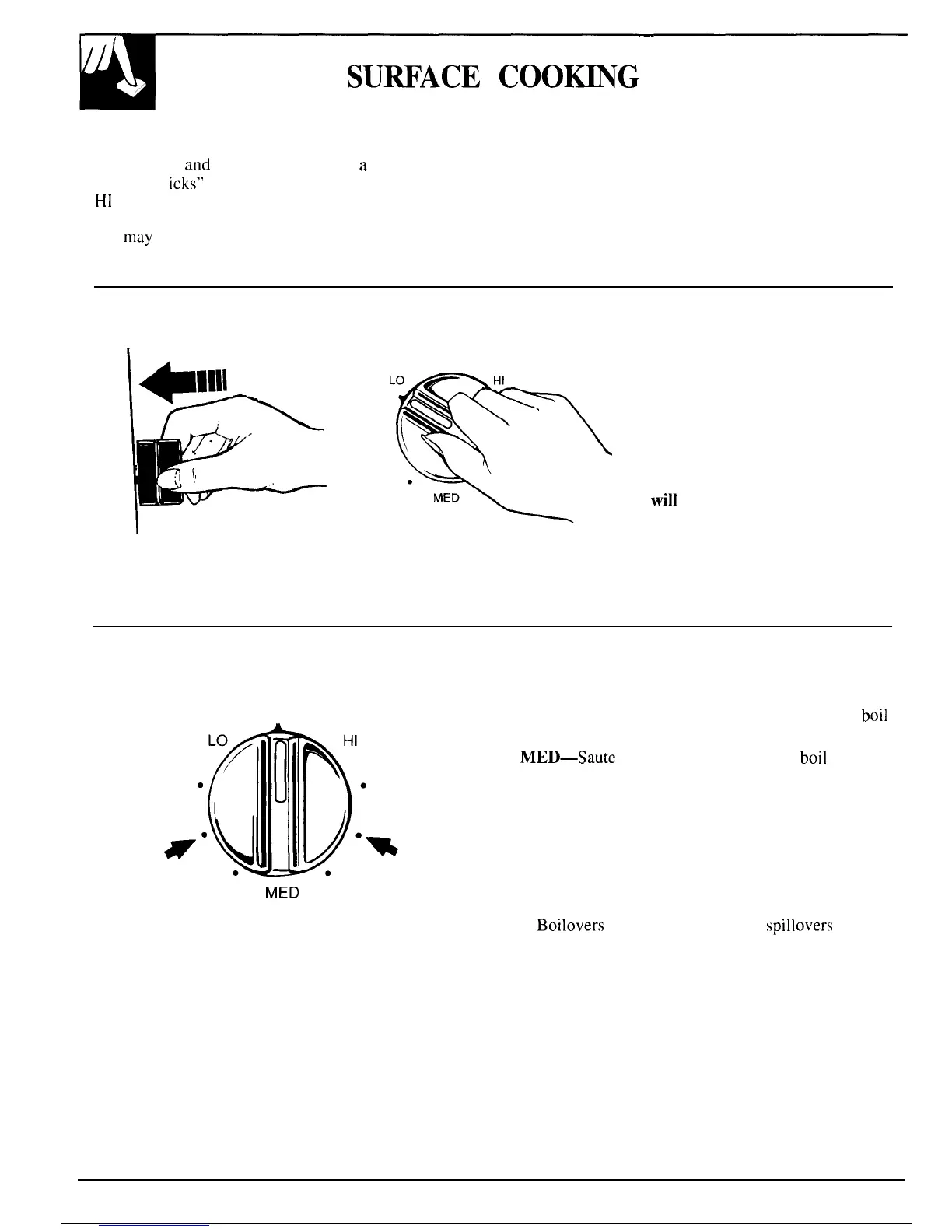
How to Set the Controls
1. Grasp’ the control knob and
push in.
OFF
The control must be pushed in to
set only from OFF position.
When the control is in any
.
position other than OFF, it may
.
be rotated without pushing in.
Be sure you turn the control to
OFF when you finish cooking.
The surface unit indicator light
will
glow
when ANY heat on any
surface unit is on.
2. Turn the knob either clockwise
or counterclockwise to desired
heat setting.
Cooking Guide for Using Heat Settings
Medium
Low
OFF
Medium
High
MED
HI—Quick start for cooking; bring water to boil.
Medium High—Fast fry, pan broil; maintain fast
boil
on large amount of food.
MED—Saute and brown; maintain slow
boil
on large
amount of food.
Medium Low—Steam rice, cereal; maintain serving
temperature of most foods.
LO—Cook after starting at HI; cook with little water
in covered pan.
NOTE:
1. At HI, Medium High never leave food unattended.
Boilovers
cause smoking; greasy
spillovers
may
catch fire.
2. At Medium Low, LO, melt chocolate, butter on
small unit.
8



 To Next Page