7
EN
5. Using the MS-A2
NOTICE
• The screenshots provided here are for reference only. The actual screens may
vary.
• There are two ways to download the S-Miles Home App:
- Scan the QR code, or
- Search for "S-Miles Home" on the App Store (iOS) or Play Store (Andriod).
S-Miles Home
5.1
Powering on the MS-A2
NOTICE
If the MS-A2 is not connected to the grid, press and hold the power button for 8 seconds.
A) Press and hold the Power Button for approximately 2 seconds.
B) Upon powering on, the device status indicator will remain solid white.
5.2
Creating an Account
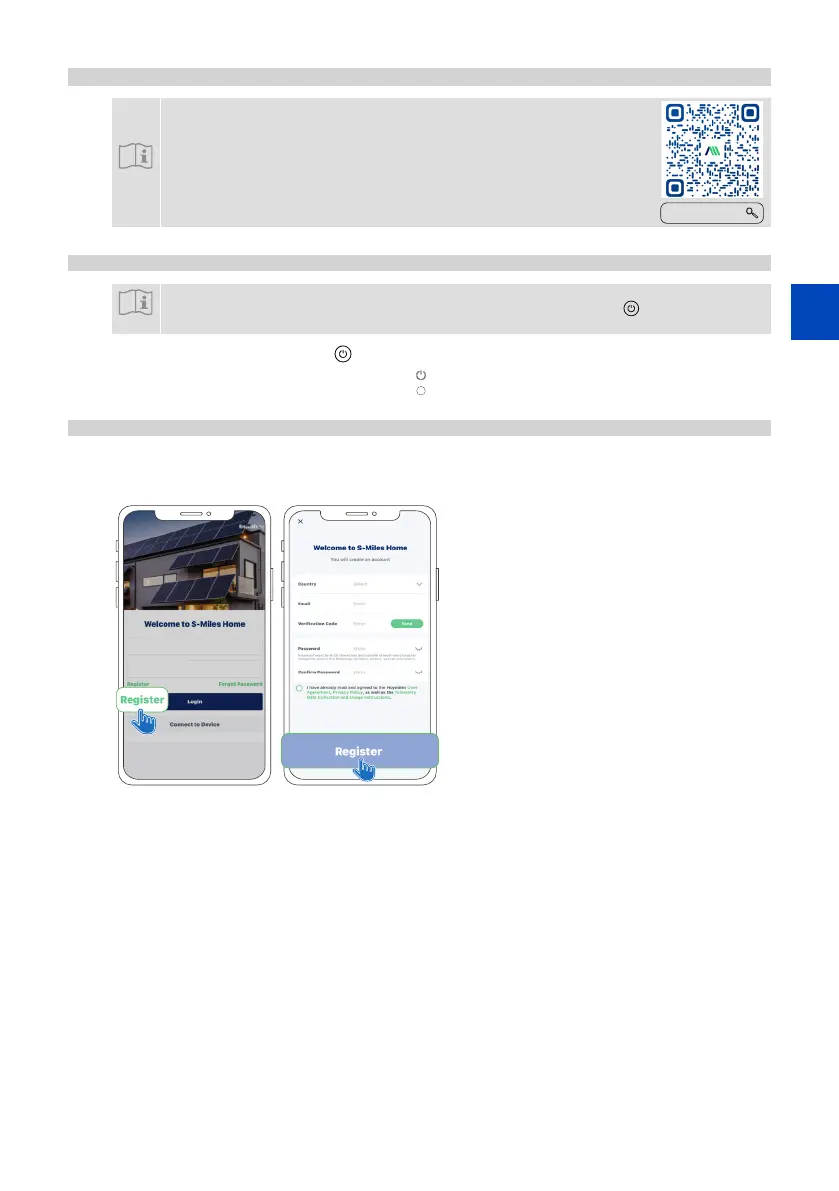
A) Open the app and tap Register.
B) Enter your information and select the required checkbox. Then tap Register to complete registration.
A). B).




 To Next Page