EasyManua.ls Logo

HP 48G - Page 14

HP 48G
84 pages
Print Icon
To Next Page IconTo Next Page
To Previous Page IconTo Previous Page
Loading...
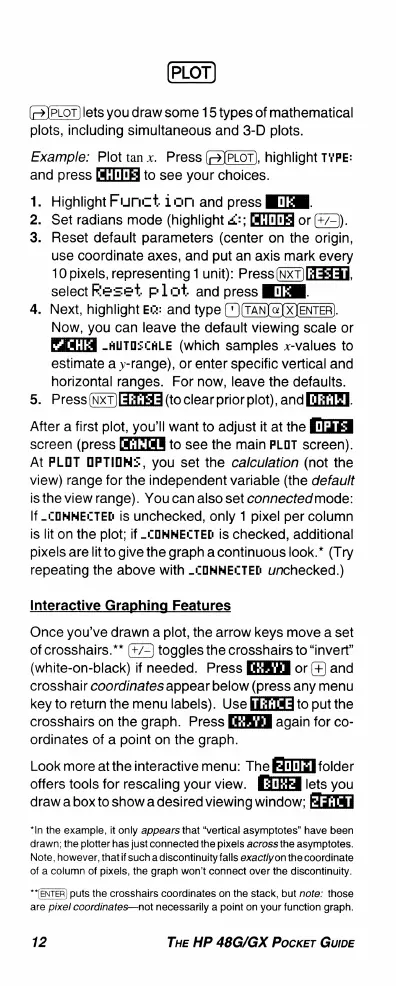
PLOT
lets
you
draw
some
15
types
of
mathematical
plots,
including
simultaneous
and
3-D
plots.
Example:
Plot
tan
x.
Press
(2]PLOT),
highlight
TYPE:
and
press
[4,]!]!]
to
see
your
choices.
1.
Highlight
Furnct
ion
and
press
IFTEEL
2.
Set
radians
mode
(highlight
:;
or
(+/9).
3.
Reset
default
parameters
(center
on
the
origin,
use
coordinate
axes,
and
put
an
axis
mark
every
10
pixels,
representing
1
unit):
Press
(NxT)
33,
select
Fe=et
pliot
and
press
INTEN.
4.
Next,
highlight
Ez:
and
type
(")(TAN]
@]
X)ENTER).
Now,
you
can
leave
the
default
viewing
scale
or
-AUTOZCALE
(which
samples
x-values
to
estimate
a
y-range), or
enter
specific
vertical
and
horizontal
ranges.
For
now,
leave
the
defaults.
5.
Press
I3
(to
clear
prior
plot),
and
[TTIRE.
After
a
first
plot,
you'll
want
to
adjust
it
at
the
screen
(press
to
see
the
main
PLOT
screen).
At
PLOT
OPTIOME,
you
set
the
calculation
(not
the
view)
range
for
the
independent
variable
(the
default
isthe
view
range).
You
can
also
set
connectedmode:
If
_.COMMELTED
is
unchecked,
only
1
pixel
per
column
is
lit
on
the
plot;
if
-COMMELTED
is
checked,
additional
pixels
are
litto
give
the
graph
a
continuous
look.*
(Try
repeating
the
above
with
_COMMECTEDL
unchecked.)
Interactive
Graphing
Features
Once
you've
drawn
a
plot,
the
arrow
keys
move
a
set
of
crosshairs.**
toggles
the
crosshairs
to
“invert”
(white-on-black)
if
needed.
Press
or(+
and
crosshair
coordinates
appear
below
(press
any
menu
key
to
return
the
menu
labels).
Use
to
put the
crosshairs
on
the
graph.
Press
again
for
co-
ordinates
of
a
point
on
the
graph.
Look
more
at
the
interactive
menu:
The
fii[gll
folder
offers
tools
for
rescaling
your
view.
H:thf4
lets
you
draw
a box
to
show
a
desired
viewing
window;
*In
the
example,
it
only
appears
that
“vertical
asymptotes”
have
been
drawn;
the
plotter
has
just
connected
the
pixels
across
the
asymptotes.
Note,
however,
that
if
such a
discontinuity
falls
exactlyon
the
coordinate
of
a
column
of
pixels,
the
graph
won’t
connect
over
the
discontinuity.
**[ENTER)
puts
the
crosshairs
coordinates
on
the
stack,
but
note:
those
are
pixel
coordinates—not
necessarily
a
point
on
your
function
graph.
12
THE
HP
48G/GX
Pocker
GuIiDE

Related product manuals