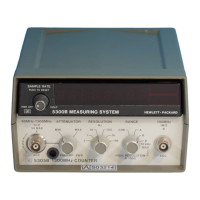
Model
5315A/B
Operation
3-16
NOTE
For specifications
concerning
band
wid
th, accuracy, and
amplitude
on
in
put
sign
al
s,
refer
to
Table 1-1.
1.
Set
PO
WER
switch 0
to
the
ON
position.
2. If
the
Start and Stop signals are
from
separate sources,
connec
t
the
Start signal
to
INPUT A
jack.
, the Stop signal
to
INPUT B jack
CD,
and set
the
sE
P
/COM
A
switch"
to
sEP
position. If
the
Start and Stop signals are
from
a
common
so
ur
ce,
connect
to
INPUT A
jack.
and
set
the
sEP/COM
A switch "
to
COM
A
po
sition.
3.
Pr
ess
T.!. A- A switch 0 , and insure the Blue shift key . is in
the
out
position,
to
select
time
interval
function.
4.
Set
AC/ DC
.,
.'
A
TIN
.,.'
and Slope
CD
G)
switches
to
desired positions.
NOTE
When
the
SEP
/
COM
A switch
is
set
to
COM
A,
onl
y Channel A AC/ DC
switch"
is
effective.
Ho
wever, all
Attenuato
r, Slope, and
Level!
Sens
controls
are effective.
5.
Set
TR
I
GGER
LEVEl/ SENSITIVITY switches
...
to
TR
IGGER
LEVEL
position. This
set
the
sensitivity
to
maximum
(typically
:=::;10
mY
) and allows variable selection
of
trigger levels.
6.
Adjust
the
LEVE
L/SENS
con
trols
fa.
for
optimum
trigger
i
ng
(
i.e
.,
the
middle
of
the range
over
wh
ich
the
trigger
light flas
he
s).
7. Adjust
the
GA
TE
TlME/DElAY
co
n
tro
l
",
for
the desired
holdoff
, (
va
r
ia
ble
nominally
from
500
~s
to
20 ms)
between
the Start
on
Channel A and the
enabling
of
St
op
on Chan
nel
B. Inputs
during
the delay
time
are i
gno
re
d.
The selected delay
time
may be displayed by pressing
T.I.
A-BO,
T.!. DELAY
Oan
d Blue shift key
•.
Figure 3-13. Time Interval
Delay
Measurement



 To Next Page