Contents
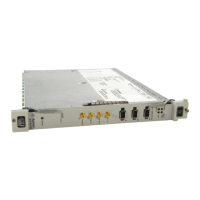
HP E8491A IEEE 1394 PC Link to VXI Configuration and User’s Guide
Edition 1
Contents 1
Safety Symbols.............................................................................................................6
WARNINGS.................................................................................................................6
Declaration of Conformity............................................................................................7
Reader Comment Sheet ................................................................................................9
Chapter 1
Introduction ..................................................................................................................11
Using the IEEE 1394 Serial Bus in VXI Systems ......................................................11
Component Overview .........................................................................................11
The HP E8491A PC Link to VXI Interconnect ............................................11
The Adaptec® AHA-8940 1394-to-PCI Host Adapter ................................11
The HP I_O Libraries ................................................................................... 11
Using this Manual ..............................................................................................11
Chapter 2: Interface Installation and Configuration .....................................11
Chapter 3: VXI Programming Using the IEEE 1394 Serial Bus ..................12
Chapter 4: IEEE 1394 Fundamentals and Interface Overview .....................12
Appendix A: Specifications ..........................................................................12
Appendix B: Editing the HP E8491A Resource Manager Configuration .... 12
Additional Information ........................................................................................12
Chapter 2
Interface Installation and Configuration ................................................................... 13
Using this Chapter ......................................................................................................13
Step 1: Installing the IEEE 1394Host Adapter .................................................... 13
Where to go Next .......................................................................................... 17
Step 2: Installing the HP E8491A Interconnect ..................................................17
Alternate Configurations ..............................................................................19
Where to go Next .......................................................................................... 20
Step 3: Installing VXI Instruments ...................................................................... 20
Installing C-size Instruments ........................................................................20
Installing A- and B-size Instruments ............................................................22
Step 4: Installing the HP I_O Libraries ............................................................... 24
Configuring the HP E8491A Interconnect ................................................... 25
Editing the HP E8491A Configuration ......................................................... 27
Editing the HP E8491A Configuration on Windows 95 Platforms ..............28
Step 5: Installing the HP VXIplug&play Instrument Drivers .............................28
Step 6. Verifying the Installation ........................................................................29
Using Instrument Soft Front Panels ..............................................................29
Viewing the Resource Manager Output .......................................................30
Running the Resource Manager ..........................................................................33
Artisan Technology Group - Quality Instrumentation ... Guaranteed | (888) 88-SOURCE | www.artisantg.com



 To Next Page