Interface Installation and Configuration 25Chapter 2
D. After the installation is complete, re-start the computer.
Configuring the
HP E8491A Interconnect
A. Connect the IEEE 1394 interface cable between the host adapter (PC)
and the E8491A interconnect if you have not already done so. Turn
on the VXI mainframe.
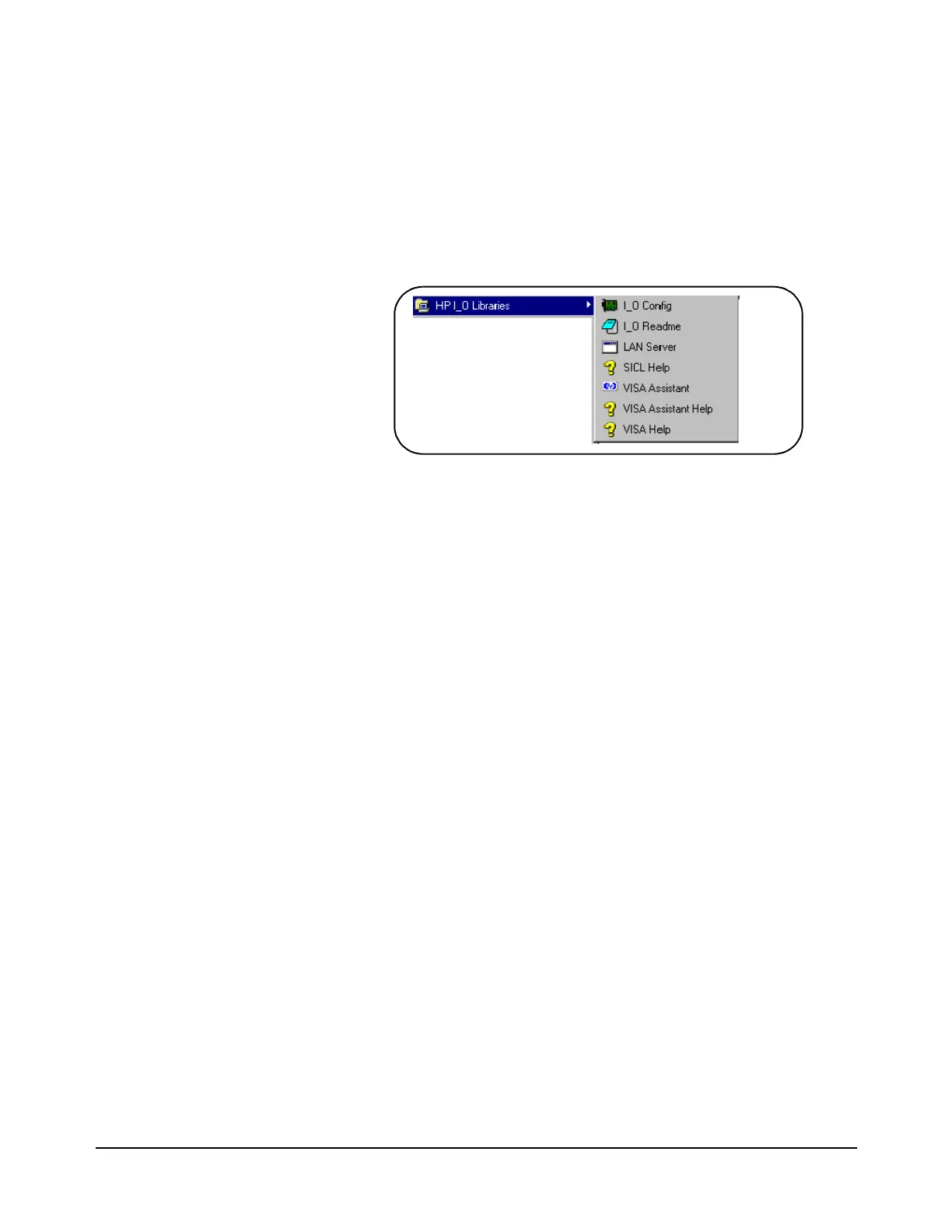
B. From the HP I_O Libraries program group created when the libraries
were installed, click on ‘I_O Config’ (Figure 2-10).
This brings up a configuration window similar to that shown in
Figure 2-11.
C. Select HP E8491A in the “Available Interface Types” box and click
on ‘Configure’
Figure 2-10. The HP I_O Libraries Program Group.
Artisan Technology Group - Quality Instrumentation ... Guaranteed | (888) 88-SOURCE | www.artisantg.com



 To Next Page