Interface Installation and Configuration 31Chapter 2
Figure 2-17 is a partial listing of a typical resource manager output.
Figure 2-16. Viewing the Resource Manager Output using ‘I_O Config’.
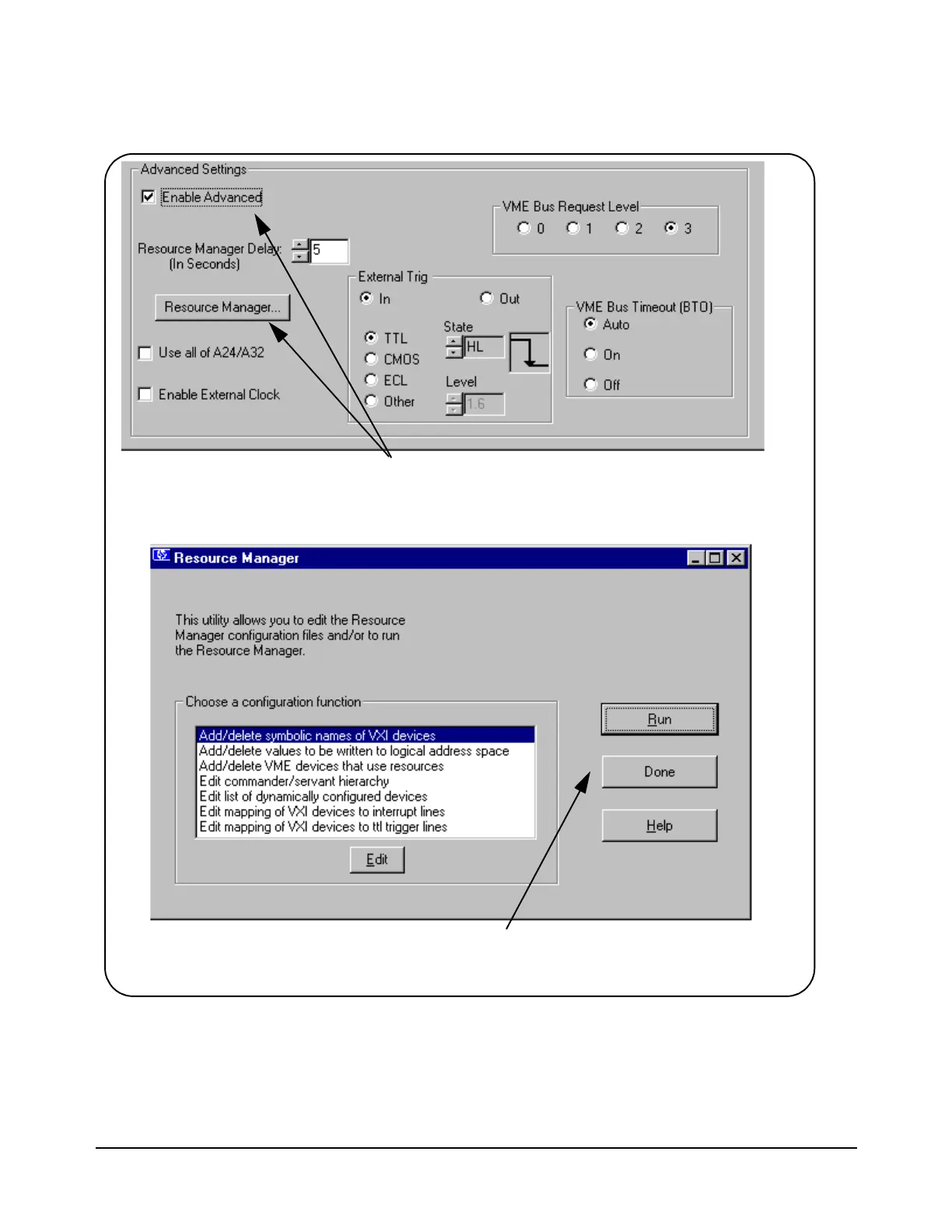
Select Enable Advanced to activate the Advanced
Settings controls. Click Resource Manager to bring
up the window below.
Click RM Output to view the
resource manager output.
Artisan Technology Group - Quality Instrumentation ... Guaranteed | (888) 88-SOURCE | www.artisantg.com



 To Next Page