70 Editing the HP E8491A Resource Manager Configuration Appendix B
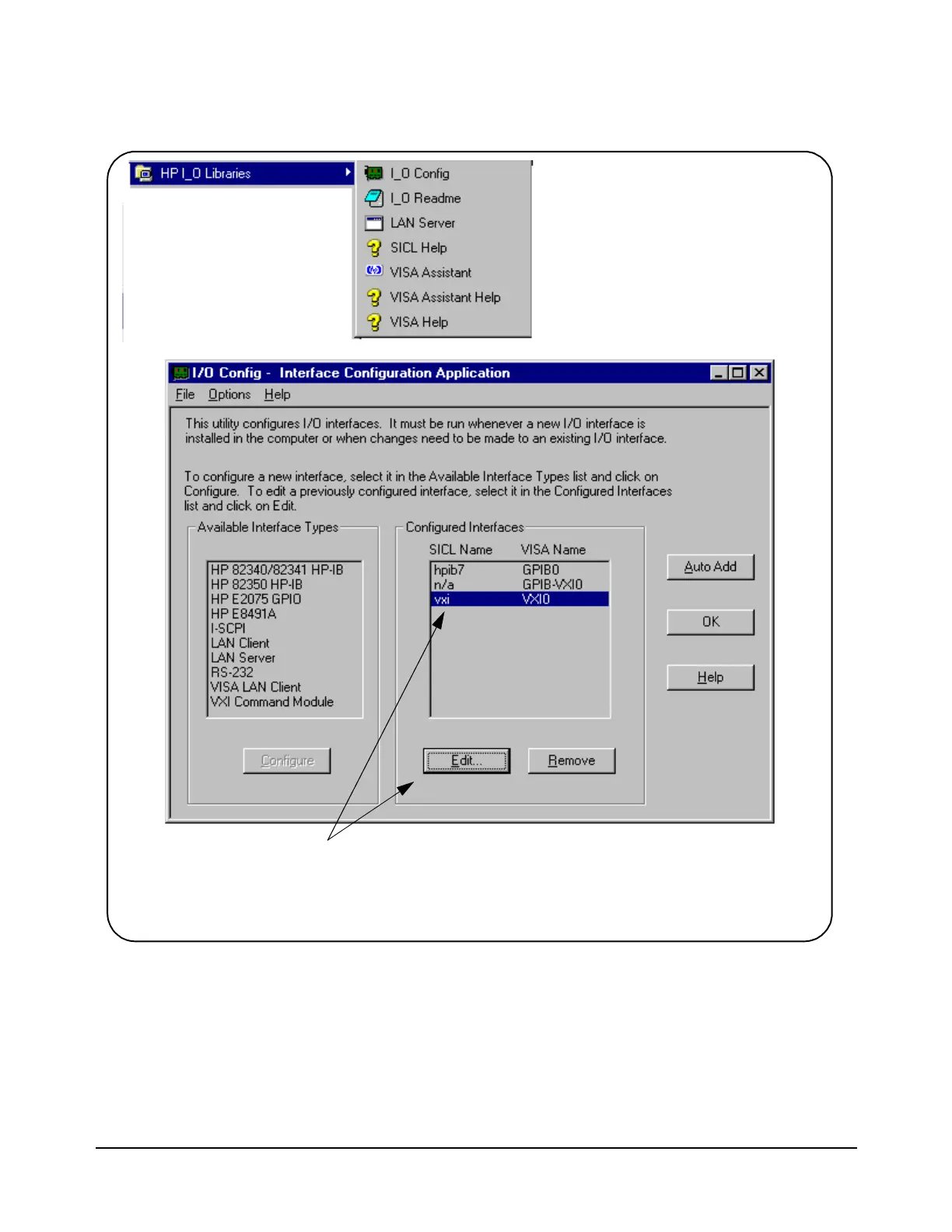
Figure B-1. Editing Configuration Files from the ‘I_O Config’ Utility.
1. From the I_O Libraries program
group, click I_O Config.
2. Select the configured
HP E8491A interface and then
click Edit. This brings up the
window (partial view) in Figure
B-2.
Artisan Technology Group - Quality Instrumentation ... Guaranteed | (888) 88-SOURCE | www.artisantg.com



 To Next Page